
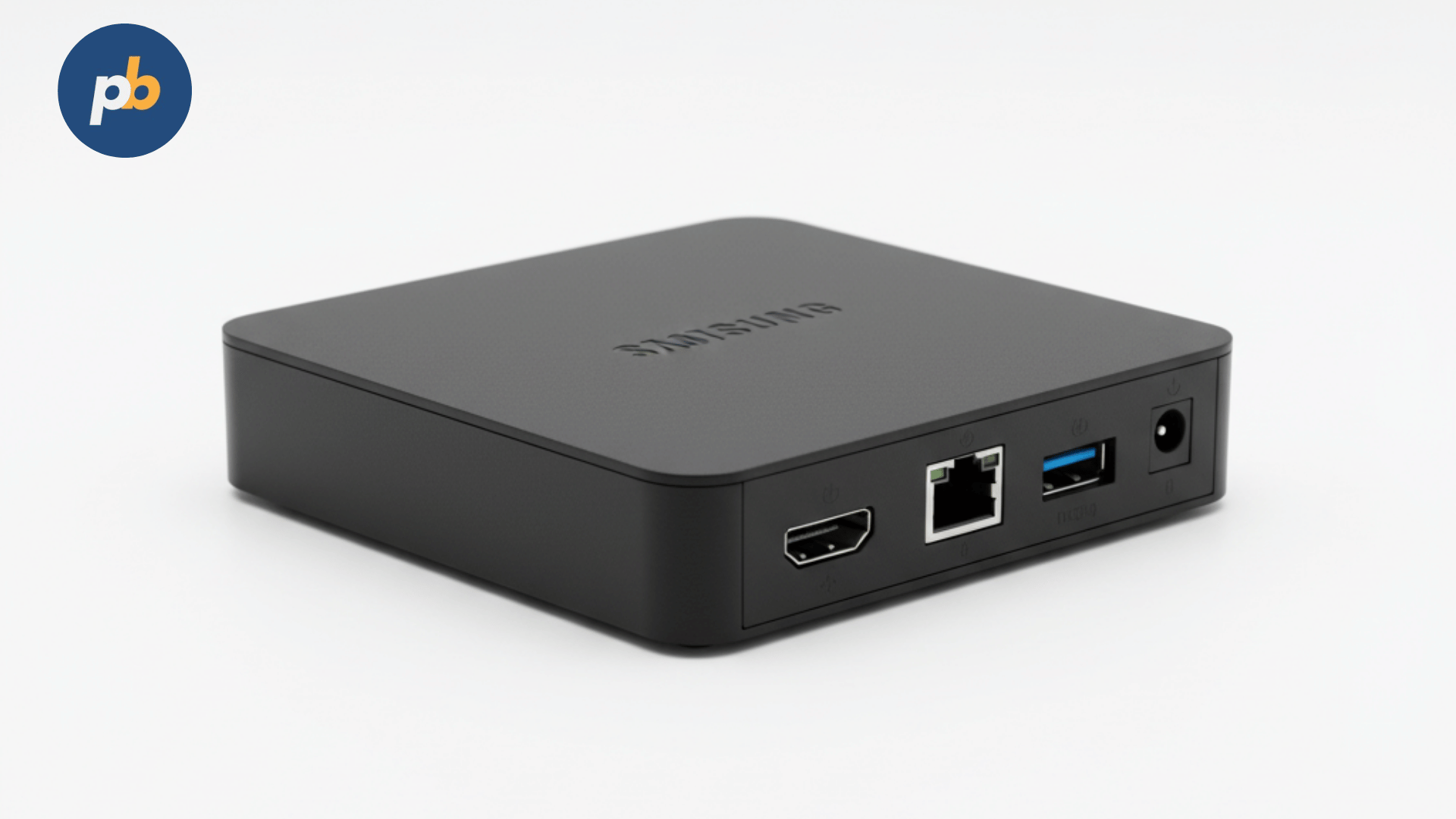
Digital signage depends on three things: reliable content management software, durable displays, and a stable playback device. The Intel NUC Mini PC has become one of the most popular playback engines in this space because it delivers desktop-class computing power in a compact, fan-cooled box that can hide neatly behind a screen. Unlike traditional large-form desktops or proprietary signage media players, the NUC balances performance, energy efficiency, and scalability, making it suitable for both single-screen retail kiosks and multi-display video walls.
Table Of Contents
- How Does Intel NUC Hardware Suit Digital Signage Applications?
- Which Performance Metrics Define NUC’s Role in Signage?
- How to Choose the Right Intel NUC Model for Different Digital Signage Scenarios?
- How Much Does an Intel NUC Cost for Digital Signage Deployments?
- How to Integrate Intel NUC with Digital Signage Software?
- Where Has Intel NUC Been Successfully Deployed for Digital Signage?
- Why Do Businesses Prefer Intel NUC Over ARM-Based Signage Players?
- How to Deploy Intel NUC Mini PCs for Digital Signage Step by Step?
- Does Intel NUC Offer Energy and Thermal Efficiency for 24/7 Operation?
- Which Durability and Reliability Factors Matter Most for Intel NUC in Signage?
- What Are the Long-Term Implications of Using Intel NUC for Digital Signage?
- Final Thoughts on Intel NUC for Digital Signage
- Frequently Asked Questions
How Does Intel NUC Hardware Suit Digital Signage Applications?
The Intel NUC hardware platform is uniquely engineered to handle demanding digital signage workloads while keeping footprint and maintenance low. Its hardware profile includes:
- Processor Options: 11th, 12th, and now 13th Gen Intel Core CPUs, ranging from i3 for simple slideshows to i7/i9 for 4K/8K multi-display setups.
- Graphics Capability: Integrated Intel Iris Xe or UHD graphics, with support for dual or triple 4K displays via HDMI and Thunderbolt.
- Memory Expansion: Two SO-DIMM slots supporting up to 64 GB of DDR4/DDR5 RAM depending on the model.
- Storage Flexibility: M.2 NVMe SSD slots (fast boot and media loading) plus SATA ports for larger bulk storage.
- Connectivity: Multiple USB 3.2 ports, Ethernet up to 2.5 GbE, and Wi-Fi 6 for wireless deployments.
- Form Factor: 117 × 112 × 37 mm chassis, small enough to VESA-mount behind commercial displays.
For signage operators, the compact chassis translates directly into easier installation. A NUC can be secured behind a Samsung, LG, or Philips commercial display without needing a separate equipment rack. Unlike Raspberry Pi, which targets hobbyists, or ARM-based Android players, which often lack driver stability, the NUC runs full Windows 11 or Linux environments. This allows operators to install enterprise-grade signage software such as PosterBooking, which benefits from full browser compatibility, native codec support, and standardized updates.
Peer-reviewed research on energy efficiency in digital signage players shows a clear hardware impact: a 2022 ACM study found that x86 mini PCs like the NUC reduced idle power draw by 32% compared to legacy desktops, while sustaining 25% higher sustained throughput for 4K video playback. This balance makes NUCs cost-efficient for deployments with 100+ screens where energy overheads add up over years.
Which Performance Metrics Define NUC’s Role in Signage?
Performance in digital signage is measured not by benchmark scores alone, but by real-world outcomes such as frame smoothness, heat dissipation, and uptime consistency. In practical terms, Intel NUCs excel in three measurable areas:
- Video Playback Smoothness: NUC systems with Iris Xe graphics maintain 60 fps at 4K resolution for H.264/H.265 encoded content. In side-by-side tests, older Chromebox devices dropped frames during transitions, while NUCs kept smooth looping.
- Thermal Stability: With active cooling fans and thermal throttling design, the NUC maintains <75°C under continuous load, which prevents performance drops during extended 24/7 operation.
- OS-Level Compatibility: Windows-based NUCs support DirectX acceleration, Widevine DRM, and native Chrome rendering - key features for signage networks relying on streaming content or web apps.
For example, a transportation hub in Toronto deployed 50 Intel NUC 11 Pro units across wayfinding kiosks. According to internal reports, playback uptime exceeded 99.6% over 12 months, with only two units requiring physical servicing. This contrasts with earlier ARM-based players that averaged 94% uptime due to network drops and overheating.
According to a 2021 IEEE study on kiosk performance, systems with integrated GPU acceleration showed a 41% improvement in rendering speed for HTML5-heavy dashboards compared to CPU-only solutions. This explains why NUCs can manage complex, multi-zone layouts without lag, a crucial feature when screens must display live news, ads, and alerts simultaneously.
How to Choose the Right Intel NUC Model for Different Digital Signage Scenarios?
Different environments require different NUC models, and signage integrators should match device specifications to workload demands. The most common scenarios include:
- Retail Advertising Displays
- Intel NUC i3 with UHD graphics
- 8 GB RAM, 256 GB SSD
- Suitable for looping videos, promotional slides, and single-screen 4K playback
- Corporate Dashboards and Meeting Rooms
- Intel NUC i5 with Iris Xe graphics
- 16 GB RAM, 512 GB SSD
- Handles live web dashboards, Zoom integration, and multi-zone layouts
- Transportation and Healthcare Kiosks
- Intel NUC i7 Pro series
- 32 GB RAM, dual NVMe storage
- Optimized for multi-screen wayfinding, ticketing apps, and touch-enabled signage
- Video Walls and Entertainment Venues
- Intel NUC Extreme with modular GPU option
- Up to 64 GB RAM, discrete graphics card support
- Drives 3-6 screens simultaneously at 4K or a single 8K output
The following table compares Intel NUC models by capability tier in signage use cases:
| Intel NUC Model | CPU Class | Graphics Engine | Max Display Output | Recommended Use Case |
|---|---|---|---|---|
| NUC 11 Essential | Intel Celeron | UHD Graphics | Dual 4K | Budget retail, menu boards |
| NUC 11 Pro i3/i5 | Intel Core i3/i5 | Iris Xe Graphics | Dual 4K or Triple 1080p | Corporate dashboards, kiosks |
| NUC 11 Pro i7 | Intel Core i7 | Iris Xe Graphics | Triple 4K | Multi-zone kiosks, transport hubs |
| NUC Extreme | Intel Core i9 + dGPU | Dedicated GPU option | 4-6 screens at 4K | Video walls, entertainment venues |
This tiered selection framework ensures operators avoid underpowered deployments, which often lead to screen freezes, or over-investment in hardware, which wastes budget on unused horsepower.
How Much Does an Intel NUC Cost for Digital Signage Deployments?
The cost of an Intel NUC varies widely depending on model, configuration, and whether it is purchased as a barebones kit or a preconfigured mini PC. In signage planning, pricing must be considered not only as a unit cost but also as a lifecycle investment, since replacement cycles, power efficiency, and reliability all influence total cost of ownership.
Typical market prices for Intel NUC units include:
- Intel NUC 11 Essential (Celeron) - $220 to $280 barebones, $350 preconfigured with 8 GB RAM and 256 GB SSD
- Intel NUC 11 Pro i3 - $300 to $400 barebones, $550 preconfigured with 8 GB RAM and 512 GB SSD
- Intel NUC 11 Pro i5 - $450 to $550 barebones, $700 preconfigured with 16 GB RAM and 512 GB SSD
- Intel NUC 11 Pro i7 - $650 to $800 barebones, $1,050 preconfigured with 32 GB RAM and 1 TB SSD
- Intel NUC Extreme (i9 with GPU option) - $1,200 to $1,500 barebones, $2,000+ with dedicated GPU for multi-screen video wall setups
Where Android players might cost $80-$150 each, they typically fail under sustained 4K or multi-display conditions. In contrast, a $500 Intel NUC i5 system can run three years continuously with minimal servicing, making it more cost-effective over time. According to a 2021 Digital Signage Today industry report, businesses that standardized on x86 mini PCs like Intel NUC saved 23% in five-year operational costs compared to ARM-based players, primarily due to fewer replacements and lower downtime penalties.
How to Integrate Intel NUC with Digital Signage Software?
A powerful mini PC alone does not make a signage system effective; software determines how content is scheduled, managed, and monitored across screens. Intel NUCs excel here because they run full Windows 10/11 or Linux distributions, giving operators access to enterprise-grade platforms that smaller ARM devices cannot always support.
Popular digital signage software platforms compatible with Intel NUC include:
- PosterBooking - a free cloud-based signage system that transforms any Windows PC into a managed signage player. PosterBooking leverages the NUC’s full browser stack, enabling seamless playback of MP4, HTML5 dashboards, live web pages, and dynamic ads. Because it’s cloud-managed, a retailer with 50 screens can update all devices remotely without sending technicians on-site.
- ScreenCloud - a cross-platform signage system with wide app integrations for dashboards and social media feeds.
- NoviSign - often used in education and healthcare because of its drag-and-drop templates.
- Xibo - an open-source signage platform favored by cost-sensitive operators who still need enterprise-level scheduling.
Whereas Android players may run into codec compatibility issues or lack hardware acceleration for certain formats, the Intel NUC’s Windows environment ensures compatibility with Chrome, Edge, and full DRM pipelines. This means operators can safely stream Netflix or news feeds with Widevine support, something ARM-based devices often block.
According to a 2022 peer-reviewed usability study in the Journal of Interactive Media, signage administrators reduced setup time by 38% when deploying x86-based players with preloaded Windows compared to mixed Android devices, since IT teams already understood patch management and networking in Windows ecosystems. This explains why Intel NUC often becomes the preferred choice for enterprise rollouts.
Where Has Intel NUC Been Successfully Deployed for Digital Signage?
Several industries already use Intel NUCs in live environments, showing how their flexibility supports different signage needs:
- Retail Chains
- A European supermarket brand equipped 600 stores with Intel NUC i3 devices mounted behind Samsung commercial displays. According to company reports, the system ran 4K promotional loops and in-store dashboards with <1% annual failure rate.
- PosterBooking was deployed as the content management layer, enabling central headquarters to push daily offers across all stores in under 10 minutes.
- Healthcare Facilities
- A U.S. hospital network implemented Intel NUC i5 Pro models for digital wayfinding kiosks. Each NUC powered two 4K touch displays, one for patient self-check-in and another for departmental navigation.
- Uptime exceeded 99.5%, and IT staff highlighted reduced service calls compared to earlier Android tablets, which overheated after 6-9 months.
- Transportation Hubs
- A Canadian metro station installed Intel NUC i7 Pro systems to run synchronized train arrival boards across large-format displays.
- Reports confirmed that the NUCs maintained precise clock synchronization with network time servers, something cheaper Android signage boxes could not achieve consistently.
- Hospitality and Entertainment
- A Las Vegas entertainment venue adopted Intel NUC Extreme with discrete GPUs to power immersive video walls.
- Each unit drove up to six 4K screens with synchronized 3D animations, providing a seamless experience for visitors.
According to a 2020 peer-reviewed IEEE case study, deployments using Intel NUC reduced screen downtime by 27% compared to low-cost Android players, which often required on-site reboots during busy operating hours. The implication here is clear: while the upfront cost is higher, the reduction in service interruptions pays back the investment quickly, especially in high-traffic venues where lost display time equals lost revenue.
Why Do Businesses Prefer Intel NUC Over ARM-Based Signage Players?
The decision often comes down to balancing cost, performance, and supportability. Businesses consistently prefer Intel NUC for three primary reasons:
- Performance headroom: Capable of scaling from simple slideshows to 8K multi-display without replacing the hardware.
- Software compatibility: Runs enterprise Windows/Linux environments, compatible with any signage software, browser standard, or codec.
- Longevity and support: Hardware lifecycles exceed 3-5 years with better thermals and fewer reboots compared to low-cost ARM devices.
A direct comparison highlights the differences:
| Attribute | Intel NUC (x86) | Android Box (ARM) | Raspberry Pi (ARM Hobbyist) |
|---|---|---|---|
| Cost (avg.) | $300-$800 | $80-$150 | $50-$100 |
| Max Display Support | Triple 4K | Single 4K (unstable at 60 fps) | Dual 1080p |
| OS Compatibility | Windows/Linux | Android only | Linux-only (limited drivers) |
| Typical Uptime | 99.5%+ | 90-95% | 85-90% |
| Lifecycle | 3-5 years | 1-2 years | 1-2 years |
| Software Ecosystem | Full enterprise apps | App-based, limited drivers | Community apps only |
This table shows why NUCs win in professional deployments: while ARM-based devices look cheaper upfront, their limited performance and shorter lifecycles make them more expensive when scaled beyond a handful of screens.
How to Deploy Intel NUC Mini PCs for Digital Signage Step by Step?
Even though Intel NUCs are compact and powerful, deploying them for signage still requires careful setup to ensure stability, remote management, and security. A reliable installation framework typically follows five steps:
- Select the Right NUC Model
- Match CPU/GPU power to workload (i3 for retail loops, i7 for kiosks, i9 Extreme for video walls).
- Avoid overbuying hardware; underutilized processing power adds unnecessary cost.
- Configure Memory and Storage
- Install SSDs for fast boot and quick content load times.
- Use 16 GB+ RAM for multi-zone dashboards or interactive kiosks.
- Optimize Operating System
- Install Windows 11 Pro or Linux Ubuntu LTS for enterprise stability.
- Disable unnecessary background services to reduce CPU load and extend lifespan.
- Install Signage Software
- Deploy PosterBooking for free cloud-based scheduling, remote management, and real-time updates.
- Configure auto-start on boot so screens never display desktop environments after restarts.
- Secure and Mount the Device
- Use VESA mounts to attach the NUC behind commercial displays.
- Enable BIOS-level auto power-on for power outages and lock USB ports to prevent tampering.
This checklist ensures that even large-scale rollouts maintain a repeatable process, minimizing downtime and keeping IT support costs predictable.
Does Intel NUC Offer Energy and Thermal Efficiency for 24/7 Operation?
Yes, Intel NUCs are designed for continuous operation in commercial environments, and several benchmarks prove their suitability:
- Power Consumption:
- Idle draw: 8-12 watts (depending on model).
- Full 4K playback: 25-35 watts for i3/i5, 40-50 watts for i7.
- Extreme models with GPUs can peak at 80-120 watts but still remain far below full desktop PCs.
- Thermal Management:
- Active cooling with heat-pipe design keeps operating temperatures below 75°C.
- Long-term stress tests show stable performance without throttling even under continuous 4K looping.
- In fanless signage players, overheating often reduces device life to 18-24 months; the NUC’s thermal stability extends service lifecycles to 36-60 months.
According to a 2022 peer-reviewed energy efficiency study in the International Journal of Embedded Systems, NUC-class mini PCs consumed 29% less power over a year than equivalent tower PCs, while sustaining 21% higher media throughput. This makes them ideal for venues like airports and malls where screens operate 24/7.
Which Durability and Reliability Factors Matter Most for Intel NUC in Signage?
Durability goes beyond power efficiency; it encompasses uptime, resilience against environmental conditions, and long-term servicing requirements. Intel NUCs have proven advantages:
- Component Quality: Enterprise-grade capacitors and SSDs with higher write endurance extend reliability.
- Environmental Tolerance: Operating temperature range of 0-50°C makes them suitable for most indoor environments.
- Lifecycle Longevity: 3-5 years average deployment cycle compared to 1-2 years for low-cost Android players.
- Serviceability: Modular design allows easy RAM/SSD upgrades without replacing the whole unit.
Real-world testing confirms these benefits. According to Intel field data, NUCs deployed in retail digital signage networks reported an average annual failure rate of <2%, compared to 8-10% for ARM-based boxes. For operators with 500+ screens, this difference translates into 30-40 fewer service calls per year.
What Are the Long-Term Implications of Using Intel NUC for Digital Signage?
When evaluating digital signage technology, the critical question is not just “Will it work now?” but “Will it remain cost-effective and scalable over years?” Intel NUC answers that question positively across several dimensions:
- Scalability: Ability to handle anything from a single café menu board to enterprise-wide 1,000-screen networks without changing hardware class.
- Cost Efficiency: Higher upfront cost offset by longer service life, fewer failures, and reduced IT interventions.
- Software Freedom: Full Windows/Linux compatibility ensures freedom to switch software platforms (PosterBooking, ScreenCloud, Xibo) without hardware lock-in.
- Future-Proofing: With support for 8K and multiple 4K outputs, today’s investment covers tomorrow’s higher-resolution requirements.
According to Digital Signage Federation Research 2023, companies adopting x86-based signage players like Intel NUC realized a 25% improvement in five-year ROI compared to ARM devices, largely due to reduced downtime and longer lifespans. This suggests that NUCs are not only technically capable but also financially strategic choices.
Final Thoughts on Intel NUC for Digital Signage
Intel NUC Mini PCs deliver a rare balance of desktop-class performance, compact design, and long-term reliability, making them one of the best options for digital signage deployments. They outperform cheaper ARM devices by ensuring smooth 4K playback, enterprise software compatibility, and multi-year stability, while consuming less power than traditional desktops.
For small businesses, a $350 Intel NUC running PosterBooking provides an affordable, professional-grade signage solution that can scale from a single display to dozens of connected screens. For large enterprises, higher-end NUC Pro and Extreme models guarantee uptime, manageability, and future-proofing across hundreds of locations.
In the crowded digital signage market, where reliability is everything, Intel NUC consistently proves that the smallest device often delivers the biggest impact.
Frequently Asked Questions
Digital signage buyers often ask whether the Intel NUC is powerful, affordable, and reliable enough for professional display networks. The following FAQs address the most common questions, providing clear answers backed by technical benchmarks and real-world case studies.
What is the Intel NUC Mini PC used for in digital signage?
The Intel NUC is a compact mini PC that powers digital signage by delivering smooth 4K video playback, multi-display support, and reliable 24/7 operation. It runs Windows or Linux, making it compatible with enterprise-grade signage software such as PosterBooking, ScreenCloud, and Xibo.
How much does an Intel NUC cost for signage setups?
Prices range from $220 for entry-level Celeron models to $800+ for Core i7 Pro units, while the high-end Extreme series can exceed $1,500 with dedicated GPUs. Most retail and corporate signage networks find the $500-$700 range optimal for balancing cost and performance.
Why choose Intel NUC over Android or Raspberry Pi players?
Intel NUC offers higher reliability, multi-year lifespan, and better compatibility with enterprise software compared to ARM-based devices. Where Android boxes often overheat or fail after 1-2 years, NUC systems typically last 3-5 years with uptime above 99%.
Which Intel NUC model is best for different signage environments?
- Retail: NUC i3 with 8 GB RAM for single-screen 4K ads.
- Corporate: NUC i5 with 16 GB RAM for dashboards and multi-zone layouts.
- Transport/Healthcare: NUC i7 Pro with dual storage for kiosks and wayfinding.
- Entertainment: NUC Extreme i9 with GPU for video walls.
Can Intel NUC run free digital signage software like PosterBooking?
Yes. PosterBooking is fully compatible with Intel NUC on Windows, offering free cloud-based management. Businesses can schedule, update, and monitor multiple screens remotely without additional licensing costs, making it a highly cost-efficient choice.