
Rise Vision is the best digital signage software for most K-12 schools in 2026 because its current school plan combines unlimited displays, classroom alerts, content approvals, teacher-specific roles, screen sharing, and Common Alerting Protocol integrations in one education-focused system. PosterBooking is the best budget option for a small school testing up to 10 hallway or reception screens. Carousel is best for Jamf-managed Apple TV estates, Vivi for classroom-wide communication and safety, TrilbyTV for student-created content, ScreenCloud for higher-education governance, Yodeck for low-cost Raspberry Pi and mixed hardware, and Xibo for self-hosted technical control.
The hidden buying problem is not putting a slide on a television. It is keeping information current, interrupting it safely, governing contributors, reusing hardware, and recovering when the network or an employee fails.
Discussions within school IT communities as early as 2025 report administrators inheriting functioning BrightSign players with no documented credentials, ownership map, or reliable way to publish after the previous technician left. That experience challenges the conventional emphasis on templates. The first procurement test is whether another employee can recover the signage network when its original administrator disappears.
I analysed official pricing, education features, hardware support, reviews, deployments, alert documentation, and practitioner discussions. I did not conduct hands-on tests. Vendor cases are directional evidence, not independent proof. Prices and ratings are checked to September 2026.
Table Of Contents
- The Best Digital Signage for Schools at a Glance
- How I Evaluated the Best School Digital Signage
- 1. Rise Vision: Best Overall for K-12 Schools and Emergency Alerts
- 2. PosterBooking: Best Budget Option for Small Schools With Up to 10 Screens
- 3. Carousel Digital Signage: Best for Apple TV, AirPlay, and Jamf Fleets
- 4. Vivi: Best for Classroom-Wide Announcements, Screen Sharing, and Safety
- 5. TrilbyTV: Best for Student-Created Content, Canva, and UK School Trusts
- 6. ScreenCloud: Best for Higher-Education Governance and Data Dashboards
- 7. Yodeck: Best for Raspberry Pi and Mixed Legacy Hardware
- 8. Xibo: Best for Self-Hosted University and District IT Control
- Hardware, Integrations, and School Use Cases
- Cost, Safety, Privacy, and Accessibility
- Final Buyer Guidance
- Frequently Asked Questions
- What is the best digital signage for schools?
- Which digital signage software is best for a small school on a budget?
- How do school digital signage systems handle emergency alerts?
- What hardware do I need to run PosterBooking in a school?
- How long does it take to set up a digital signage screen?
The Best Digital Signage for Schools at a Glance
| Rank | Product | Best for | Decisive advantage | Main limitation |
|---|---|---|---|---|
| 1 | Rise Vision | K-12 schools and emergency alerts | Education-specific unlimited plan with CAP alerts and classroom controls | Best school features require Advanced or Unlimited |
| 2 | PosterBooking | Small schools with up to 10 common-area screens | Low-cost 10-screen pilot and simple remote publishing | Free 10-screen offer lasts only three months |
| 3 | Carousel Digital Signage | Apple TV, AirPlay, and Jamf fleets | Managed switching between classroom AirPlay and signage | Public pricing starts higher and full deployments need Apple management |
| 4 | Vivi | Classroom-wide announcements, screen sharing, and safety | One system for teaching displays, signage, video announcements, and alerts | Quote-based hardware and subscriptions complicate comparison |
| 5 | TrilbyTV | Student voice, Canva, and UK school trusts | Education-native publishing with simple trust-to-school delegation | Smaller independent review footprint and UK-centered value |
| 6 | ScreenCloud | Universities and multi-campus governance | Strong apps, dashboards, permissions, and enterprise controls | Expensive for straightforward school noticeboards |
| 7 | Yodeck | Raspberry Pi and mixed legacy hardware | Excellent value, broad hardware choice, and included annual-plan players | Advanced school workflows require higher tiers or external systems |
| 8 | Xibo | Self-hosted university or district IT | Open-source CMS, data control, and deep customization | The school becomes responsible for security, backups, and support |
What is the best digital signage for schools? Rise Vision is the strongest overall choice for a typical K-12 school because it covers daily communications and emergency overrides while offering predictable unlimited-screen pricing. PosterBooking is better when cost and a small common-area pilot matter more than classroom alerts. Universities, Apple-first districts, and self-hosted IT teams should choose by architecture rather than accept the overall winner automatically.
How I Evaluated the Best School Digital Signage
School signage has a different risk profile from retail or restaurant signage. A stale promotion is inconvenient. A stale room change can confuse a student, and a failed emergency override can be dangerous. I therefore used the following weighted criteria:
- Safety, reliability, and alert behavior, 25%. Can routine content be overridden, targeted, acknowledged, tested, and restored? Does the player cache content and recover after power or network loss?
- School workflows and automation, 20%. Can calendars, bell schedules, lunch menus, athletics, transport, events, and room information update from an authoritative source?
- Roles, governance, and student safeguarding, 15%. Can district, school, department, teacher, and student permissions be separated? Are approvals and auditability available?
- Hardware compatibility and reuse, 15%. Can the school reuse interactive flat panels, Apple TVs, Chromeboxes, Windows PCs, Raspberry Pis, smart displays, and existing commercial screens?
- Everyday usability and content freshness, 10%. Can a receptionist, communications lead, media specialist, or teacher make a correct update without becoming a signage technician?
- Integrations and accessibility, 8%. I looked for calendars, Google and Microsoft tools, Canva, alert systems, captions, multilingual content, and accessible layouts.
- Cost and procurement clarity, 5%. Public pricing, purchase-order support, education discounts, player costs, and screen-count economics were considered.
- Review and support evidence, 2%. Ratings, sample size, review recency, education-specific feedback, training, and support patterns acted as a check, not the ranking formula.
This weighting favors K-12. Universities should increase the weight of identity, multi-campus permissions, dashboards, data integration, and self-hosting. A one-building school should prioritize cost and simplicity. A district security team should make tested alert behavior nonnegotiable.
Discussions within digital-signage education communities as early as 2025 report that much industry education is vendor-led and that buyers often fail to separate hardware installation, content operations, and software management. That is why this ranking does not treat a long feature list or a vendor’s “best” label as independent confirmation.
1. Rise Vision: Best Overall for K-12 Schools and Emergency Alerts
Rise Vision is the best overall school digital signage platform in 2026 for K-12 organizations that need daily announcements, automated calendars, classroom displays, and emergency overrides under one predictable licence. Its central differentiator is not merely its template library. It is the way school-level publishing, teacher use, classroom alerts, screen sharing, and district overrides fit into one education plan.
According to a 2026 (Rise Vision) on school pricing, Advanced costs $138 per display per year and includes CAP emergency alerts, Google Calendar, Google Sheets, Microsoft Calendar, PowerPoint, offline notifications, and brand controls. Enterprise costs $164 per display per year, while the K-12 Unlimited licence costs $1,399 per school per year for unlimited displays, users, and the full feature set.
The economics change quickly. Ten Advanced displays cost $1,380 annually, only $19 less than Unlimited. A school planning reception, cafeteria, gym, library, staff room, corridors, and classroom panels should therefore compare the flat school licence before buying individual screens. The unlimited model also reduces the internal argument over whether one more classroom deserves a licence.
The strongest recurring review theme is approachable school publishing. In September 2026, Capterra listed Rise Vision at 4.7 out of 5 from 301 reviews, with 4.6 for ease of use and 4.8 for customer service. Education reviewers specifically praised templates and the ability to bring in Canva, PowerPoint, and Google Slides. According to a 2026 (Capterra) on Rise Vision reviews, some reviews were vendor-referred or incentivized, so the pattern supports usability but does not create a controlled product comparison. a
Setup supports Amazon Signage Stick, Android, Apple TV, BrightSign, ChromeOS, LG webOS, Raspberry Pi, Ubuntu, Windows, browsers, Vivi, Zoom Rooms, and interactive panels. A district can standardize content before replacing every screen. Exact models still require testing because features differ by player.
The everyday workflow is source-led. A calendar owner changes an assembly, exam, fixture, lunch service, parent evening, room closure, or club once. Rise Vision then renders the updated source inside an approved screen layout. This is operationally better than asking an administrator to alter the calendar, email staff, and remember to rebuild a slide.
But that was not the feature school practitioners discussed most. Discussions within K-12 system-administrator communities as early as 2025 report small districts moving toward Rise Vision because nontechnical users could manage it and a site licence became materially cheaper after roughly 10 displays. The practical implication is to ask for the school-wide price before expanding per-screen licences.
Emergency behavior is the larger reason Rise Vision ranks first. According to a 2026 (Rise Vision) on CAP alerts, scheduled content can be overridden automatically by a Common Alerting Protocol provider. Current documentation names integrations including Raptor, CrisisGo, Singlewire InformaCast, and other supported alert sources. The school still needs the third-party alert system, permissions, targeting rules, message templates, and a drill program. help.risevision.com
Classroom Alerts extends the network beyond hallway televisions to supported interactive flat panels, including products from Promethean, SMART, Clear Touch, Clevertouch, Boxlight, Newline, BenQ, ViewSonic, and Avocor. The capability was introduced before 2026, so it should not be misrepresented as a September 2026 launch. The current buying point is that the feature and supported alert integrations remain documented in 2026.
Role design also matters. Enterprise and Unlimited add teacher-specific roles, content approval, district-level control, SAML single sign-on, screen sharing, and classroom alerts. A school can let a media teacher submit student work, allow athletics to manage fixtures, and let reception update visitor notices without giving each contributor the authority to change emergency settings or every campus display.
Reliability depends partly on the player. Offline playback keeps scheduled content visible when connectivity drops, but live calendars, weather, dashboards, and alert feeds still need network access.Support is another measurable advantage. Rise Vision lists one-business-hour support during its published service window, while annual education procurement can use purchase orders. Schools should still document summer coverage, escalation contacts, replacement-player procedures, and who can make an emergency change when the usual administrator is absent.
What I like
- The K-12 Unlimited licence aligns cost with a whole-school rollout rather than punishing every additional classroom.
- CAP integrations, content approval, teacher roles, and broad player support address real school governance.
What users like
- Education reviewers repeatedly praise templates, Canva and slide workflows, ease of use, and responsive support.
- K-12 practitioners discuss the site licence as strong value once a school passes a small screen count.
What I dislike
- The most valuable school features sit above the Basic tier, so the lowest headline price is rarely the correct comparison.
- Broad compatibility creates feature differences between players, especially screen sharing and classroom behavior.
What users dislike
- Reviewers mention occasional template-search friction, format limitations, and the need to learn more advanced functions.
- Schools can overestimate automation if their calendar, lunch, athletics, or emergency source is not cleanly maintained.
Two limitations are decisive. First, an emergency-capable Rise Vision deployment still depends on a properly configured third-party alert source and tested network. Second, schools with only one or two lobby screens may pay for an education architecture they do not need.
The ideal buyer is a K-12 school or district that wants one governed platform across common areas and classroom panels. Choose Rise Vision for its education-specific combination of alerts, automation, roles, and predictable scale. Avoid it when the requirement is only a basic two-screen slideshow or when the school will not operate and test the alert integration.
2. PosterBooking: Best Budget Option for Small Schools With Up to 10 Screens
PosterBooking is the best budget choice for a small school that wants to pilot up to 10 reception, hallway, cafeteria, library, or staff-room screens without beginning with an enterprise procurement. It is a general cloud signage platform rather than a school-specific safety system. Its differentiator is the amount of screen coverage available during a low-friction trial and the simple content-to-playlist workflow.
PosterBooking advertises 10 free screens, but the current terms materially qualify that promise. According to a 2026 (PosterBooking) on free-screen terms, the 10-screen offer lasts three months, after which the account must upgrade, and the company may change or cancel the offer. Schools should treat it as a pilot, not a permanent free entitlement.
The paid economics remain competitive. In September 2026, the Home Basic plan was listed at $52 per month for 10 screens, or $624 per year, with watermark removal, scheduling, 4K playback, and monitoring. Additional screens after the tenth were listed at $6.49 per month. That makes PosterBooking less than half the annual price of Rise Vision Unlimited for a fixed 10-screen common-area deployment, although it does not include the same school-alert architecture.
Setup is designed around consumer-friendly players and smart-screen apps. A school can connect a Fire TV, Android device, Windows player, Amazon Signage Stick, or supported smart display, pair the screen, upload images or video, build playlists, and schedule them remotely. The operational benefit is a fast pilot on existing televisions without asking IT to build a server.
The strongest user theme is simplicity relative to cost. PosterBooking publishes many testimonials, including education-adjacent organizations, but its independent review footprint is thinner than Yodeck, Rise Vision, ScreenCloud, or Xibo. Vendor-curated praise can indicate likely use cases, yet it should not be treated as independent reliability evidence.
For a primary school, one administrator can schedule welcome messages at reception, lunch menus in the cafeteria, reading campaigns in the library, clubs in a corridor, fixtures in the gym, visitor instructions near the entrance, and staff notices in a private room. Scheduled expiry matters more than animation. A deadline, tryout, exam reminder, or parent event should disappear automatically when it is no longer valid.
Discussions within school digital-signage communities as early as 2025 report schools combining Fire Sticks, Google Slides, custom webpages, and improvised power automation to keep daily news affordable.
The recurring regret is not the lack of fancy content. It is inconsistent start-up and too much dependence on one student or teacher. PosterBooking simplifies publishing, but the school must still test automatic launch, sleep settings, remote restart, and recovery after an update.
The more revealing difference appears during an emergency. PosterBooking can publish urgent content quickly, but I did not find evidence in the reviewed official material of the same native school CAP workflow documented by Rise Vision. A manually selected red slide is not equivalent to an authenticated alert-system override. Schools should keep PosterBooking in low-risk communication roles unless a tested external integration provides the required safety behavior.
Remote management includes screen status and centralized updates, which is useful when a small school spreads displays across a reception, cafeteria, gym, and library. Scalability is technically available, but the product’s clearest value is below the point where district hierarchy, SSO, detailed approvals, and formal alert orchestration become procurement requirements.
What I like
- Ten screens create a meaningful school pilot rather than a one-screen demonstration.
- The paid 10-screen plan is inexpensive enough for a small independent school or departmental budget.
What users like
- User and vendor review patterns emphasize straightforward uploads, scheduling, and remote updates.
- Schools can reuse familiar low-cost players instead of starting with specialized hardware.
What I dislike
- “10 screens free” is easy to misread because the governing terms limit it to three months.
- School-specific safety, classroom, and identity controls are not its central design advantage.
What users dislike
- Practitioner discussions around low-cost Fire TV deployments describe inconsistent boot and power behavior when devices are not carefully configured.
- Independent education review volume is limited compared with the largest platforms.
The two meaningful limitations are safety scope and long-term governance. PosterBooking is suitable for notices and low-risk communication, but a school should not present it as a complete emergency-notification system. Its simple operating model can also become restrictive when multiple schools, departments, and student groups need approvals and identity controls.
The ideal buyer is a small school with one content owner and up to 10 common-area screens. Choose PosterBooking to run a broad, inexpensive pilot and prove that staff can keep content fresh. Avoid it as the primary platform when classroom alerts, district hierarchy, formal approval, or a documented CAP integration is mandatory.
3. Carousel Digital Signage: Best for Apple TV, AirPlay, and Jamf Fleets
Carousel is the best digital signage platform for schools and universities already managing Apple TVs through Jamf and using AirPlay in teaching spaces. Its central differentiator is the ability to turn the same managed Apple TV into a classroom presentation endpoint and a governed signage player, then let signage return when teaching stops.
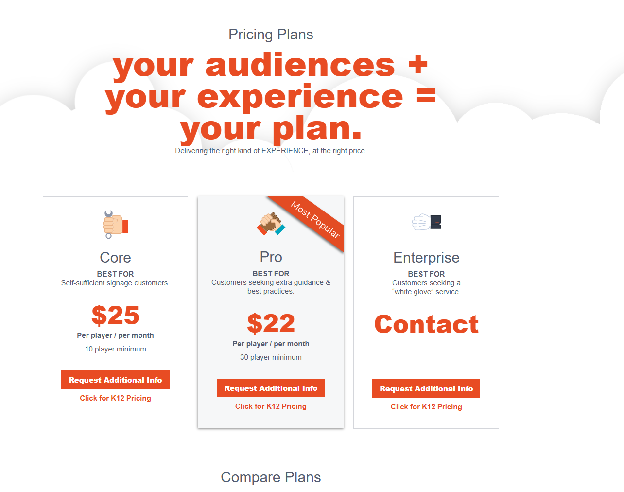
According to a 2026 (Carousel) on higher-education signage, pricing starts at $25 per player per month, while K-12 and nonprofit organizations can request special pricing. Subscriptions include the CMS, player licences, storage, creator tools, training, and support, with unlimited users rather than per-seat charges. That starting price makes Carousel materially more expensive than PosterBooking or Yodeck for a simple lobby network. The value appears when the Apple infrastructure already exists. Reusing an Apple TV in each classroom can avoid a second player, HDMI input, power supply, and support path. The CMS cost then buys operational consolidation rather than only a playlist.

In March 2026, Carousel updated deployment guidance for Jamf School. According to a 2026 (Carousel) on Jamf School deployment, the Carousel Cloud Player can be installed on Apple TV or iPad through Apple School Manager, Apps and Books, and automated MDM enrolment. The practical outcome is repeatable provisioning without staff signing into every device manually. The everyday classroom workflow is unusually relevant. A teacher can use AirPlay for a lesson, while the same Apple TV returns to school announcements, bell information, events, lunch notices, or emergency messaging when the AirPlay session ends. Central IT can lock the signage app and configuration through Jamf, reducing the chance that students or staff leave the player in an unrelated app.
Discussions within Apple TV signage communities as early as 2026 report that unmanaged Apple TVs work until the fleet grows. Practitioners describe devices leaving kiosk mode, staff changing settings, incorrect content, and expensive site visits. The higher-level lesson applies directly to schools. Apple TV becomes a scalable signage endpoint only when MDM, app locking, ownership, and remote support are part of the design.
Carousel’s Walford Anglican School case describes reusing classroom Apple TVs and Jamf rather than introducing another hardware estate. According to a 2026 (Carousel) on Apple TV in education, that model lets a school publish across classrooms and common areas while retaining AirPlay. It is a first-party case study, so it proves feasibility, not a universal return.
Content contributors can use familiar sources such as Google Workspace, Microsoft 365, Canva, YouTube playlists, and emergency systems. Unlimited users can be an advantage for universities where communications, athletics, admissions, student affairs, departments, libraries, and residence teams all contribute. The important control is not the number of accounts. It is whether each account can reach only the correct zones and whether sensitive integrations use least-privilege access.
The more revealing difference appears when an alert fires during active teaching. Carousel has demonstrated workflows that can interrupt Apple TV activity and force safety content. A school must verify the exact alert source, Jamf configuration, screen wake state, local network path, and return-to-teaching behavior. AirPlay interruption sounds simple in a presentation, but it spans the CMS, MDM, Apple TV profile, classroom display, and alert system.
Compatibility extends beyond Apple, but Apple management is why Carousel earns this slot. A district with Windows players, Raspberry Pis, or mixed smart-TV operating systems can still deploy Carousel, yet it loses the cleanest part of the value proposition. At that point, Rise Vision, ScreenCloud, Yodeck, or Xibo may offer a better economic or technical fit.
What I like
- It resolves a real conflict between classroom AirPlay and background signage.
- Jamf and Apple School Manager create a controlled deployment path across many rooms.
What users like
- Education cases emphasize hardware reuse, centralized content, and familiar Apple management.
- Unlimited users suit campuses with many legitimate publishers.
What I dislike
- Starting public pricing is difficult to justify for ordinary hallway slides.
- The strongest value depends on disciplined Apple MDM rather than Apple TV hardware alone.
What users dislike
- Public independent review volume is too small to establish a strong consensus.
- Complex Apple, network, and alert interactions can create more support boundaries than a dedicated signage player.
Two limitations determine fit. Carousel is expensive if AirPlay and Jamf are not strategic requirements, and its best workflow depends on several correctly managed systems. A school without Apple School Manager, MDM ownership, and an Apple support standard may simply add complexity.
The ideal buyer is an Apple-first district, independent school, or university that already manages Apple TVs and uses AirPlay in classrooms. Choose Carousel to make those devices serve teaching and campus communication under one managed workflow. Avoid it when Apple TV is being purchased only for signage or when the school wants the lowest per-screen cost.
4. Vivi: Best for Classroom-Wide Announcements, Screen Sharing, and Safety
Vivi is the best choice for a K-12 school that wants every classroom display to support wireless teaching, whole-school video announcements, targeted communications, and emergency instructions through one education-specific platform. Its differentiator is not signage in isolation. Vivi treats classroom engagement, campus communication, and safety as uses of the same display network.
The strongest operational theme is consolidation. According to a 2026 (Vivi) on campus communications, a principal can publish video or text announcements across classrooms and shared areas, target content by location, and place emergency instructions on every screen. The platform also supports multi-zone content, Canva workflows, visual and audible alerts, central management, and classroom screen sharing.
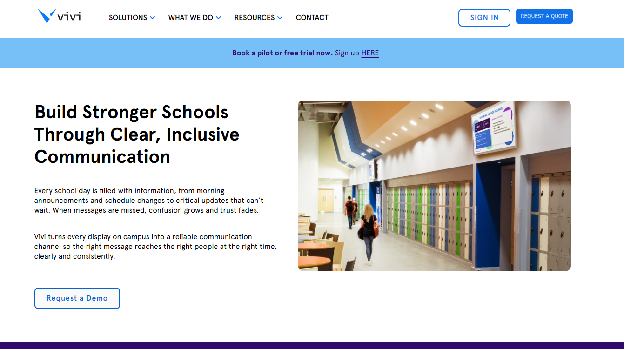
This matters because schools already own a dense screen network inside classrooms. Traditional signage products often concentrate on corridors, leaving the majority of displays unavailable during a safety event or morning broadcast. Vivi brings the classroom endpoint into the same communication plan while preserving its teaching role.
Pricing is quote-based. In July 2026, Vivi increased North American subscriptions by $10 per subscription per year for new contracts and renewals. According to a 2026 (Vivi) on North American pricing, existing contract pricing remains until renewal. The absence of a public full price means a school must compare the complete hardware, warranty, training, support, subscription, and replacement cost rather than a headline software fee. Vivi
Setup uses a Vivi receiver and centrally managed software. A realistic rollout includes network validation, identity configuration, classroom naming, teacher and student roles, display input behavior, screen-sharing tests, announcement targeting, alert integration, and staff training. Vivi’s own current FAQ says many districts land in a six-to-ten-week period from purchase order to adoption. That is vendor guidance, but it is more credible than presenting classroom deployment as a five-minute signage installation.
In everyday use, teachers share content wirelessly, while administrators publish school calendars, student work, event notices, visitor information, and video announcements. Room-level targeting prevents an elementary message from appearing in a senior classroom or a sports-team notice from occupying every display. During an incident, safety content takes precedence over ordinary announcements and teaching sessions.
The strongest evidence is workflow fit rather than independent ratings. Vivi publishes survey claims such as 93% of schools finding campus communication easier and more effective, but the public material reviewed does not provide enough sampling detail to treat that as an industry benchmark. Buyers should request sample size, respondent profile, question wording, and comparable district references.
According to a 2025 (Vivi) on live video announcements, schools can stream principal broadcasts to Vivi-enabled displays, with emergency alerts taking priority. A live morning show, student news broadcast, weather update, or principal message can therefore reach rooms without interrupting the entire school through a traditional PA announcement. The risk is assuming video reaches every student merely because it was sent. Attendance, muted displays, closed rooms, and accessibility still matter. vivi.atlassian.net
Discussions within school technology communities as early as 2024 report special-school administrators struggling to make interactive boards handle both casting and signage, including automatic return to signage after a classroom session. Vivi’s education-first design speaks directly to that requirement. The implication is to test the complete teacher journey, not only the signage dashboard.
Reliability also has two dimensions. The receiver must remain reachable and return to the right state, while the classroom network must handle screen sharing and simultaneous broadcasts. Schools should load-test a live announcement across representative buildings, including weak wireless zones, and then repeat after a software update.
Support is included in Vivi’s quoted package, along with hardware, updates, training, warranty, and the admin console. This bundled model can simplify accountability because one vendor owns more of the stack. It also reduces price transparency and can make switching costs higher than with a hardware-neutral CMS.
What I like
- Vivi turns screens already central to teaching into a whole-school communication network.
- Video announcements, screen sharing, room targeting, and alerts fit genuine K-12 routines.
What users like
- School cases emphasize fewer disconnected tools, easier announcements, and less classroom support friction.
- Teachers can use the same endpoint for instruction rather than treating signage as a separate device.
What I dislike
- Quote-based bundled pricing prevents a clean public cost comparison.
- A unified system can create a larger dependency on one vendor’s receiver and platform.
What users dislike
- School adoption still depends on Wi-Fi quality, teacher training, and consistent room configuration.
- Public independent review depth is weaker than the large review datasets available for general signage platforms.
The two meaningful limitations are cost opacity and platform concentration. Vivi can replace several disconnected functions, but a school needs a line-item quotation to prove that consolidation saves money. If the receiver or platform becomes the path for instruction, announcements, and alerts, its outage has a wider operational effect.
The ideal buyer is a K-12 school or district replacing fragmented classroom casting, PA-only announcements, and common-area signage with one display platform. Choose Vivi when classroom participation is essential. Avoid it when the requirement covers only a few hallway screens or when the school wants hardware-neutral, openly priced software.
5. TrilbyTV: Best for Student-Created Content, Canva, and UK School Trusts
TrilbyTV is the best digital signage platform for schools that want students, teachers, and trust communications teams to publish safely through an education-specific, Canva-friendly workflow. It began in education and remains particularly suited to UK primary, secondary, special-education, further-education, and multi-academy trust environments.
The central differentiator is delegated simplicity. A trust can distribute safeguarding, belonging, attendance, careers, or community content to all schools, while each school retains local control over clubs, assemblies, sports, menus, celebrations, and student work. That is more useful than a generic “unlimited users” claim because the platform is designed around the relationship between trust, school, staff, and pupil voice.
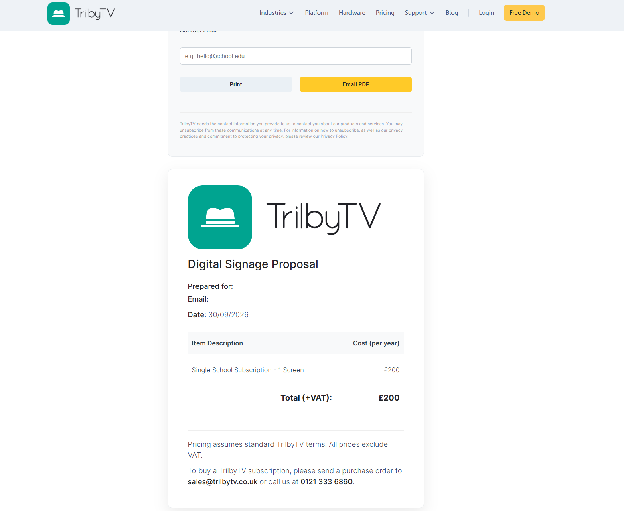
Pricing is unusually favorable for multiple screens, although TrilbyTV’s public pages currently present more than one route. According to a 2026 (TrilbyTV) on school pricing, the standard proposal builder caps a single-school site at £1,000 per year for unlimited screens. Its MAT page lists trust-specific options, while support packages and enhanced services can add cost. Buyers should generate a written school or trust proposal rather than transfer a business price into the education budget.
The strongest real-world example is not a vendor rating. In February 2026, Transform Trust expanded its use of TrilbyTV into “ChilbyTV,” a pupil-led project created through the Children’s Parliament. According to a 2026 (Education Today) on student-led signage, Year 6 pupils used Canva to research themes, plan timely messages, and create animated screen content for school-specific and trust-wide communication.
That case illustrates the correct principle. Student publishing works when the system separates creation from final authority. Pupils can create assemblies, campaigns, event promotions, digital citizenship reminders, reading recommendations, and school news. Staff should retain approval, consent, safeguarding, copyright, and emergency controls.
Setup supports familiar hardware and a player app, with a 30-day unlimited trial and no payment card. The company claims setup can take less than 10 minutes. That may describe pairing a first screen, not designing roles, approving content, configuring multiple schools, documenting data use, and training student editors.
Everyday usability is intentionally narrow. Users add full-screen content, web content, images, galleries, slides, social material, and video, then schedule playlists and target screens. This simplicity can keep screens current because a communications officer does not need to understand a complex layer editor. It can also limit organizations that want intricate multi-zone dashboards or heavily customized data visualizations.
In September 2026, Promethean and TrilbyTV announced an education partnership. According to a 2026 (Education Today) on Promethean and TrilbyTV, the integration is intended to bring education-focused signage to ActivPanel displays without a separate external player. For multi-academy trusts already standardizing on Promethean, removing one box and support path can be operationally meaningful.
But student engagement introduces a risk that product pages rarely emphasize. According to a 2026 (UK Department for Education) on school photo and video data, schools should ensure that permissions and consent cover new ways of using and sharing pupil images, including digital platforms, social tools, and AI-enabled applications. A permission to take a classroom photo does not automatically settle every public-screen use. GOV.UK
Discussions within digital-signage practitioner communities as early as 2025 report a vendor-heavy evidence environment and limited neutral education. TrilbyTV’s school cases are relevant, but buyers should ask for current references from a trust of similar size, with similar safeguarding and approval rules.
Remote management and multisite control are strong for the intended market. A trust can distribute content centrally and let schools add local material. Reliability still depends on the player, network, and display. Every school needs a local owner who checks whether the screen is actually visible, awake, and showing the right playlist.
Independent review volume is the main evidence weakness. TrilbyTV has strong education specificity but lacks the thousands of cross-sector reviews available for Yodeck. That does not make it worse. It means buyers should rely more heavily on an actual pilot, reference calls, support testing, and a staff-and-student workflow demonstration.
What I like
- Student voice is a real operating model, not a decorative feature.
- Trust-wide publishing can coexist with school-level ownership and familiar Canva creation.
What users like
- School cases emphasize ease, relevant education content, student engagement, and simple remote updates.
- Unlimited-site economics become attractive when corridors, staff rooms, reception, cafeterias, and classrooms all need screens.
What I dislike
- Public pricing routes need a written quote to remove ambiguity.
- The streamlined design is less suitable for complex enterprise dashboards and data-heavy campus networks.
What users dislike
- Independent review coverage is limited, making broad reliability conclusions difficult.
- Student-led publishing creates moderation and consent work that software cannot eliminate.
Two limitations define the boundary. TrilbyTV’s evidence and commercial footprint are strongest in UK education, and advanced enterprise data visualization is not its clearest advantage. Schools outside that context should validate local support, procurement, data handling, and hardware before adopting it.
The ideal buyer is a UK school or multi-academy trust that wants staff and pupils to keep screens alive without surrendering central governance. Choose TrilbyTV for student voice and education-native simplicity. Avoid it when the main requirement is complex business intelligence, deep self-hosting, or a large global support framework.
6. ScreenCloud: Best for Higher-Education Governance and Data Dashboards
ScreenCloud is the best option in this ranking for a university or multi-campus college that needs polished integrations, departmental publishing, secure dashboards, enterprise identity, and central governance. It is not education-specific in the way Rise Vision, Vivi, or TrilbyTV is. Its differentiator is a mature general-purpose content platform that can serve many campus departments and data sources.
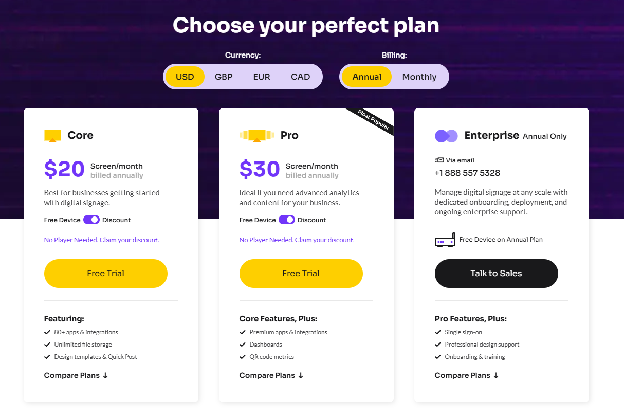
In September 2026, ScreenCloud listed Core at $20 per screen per month and Pro at $30 when billed annually. Enterprise is quote-based. According to a 2026 (ScreenCloud) on pricing, Core includes more than 80 apps, unlimited file storage, templates, and Quick Post. Pro adds premium integrations, advanced dashboards, and QR analytics, while Enterprise adds SSO, onboarding, training, and greater organizational control.
At 10 screens, Core costs $2,400 per year and Pro costs $3,600 before any education discount. ScreenCloud currently documents a 5% education and nonprofit discount. The platform is therefore difficult to justify for one reception slideshow. It becomes more defensible when central communications, faculties, admissions, athletics, libraries, residence life, research teams, and campus IT need different permissions and sources.
The strongest recurring review theme is ease despite feature breadth. In September 2026, Capterra listed ScreenCloud at 4.8 out of 5 from 289 reviews, including 4.8 for ease of use and 4.7 for customer service. According to a 2026 (Capterra) on ScreenCloud reviews, the review base supports a strong usability pattern, although it is cross-industry rather than a higher-education-only comparison.
Setup is cloud-led. Screens use a supported smart-TV platform, browser, or player, while teams build playlists and screen groups centrally. ScreenCloud’s own OS device was priced at $199 in July 2026. A university can standardize future spaces on that player while continuing to support selected existing devices, but it should avoid an uncontrolled mix of consumer sticks, old browsers, and embedded smart-TV systems.
The higher-education workflow begins with hierarchy. Central communications owns brand templates, emergency governance, and campus-wide campaigns. Admissions publishes open-day wayfinding. A faculty publishes seminars and research. Athletics updates fixtures. The library changes opening hours. Residence staff post local notices. Each team receives only the screens and content rights it needs.
Dashboards are where ScreenCloud separates from a lightweight school CMS. A university can surface transport status, library occupancy, room availability, sustainability data, help-desk performance, research metrics, or facilities information. Secure dashboard support matters because simply loading a private webpage into a screen can expose credentials or fail when authentication expires.
But a dashboard is only useful if a passerby can act on it. A screen near a bus stop should show the next departures, not an entire transport analytics report. A student-services screen should present current wait times and the next action, not an administrator’s KPI grid. ScreenCloud makes data display possible, while information design remains the institution’s responsibility.
Discussions within digital-signage communities as early as 2025 report that the hardest part is maintaining a reliable flow of quality content even when app integrations exist. One contributor in that discussion identified themselves as working for ScreenCloud, so the comment is vendor experience rather than independent testimony. The broader observation still matches Kitcast’s content-age data. Integrations automate a source. They do not make a stale source valuable.
Compatibility and remote management are strong across supported players, with device health, screenshots, restart tools, and centralized deployment features depending on plan and hardware. Universities should build a supported-device matrix by building type. Lecture theatres, residence halls, public lobbies, outdoor enclosures, and staff areas do not have the same duty cycle or risk.
Emergency capability requires plan-level verification. The current pricing page lists CAP emergency alerts among available capabilities, but a university should obtain written confirmation of the required tier, provider, geographic targeting, alert precedence, all-clear behavior, and support ownership. An institution with an existing Rave, Alertus, Singlewire, Everbridge, or other safety stack should test the exact connection rather than accept “CAP compatible” as a complete answer.
Support ranges from standard assistance to enterprise onboarding, premium support, and a customer success manager. That model fits a university with procurement and IT capacity. A small school may find the governance and price disproportionate.
What I like
- It handles the institutional complexity of departments, data sources, and campuses well.
- Secure dashboards, enterprise identity, device management, and app breadth support more than announcements.
What users like
- Reviewers consistently praise usability, remote publishing, visual quality, and support.
- Teams can combine templates, quick messages, apps, and dashboards without building a custom CMS.
What I dislike
- Per-screen pricing becomes expensive across classrooms and corridors.
- Education workflows are assembled from general capabilities rather than driving the whole product design.
What users dislike
- Review patterns mention cost sensitivity and occasional device or app troubleshooting as estates expand.
- Advanced governance, identity, and dashboards may require plans above Core.
Two limitations are clear. ScreenCloud’s cost scales with every display, and its broad platform can tempt universities to reproduce complex webpages on screens. Both matter most in large estates. Strong governance can justify the price, while careless expansion can magnify it.
The ideal buyer is a university or college with central communications, multiple departments, formal IT ownership, and dashboard requirements. Choose ScreenCloud for governed multi-campus publishing and data integration. Avoid it when a small K-12 school only needs calendars, announcements, and a few low-cost screens.
7. Yodeck: Best for Raspberry Pi and Mixed Legacy Hardware
Yodeck is the best digital signage software for schools that want to reuse Raspberry Pis, Fire TV devices, supported smart displays, and mixed existing hardware while keeping software costs low. Its central differentiator is the combination of a generous one-screen free tier, inexpensive paid plans, included players on annual subscriptions, offline playback, and broad general-purpose functionality.
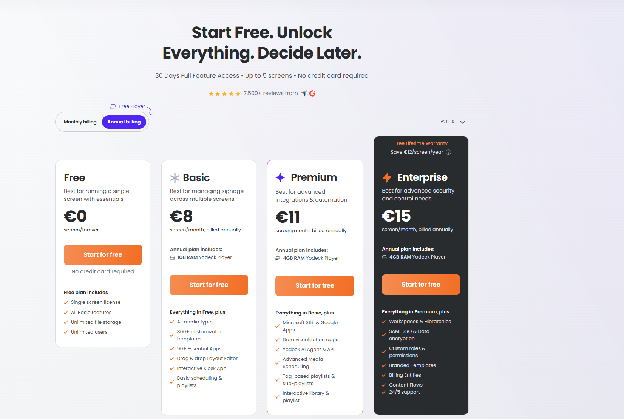
In September 2026, Yodeck listed one screen free forever, Basic at $8 per screen per month, Premium at $12, and Enterprise at $16 when paid annually. According to a 2026 (Yodeck) on pricing, annual plans include a Yodeck player for each paid screen or a hardware credit when the customer uses another supported device.
Basic includes more than 800 templates, over 90 essential apps, layouts, playlists, scheduling, and unlimited storage. Premium adds advanced integrations and automation. Enterprise adds the security and administrative controls that larger districts are more likely to require. Ten Basic screens cost $960 per year, while ten Premium screens cost $1,440.
One pricing rule deserves attention. Yodeck does not allow different plans to be mixed inside one account. According to a 2026 (Yodeck) on plan rules, a school that needs Premium on only one dashboard may have to upgrade every screen in that account or create a separate account. The practical implication is to map which screens need calendars, dashboards, advanced scheduling, or enterprise controls before choosing the tier.
The strongest recurring review theme is value without severe usability sacrifice. In September 2026, Capterra listed Yodeck at 4.8 out of 5 from 4,896 reviews, with 4.8 for ease and 4.7 for customer service. According to a 2026 (Capterra) on Yodeck reviews, users praise central updates, straightforward setup, portrait support, reliability, and pricing. More technical reviews note that external dashboards and enterprise functions take additional configuration.
Setup varies with hardware. The included Yodeck Player reduces imaging work. Raspberry Pi offers low hardware cost and good signage support. Fire TV is convenient for a pilot. Supported Tizen and webOS displays reduce boxes and cables. Each path creates a different support model, so a school should select two or three approved configurations rather than accept every technically compatible option.
Discussions within K-12 system-administrator communities as early as 2026 report small districts replacing unsupported Google Sign Builder and aging Chromeboxes with combinations of Raspberry Pi, isolated signage networks, Google Slides, and tools such as Yodeck. One practitioner described feeding four hallway televisions from a single Pi through HDMI distribution. The principle is not that one Pi should always drive four displays. It is that hardware topology can reduce or increase management cost as much as the CMS.
For everyday school use, a receptionist can update welcome messages, a media specialist can curate student work, the cafeteria can schedule menus, and athletics can publish scores. Google and Microsoft calendar functions, dashboards, APIs, and advanced widgets depend on the chosen plan. A school should test whether the source refreshes automatically after a cancellation rather than assume that displaying a calendar URL creates a dependable integration.
Offline caching helps keep announcements visible if internet access drops. Live data will still stop refreshing, so the layout needs a failure state. A weather panel should not freeze with yesterday’s warning. A transport widget should show that data is unavailable rather than present an old departure as current.
Remote management supports screenshots, status, scheduling, and centralized changes. This is enough for many independent schools and small districts. Larger systems may need Enterprise for account hierarchy, SAML, custom roles, encryption, and stronger support. The low Basic price should not be compared with another vendor’s enterprise tier if the school actually needs enterprise governance.
Emergency messaging is the main reason Yodeck ranks below education-first tools. It can display urgent content and integrate through APIs or external systems, but the buyer must verify the exact trigger, priority, targeting, acknowledgement, and recovery behavior. I did not find the same school-specific alert stack and classroom-role packaging that makes Rise Vision the overall winner.
What I like
- One free screen and annual-plan players make a credible proof of concept.
- Hardware flexibility and offline playback can extend the life of existing school displays.
What users like
- Thousands of reviews reinforce the patterns of value, ease, remote control, and dependable playback.
- Raspberry Pi and portrait support solve practical deployment problems without custom development.
What I dislike
- Plans cannot be mixed within an account, which can make one advanced screen raise the cost of the fleet.
- General-purpose flexibility does not equal a preconfigured school emergency workflow.
What users dislike
- Advanced integrations can require more setup and documentation.
- A mixed hardware estate can shift troubleshooting from the vendor to school IT.
The two meaningful limitations are feature-tier economics and support ownership. Yodeck is cheap when Basic satisfies every screen. It becomes less obviously cheap when Premium or Enterprise is required across the account. Hardware choice is valuable only when someone owns the approved image, spare inventory, updates, and replacement process.
The ideal buyer is a cost-conscious school or district with capable IT staff and reusable hardware. Choose Yodeck for strong value, Raspberry Pi support, and dependable general signage. Avoid it when a packaged K-12 alert workflow, classroom screen sharing, or a single-vendor hardware standard matters more than flexibility.
8. Xibo: Best for Self-Hosted University and District IT Control
Xibo is the best digital signage platform for a university, district, or technically staffed school that needs to self-host the CMS, control data location, customize workflows, and avoid a recurring licence on the open-source Windows or Linux path. Its differentiator is control. The corresponding cost is ownership.
According to a 2026 (Xibo) on open-source signage, the CMS and Windows and Linux players remain available under the AGPLv3 licence with zero software licensing cost. Self-hosting means the institution provides the server, database, storage, certificates, monitoring, security, backups, updates, and technical expertise. Community help is available, but it is not a commercial service-level agreement.
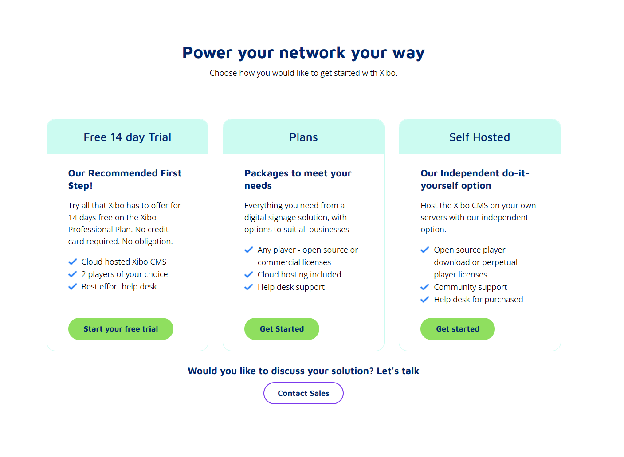
Xibo also offers managed cloud plans and commercial players for Android, ChromeOS, LG webOS, Samsung Tizen, and other environments. Current pricing begins around £3.50 per display per month for selected cloud options, but the exact cost depends on plan, region, player, and whether the institution chooses independent self-hosting. A university should price the complete architecture rather than call Xibo “free.”
The strongest review pattern combines flexibility with a steeper learning curve. In September 2026, Capterra listed Xibo at 4.6 out of 5 from 239 reviews, with 4.1 for ease and 4.4 for customer service. According to a 2026 (Capterra) on Xibo reviews, higher-education and school IT reviewers praise value, transition, and administrative flexibility, while platform coverage and content-update delay appear among the criticisms.
The university use case is compelling. IT can host the CMS in its chosen environment, integrate data through datasets and APIs, create department-specific roles, and publish course information, research events, room schedules, transport data, library notices, emergency content, donor recognition, or student-union campaigns. Locked templates can let nontechnical teams update approved fields without controlling the full layout.
For a district, self-hosting can support data-sovereignty or network-segmentation requirements. It can also create a hidden single point of failure if one systems administrator alone understands the deployment. The institution needs runbooks for backup restoration, certificate renewal, database maintenance, software upgrades, player replacement, account recovery, and incident response.
Discussions within school digital-signage communities as early as 2025 report the consequences of inheriting signage from a departed technician without credentials or documentation. Xibo’s control makes that risk more important, not less. Every administrative account, server, domain, certificate, and backup must belong to the institution rather than an individual employee.
Everyday usability depends on the system that IT builds. The Xibo CMS can be powerful, but a front-office employee should not see the same complexity as a systems administrator. Good implementations provide templates for a closure, timetable change, event, menu, and urgent notice, with narrow roles and clear preview and publish steps.
Compatibility is broad, but licences and capabilities vary by operating system. The open-source zero-cost claim applies to the CMS and Windows and Linux players. Commercial smart-display and mobile operating-system players can require licences. A district should build a device matrix before assuming a Tizen, webOS, Android, or ChromeOS screen carries the same cost and feature set.
Reliability can be excellent because the institution controls the infrastructure and cached players can continue displaying scheduled content. Reliability can also be poor if the server is unmonitored, backups are untested, or upgrades are postponed. Open source removes a software licence, not operational accountability.
Emergency alerts require engineering discipline. Xibo can integrate external data and trigger priority content, but the school must prove the connection to its alert authority and test targeting, duration, local playback, all-clear, and failure modes. Organizations without an integration owner should prefer a packaged education workflow.
What I like
- Self-hosting, open-source components, datasets, APIs, and templates provide unusually deep control.
- Universities can align signage with existing infrastructure and data-governance standards.
What users like
- Reviewers value flexibility, affordability, custom layouts, and the ability to manage large or varied estates.
- Technical teams can build narrow workflows for departments rather than expose the whole CMS.
What I dislike
- “Free” can hide server, security, maintenance, training, and staffing costs.
- Player licensing and capabilities differ across operating systems.
What users dislike
- Review ratings show a lower ease score than simpler cloud-first alternatives.
- Users report a learning curve, platform gaps, and occasional update or device troubleshooting.
Two limitations are inseparable from Xibo’s advantage. It demands accountable technical ownership, and its total cost depends on labor as much as licence price. A self-hosted system without succession planning can become more fragile than a subscription platform.
The ideal buyer is a university or district with infrastructure engineers, security processes, and a clear reason to self-host. Choose Xibo for control, data locality, and customization. Avoid it when a school expects a communications assistant or teacher to own servers, backups, upgrades, and emergency integrations.
Hardware, Integrations, and School Use Cases
Most schools should reuse existing commercial displays or classroom panels for a controlled pilot, then standardize players and screens for new deployments. Consumer televisions can work in a staff room or low-hours corridor. Commercial displays are better for reception, cafeterias, transport areas, gymnasiums, and other long-hour locations because duty cycle, brightness, remote power, portrait support, warranty, and scheduled start-up matter.
| School location | Best-fit platform | Critical requirement |
|---|---|---|
| Reception and hallways | PosterBooking or Rise Vision | Scheduled notices, readable wayfinding, automatic expiry |
| Classrooms | Vivi or Rise Vision | Screen sharing, alert interruption, room targeting |
| Apple TV classrooms | Carousel | Jamf lock, AirPlay return, remote recovery |
| Student media and trust communications | TrilbyTV | Creation roles, staff approval, Canva workflow |
| University dashboards | ScreenCloud | Secure data source, department permissions, device health |
| Mixed older hardware | Yodeck | Approved player matrix, offline cache, spare devices |
| Self-hosted estate | Xibo | Named infrastructure owner, backups, patching, monitoring |
| Cafeteria | Rise Vision or Yodeck | Menu source, allergen governance, daypart scheduling |
Can a school reuse existing TVs, Apple TVs, Chromeboxes, PCs, Raspberry Pis, and interactive panels? Often yes, but support must be confirmed by exact device model, operating-system version, orientation, codec, auto-launch behavior, and remote-recovery path.
Discussions within special-school technology communities as early as 2024 report buyers discovering that a discounted interactive board supported one vendor tool but could not reliably launch the signage app or return after casting. The practical takeaway is to test the actual room workflow before purchasing dozens of “compatible” displays.
Which integrations matter most? The authoritative school calendar and emergency-alert source matter first, followed by identity, Canva or slide tools, lunch data, transport information, and device management. Ask who owns each source, how it authenticates, how frequently it refreshes, what appears during failure, and which vendor supports the connection.
Cost, Safety, Privacy, and Accessibility
| Representative option | Approximate annual software cost | Important exclusion |
|---|---|---|
| PosterBooking Home Basic, 10 screens | $624 | Players, tax, school alert integration |
| Yodeck Basic, 10 screens | $960 | Premium integrations and enterprise controls |
| Rise Vision Advanced, 10 screens | $1,380 | Third-party alert provider |
| Rise Vision K-12 Unlimited | $1,399 per school | Hardware and alert-system licence |
| TrilbyTV standard school cap | Up to £1,000 per site | Support upgrades and hardware |
| ScreenCloud Core, 10 screens | $2,400 before discount | Enterprise identity and hardware |
| Carousel | From $25 per player monthly | Final K-12 quote and Apple management |
| Vivi | Quote required | Must compare bundled receiver and subscription |
| Xibo open-source path | $0 core software licence | Infrastructure, labor, security, commercial players |
How much does school digital signage cost? Software can range from a free one-screen deployment to several thousand dollars annually, but the real budget also includes displays, players, mounts, networking, installation, content labor, training, alert integrations, accessibility work, spares, and downtime.
Can digital signage replace a school PA or mass-notification system?
No. It should add visible, room-specific instructions to a tested multi-channel system that can also use audio, mobile alerts, strobes, staff procedures, and direct assistance.
Student recognition also needs governance. Public screens should not expose grades, attendance, discipline, health information, private schedules, or personally identifiable dashboard data. Photo, video, and achievement policies should define consent, opt-out, removal, retention, and who approves publication.
Accessibility is operational, not decorative. Use large text, strong contrast, plain language, open captions, restrained motion, multilingual versions where needed, and enough display time to read the message. According to a 2025 (W3C) on always-visible captions, open captions ensure viewers do not need to discover or enable a player control.
Final Buyer Guidance
You should choose the platform that matches the communication failure your school must prevent. A small school should not buy university governance for six noticeboards. A district should not build emergency communication around a manually selected slide. A university should not let hundreds of screens depend on one person’s undocumented server.
Use five final tests:
- What information must always be correct? Connect that fact to one authoritative source.
- Who publishes during a normal day? Give that person a narrow role and test the task.
- What happens during an emergency? Test override, targeting, accessibility, all-clear, and restoration.
- What happens after power, network, or staff failure? Require cached content, remote recovery, spares, and institutional credentials.
- What changes at the next stage of growth? Price identity, approvals, support, integrations, and every planned screen now.
For most K-12 schools, Rise Vision offers the best balance of school workflow, safety, compatibility, and predictable scale. For a low-risk 10-screen pilot, PosterBooking is the value leader. The right final choice is the one another authorized employee can update, recover, and safely override after the original administrator is gone.
Frequently Asked Questions
What is the best digital signage for schools?
Rise Vision is the top recommendation for most K through 12 schools because it offers a school specific plan with unlimited displays and emergency alert integrations. The platform combines classroom alerts, content approvals, and teacher roles into one predictable annual license.
Which digital signage software is best for a small school on a budget?
PosterBooking is the best budget option for small schools, offering a 10 screen pilot to get started quickly. The paid Home Basic plan costs 52 dollars per month for 10 screens, which is significantly more affordable than enterprise systems for schools only needing a few hallway or reception displays.
How do school digital signage systems handle emergency alerts?
Rise Vision supports Common Alerting Protocol integrations with providers like Raptor, CrisisGo, and Singlewire InformaCast to trigger automatic emergency overrides. This allows schools to send urgent safety alerts across both hallway televisions and supported classroom interactive flat panels.
What hardware do I need to run PosterBooking in a school?
PosterBooking is compatible with a wide range of affordable hardware including Fire TV Sticks, Amazon Signage Sticks, Android TV, Chromebox, Windows, and Raspberry Pi. This variety allows schools to reuse existing displays or choose low cost consumer players for their setup.
How long does it take to set up a digital signage screen?
Setting up a screen with PosterBooking takes about 2 minutes and involves pairing the screen, uploading content, and building a playlist. The system uses caching for offline playback, ensuring that scheduled content continues to run even if the school network fails temporarily.