
Bar Digital Signage: The 2026 Guide to TVs in Bars and Pubs
Table Of Contents
- How Many Screens Does a Bar Actually Need?
- Placement and Ergonomics: Avoiding the Numb Neck
- Mixing Sports with Promotions: The Art of the Split Screen
- Digital Drinks Menus and Happy Hour Automation
- Events, Quiz Nights, and Community Building
- Licensing and Legal Considerations
- Hardware: Commercial vs Consumer TVs
- Creative Content Ideas for 2026
- Measuring Results and ROI
- Setting Up Bar Digital Signage for Free with PosterBooking
DIGITAL SIGNAGE RESOURCES
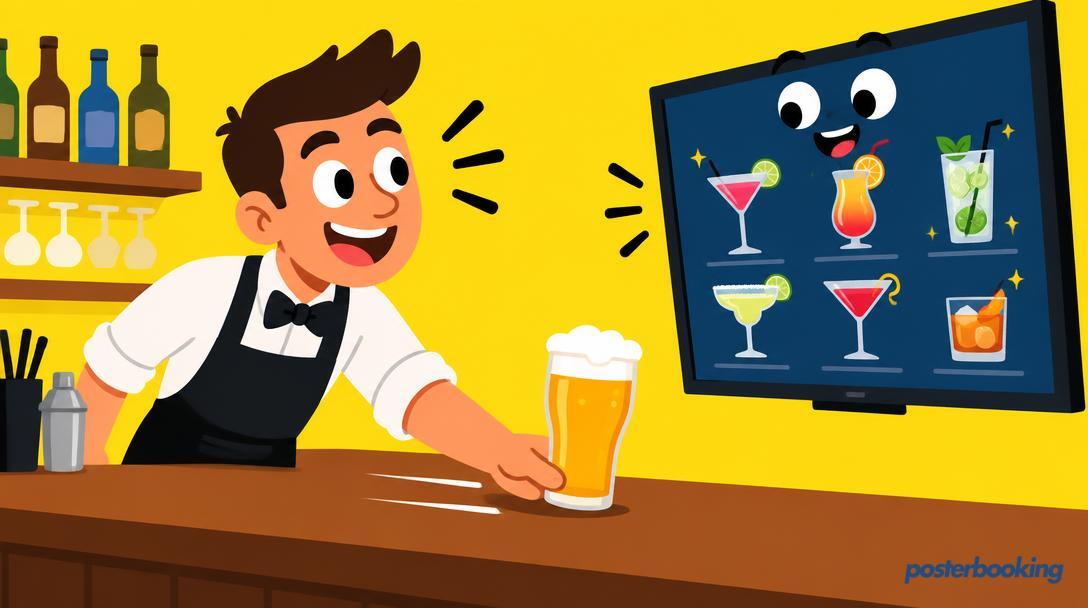
The humble British pub has survived plagues, world wars, and the introduction of alcohol free gin. However, the one thing it cannot survive is stagnation. In 2026, a bar without a screen is like a pint without a head: technically functional, but deeply disappointing to everyone involved. We are no longer in the era of the dusty CRT television perched precariously on a bracket in the corner, showing a flickering image of the mid afternoon racing. We are now firmly in the age of bar digital signage, where every tv for bars is a multi functional tool for marketing, entertainment, and operational efficiency.
Whether you run a traditional boozer, a high end cocktail lounge, or a sprawling sports bar, the way you manage your bar tv setup will dictate your profit margins more than you might think. This guide explores how to transition from simply having a tv in bar settings to running a sophisticated digital network that sells more burgers, promotes your quiz nights, and keeps people staying for just one more round.
The Evolution of the Bar Screen
Historically, a tv in bar environments served exactly one purpose: showing the football. When the match was over, the screen was either turned off or left on a news channel that nobody watched. Today, bar digital signage allows you to reclaim that screen real estate. It is no longer just a passive window into the world of sport; it is an active participant in your sales team.
By using modern software, your tv for bars becomes a dynamic menu, an event calendar, and a social media hub. It allows you to change prices instantly, promote specific spirits when stock is high, and create an atmosphere that matches the time of day. The following guide will walk you through everything you need to know about implementing this technology without breaking the bank.
Contents
How Many Screens Does a Bar Actually Need?
One of the most common questions publicans ask is how many screens they should install. The answer, unfortunately, is not a simple number, but rather a calculation of zones. You do not want your bar to look like an electronics shop, but you also do not want customers squinting at a single 32 inch screen from across the room.
Defining Your Zones
Every bar has zones. You have the main bar area, the seating areas, perhaps a dedicated sports zone, and the outdoor space. For bar digital signage to be effective, each zone should have at least one screen within a comfortable line of sight.
In the main bar area, you generally need two types of screens. One for the menu (often behind the taps) and one for entertainment. If your bar is small, a single large screen might suffice for entertainment, but you should never compromise on the visibility of your drinks list. A customer who has to wait until they reach the front of the queue to see what is on tap is a customer who is slowing down your service.
Scaling for Sports Bars
If you are branding yourself as a sports bar, the rules change. In this scenario, the tv in bar density needs to be much higher. The goal here is "total coverage," meaning every seat in the house should have a clear view of at least two screens. This allows you to show different matches simultaneously or keep the main game on one screen while the other shows live betting odds or food specials.
For a standard sports bar, a ratio of one screen for every 10 to 15 patrons is a good rule of thumb. This ensures that even during a crowded World Cup match, everyone feels like they have a front row seat.
The Minimalist Approach
For wine bars or cocktail dens, less is often more. You might only need one or two screens, perhaps hidden behind mirrors or integrated into the decor. In these environments, bar digital signage is less about the "big game" and more about atmospheric content, such as slow motion pours of champagne or elegant typography showcasing the cocktail of the month.
Placement and Ergonomics: Avoiding the Numb Neck
Placement is the difference between an engaging experience and a literal pain in the neck. Too often, a bar tv is placed as an afterthought, usually too high or at an awkward angle.
The Golden Height
The most common mistake in bar digital signage is hanging screens too high. While you want the screens out of the way of stray elbows and flying corks, placing them near the ceiling forces customers to crane their necks. For seated areas, the centre of the screen should be roughly at eye level for someone standing, or slightly higher.
In areas where people are standing at the bar, the screens should be elevated just enough to be seen over the heads of the people in front. A height of about 2.1 metres (7 feet) to the bottom of the screen is usually the sweet spot for standing areas.
Managing Glare and Lighting
Bars are notoriously difficult environments for lighting. You have neon signs, low hanging pendants, and occasionally, that annoying thing called the sun shining through the window. When placing your tv for bars, you must consider the light sources.
Avoid placing screens directly opposite large windows unless you are using high brightness commercial displays. If you notice glare, you can use anti glare films or adjustable wall mounts to tilt the screen away from the light source. A screen that is obscured by the reflection of a disco ball is essentially useless for marketing.
Traffic Flow and Sightlines
Consider how people move through your space. You do not want a screen placed in a narrow corridor where people will congregate and block the path to the toilets. Similarly, ensure that your bar digital signage is not obstructed by pillars, hanging plants, or that one tall regular who always stands in the same spot.
Mixing Sports with Promotions: The Art of the Split Screen
The biggest waste of a tv in bar settings is showing a 90 minute match without once mentioning that you sell nachos. However, interrupting the match with a full screen advert for spicy wings is a surefire way to start a riot. The solution is the split screen or the "L-wrap" layout.
The L-Wrap Layout
Modern bar digital signage software allows you to divide your screen into zones. You can have the live match taking up 80 percent of the screen, while a sidebar (the "L") displays your current promotions, upcoming events, or live social media feeds. This way, you are marketing to your audience without disrupting the primary reason they are there.
Timing Your Promos
The best time to ramp up your digital marketing is during pre match build up, half time, and post match analysis. These are the moments when people are looking away from the game and towards their empty glasses.
Program your screens to switch from the L-wrap to full screen advertisements during these windows. Use half time to promote "quick serve" snacks or your post match live music. If the home team wins, have a "celebratory round" graphic ready to trigger at the push of a button.
Selling Ad Space
If you have a high footfall, your bar tv network is valuable real estate. You can partner with local businesses, such as taxi firms or nearby takeaways, and sell advertising slots on your screens. This can turn your digital signage from a cost centre into a genuine revenue stream.
Digital Drinks Menus and Happy Hour Automation
The chalkboard is a classic, but it is a nightmare to update. Every time a keg blows or a price changes, someone has to climb a ladder and smudge white paint everywhere. Digital drinks menus change the game entirely.
Dynamic Pricing and Stock Control
With bar digital signage, your menu is connected to the internet. If you run out of a particular craft ale, you can remove it from the screen in two clicks. Even better, you can implement "Stock Market" style pricing, where the price of drinks fluctuates based on popularity. This creates a fun, high energy atmosphere that encourages people to try different drinks.
The Psychology of the Menu
Digital screens allow you to use high quality imagery that a chalkboard simply cannot match. A slow motion video of a cold beer being poured, with condensation dripping down the glass, is far more evocative than the word "Lager" written in yellow chalk.
Use your screens to highlight high margin items. If your gin and tonic has a better profit margin than your bottled cider, give the G&T more screen space and better visuals. You can also use "anchoring" by placing a very expensive bottle of champagne at the top of the list, making the mid range cocktails look like a bargain by comparison.
Automating Happy Hour
Gone are the days of staff forgetting to put out the "2-for-1" signs. You can schedule your bar digital signage to automatically switch to happy hour pricing at 5:00 PM and switch back at 7:00 PM. The visual transition on the screens serves as a powerful cue to the customers that the deals have started, often leading to a surge in orders right at the start of the window.
Events, Quiz Nights, and Community Building
A bar is more than a place to drink; it is a community hub. Your screens should reflect this. Digital signage is the perfect medium for promoting your weekly quiz night, live music, or local charity events.
The Digital Quiz Master
During a quiz night, your screens can display the questions, the current leaderboard, and even picture rounds. This makes the quiz more professional and easier to follow for everyone in the room, not just those sitting right next to the quiz master.
Social Media Integration
Encourage your customers to share their photos on Instagram or X (formerly Twitter) using a specific hashtag. You can then filter these posts and display them on your bar tv in real time. People love seeing themselves on screen, and it creates a sense of engagement that keeps them in the venue longer. It also provides you with a constant stream of free, user generated content.
Promoting the "Slow" Nights
Every bar has a quiet Tuesday afternoon. Use your screens to promote upcoming events that happen during these lulls. If people are in on a busy Friday night, they might not notice a small poster by the door about "Taco Tuesday," but they will definitely see a vibrant, high contrast graphic on the 65 inch screen behind the bar.
Licensing and Legal Considerations
Before you start broadcasting the latest blockbuster or the Premier League, you need to understand the legalities. Using a tv in bar environments is not the same as watching one in your living room.
Broadcast Licenses
In the UK, you generally need a TV Licence if you show live television. Furthermore, if you are showing sports, you need commercial subscriptions from broadcasters like Sky Sports or TNT Sports. Using a domestic subscription in a commercial setting is illegal and can lead to massive fines.
Music Licensing
If your digital signage content includes audio, or if you are playing music videos, you will need licenses from PPL and PRS for Music. These organisations ensure that the artists and record labels are compensated for the public performance of their work.
GDPR and Privacy
If you are using social media feeds or showing photos of your customers on your bar digital signage, you must be mindful of privacy laws. Ensure you have clear signage (the physical kind) stating that social media posts using your hashtag may be displayed on screen. Most people are fine with it, but it is always better to be transparent.
Hardware: Commercial vs Consumer TVs
When choosing a tv for bars, you are faced with a choice: a standard consumer TV from a high street retailer or a professional commercial display.
The Case for Consumer TVs
Consumer TVs are significantly cheaper upfront. If you are a small bar on a budget, a few high quality consumer screens will do the job. However, they are not designed to be left on for 16 hours a day. They often lack the cooling systems required for long term operation and their warranties are usually voided if used in a commercial environment.
The Benefits of Commercial Displays
Commercial displays are built to last. They can run 24/7, they have higher brightness levels to combat glare, and they often include features like "lockable" menus so customers (or cheeky staff) cannot change the channel with a universal remote. They also come with better warranties that cover commercial use.
Media Players: The Brains of the Operation
Regardless of the screen you choose, you need a way to get your content onto it. While some "Smart TVs" have built in browsers, they are often slow and prone to crashing. The best setup for bar digital signage involves using a dedicated media player.
Small, inexpensive devices like the Amazon Fire TV Stick or an Android Chromebox are excellent choices. They plug into the HDMI port of your TV and connect to your Wi Fi, allowing you to manage all your screens from a single laptop or smartphone.
Creative Content Ideas for 2026
To keep your audience engaged, your content needs to be fresh. Here are some ideas for what to show on your bar tv beyond just the menu and the match.
Hyper-Local Information
Display the "Last Train Home" times for the local station. If people know they have 20 minutes before their train, they are more likely to stay for one last quick drink. You can also show local weather forecasts or news from the community.
Staff Spotlights
Introduce your team. A "Bartender of the Month" slide or a quick video of your chef explaining the daily special adds a human touch to your bar. It builds rapport between the staff and the customers, which often leads to better tips and repeat business.
Behind the Scenes
People love to see how their drinks and food are made. Use your bar digital signage to show time lapse videos of the kitchen during a busy shift or a close up of a cocktail being shaken. This "food porn" is incredibly effective at triggering impulse purchases.
Seasonal Transitions
Your screens should change with the seasons. In the winter, use warm colours, images of roaring fires, and promotions for mulled wine. In the summer, switch to bright, airy visuals and focus on Pimm's, cider, and outdoor seating.
Measuring Results and ROI
How do you know if your bar digital signage is actually working? You cannot just look at the screens and hope for the best. You need to track the data.
Tracking Sales Spikes
The easiest way to measure ROI is to run a "screen only" promotion. Promote a specific cocktail or snack exclusively on your digital screens and nowhere else. If you see a spike in sales for that item, you know the screens are doing their job.
QR Code Engagement
Include QR codes in your graphics. These could lead to your digital menu, a feedback form, or a sign up page for your loyalty programme. By tracking how many people scan these codes, you can get a direct measurement of how engaged your audience is with your bar tv content.
Dwell Time and Atmosphere
While harder to quantify, observe the "dwell time" of your customers. Do they stay longer when the screens are showing engaging content versus just the news? Do they seem more relaxed? A better atmosphere leads to more spending, even if it is not immediately obvious on a spreadsheet.
Setting Up Bar Digital Signage for Free with PosterBooking
If you are intimidated by the potential cost of all this, don't be. You do not need a thousand pound software subscription to get started. PosterBooking offers a professional grade bar digital signage solution that is completely free for your first 10 screens.
Step 1: Hardware
Grab a tv for bars (consumer or commercial) and an Amazon Fire Stick. Plug the stick into the HDMI port and connect it to your bar's Wi Fi.
Step 2: The App
Download the PosterBooking app from the Amazon App Store onto your Fire Stick. It will give you a unique code.
Step 3: Management
Go to the PosterBooking website on your laptop, enter the code, and your screen is linked. You can now upload images, videos, or create playlists. You can manage one screen or ten different screens in different locations, all from the same dashboard.
Why It Works for Bars
PosterBooking is designed to be simple. You do not need to be a graphic designer or an IT expert. You can update your happy hour prices from your phone while standing at the bar. It is fast, reliable, and because the first 10 screens are free, it is entirely risk free for your business.
Frequently Asked Questions
Is a consumer TV okay for a bar?
Yes, for many small bars, a consumer TV is a cost effective way to start with bar digital signage. However, be aware that they are not designed for 24/7 use and their warranties might be voided in a commercial setting. If you plan to leave the screens on for more than 12 hours a day, consider a commercial display.
How do I stop customers from changing the channel?
Most commercial displays have a "Public Mode" or "Hotel Mode" that disables the physical buttons and remote sensors. If you are using a consumer tv in bar settings, you might need to hide the remote or use a lockable enclosure to prevent people from messing with the settings.
Can I show Netflix or YouTube in my bar?
Generally, no. Streaming services like Netflix, Amazon Prime, and Disney+ are for "personal, non commercial use" only. Showing them in a bar violates their terms of service and copyright laws. For YouTube, you should only show content you have permission for or use a dedicated commercial music video service.
What is the best size for a bar tv?
It depends on the viewing distance. For a screen behind the bar (like a menu), 43 to 55 inches is usually perfect. For a main sports screen, you should look at 65 inches or larger. If the screen is too small, people won't look at it; if it is too big for a small space, it can feel overwhelming.
Does digital signage use a lot of electricity?
Modern LED screens are actually quite efficient. A typical 55 inch LED screen uses about the same amount of power as a couple of old fashioned light bulbs. You can further reduce costs by scheduling your bar digital signage to automatically turn off when the bar is closed.
Can I use my own photos and videos?
Absolutely. In fact, using your own content is one of the best ways to make your bar digital signage stand out. Photos of your actual food, your actual staff, and your actual events will always perform better than generic stock photography.
Do I need a fast internet connection for digital signage?
Not necessarily. Most bar digital signage software, including PosterBooking, downloads the content to the media player (like the Fire Stick). This means the content will continue to play even if your internet goes down. You only need the internet when you want to update the content or change the schedule.
If you are ready to take your venue to the next level and start using tv for bars as a genuine marketing tool, head over to PosterBooking. You can get your first 10 screens up and running today for free.
Check out the free plan at https://posterbooking.com