
My seven picks for best free digital poster makers includes: Canva for everyday poster design, Adobe Express for promotional campaigns, PosterBooking for displaying posters on digital screens, Venngage for AI-generated posters with editable text, PosterMyWall for event promotions, Photopea for photo-based designs, and Inkscape for scalable vector artwork.
I compared these tools by following the task through to the finished result. Can you create the poster, make your changes, and use it where you need it without discovering an unexpected charge?
That question matters because “free poster maker” can mean different things. Some tools include downloadable artwork. Others let you create a design but charge for exporting it. And a design editor does not necessarily help you publish that poster across your business’s TVs.
I reviewed official documentation, independent reviews, and Reddit discussions from 2024–2026. The recommendations reflect that research rather than hands-on testing. Pricing and plan details use information available on October 30, 2026, with amounts shown in US dollars.
Table Of Contents
- Top Rated Free Digital Poster Makers
- 1. Canva: Best for Everyday Poster Design
- 2. Adobe Express: Best for Promotional Campaigns
- 3. PosterBooking: Best for Creating and Displaying Posters on Digital Screens
- 4. Venngage: Best for AI-Generated Posters With Editable Text
- 5. PosterMyWall: Best for Event Promotions
- 6. Photopea: Best for Photo-Based Poster Designs
- 7. Inkscape: Best for Scalable Vector Posters
- What I Learned About AI Poster Generators
- What You Should Check Before Downloading
- Which Free Digital Poster Maker Would I Choose?
- Want to display your posters on screens? Choose PosterBooking
Top Rated Free Digital Poster Makers
Choose according to the job you need to finish. These recommendations cover different workflows, so the ranking does not imply that a screen-management platform replaces a graphic design editor.
| Platform | Best for | Free-plan value | Paid option worth knowing | Main limitation |
|---|---|---|---|---|
| Canva | Everyday poster design | Templates, basic editing, standard downloads | Pro listed at $144/year | Premium assets and advanced tools |
| Adobe Express | Promotional campaigns | Templates, editing, selected stock content | Optional Premium subscription | Premium assets can restrict exporting |
| PosterBooking | Posters on digital screens | First 10 screens free | Home Basic: $52/month | Watermark after the trial |
| Venngage | Editable AI posters | Five designs and public sharing | Premium: $19/month or $10/month billed annually | Downloads require payment |
| PosterMyWall | Event promotions | Standard-quality downloads | Premium: $13/month | High-resolution output costs extra |
| Photopea | Photo-based designs | Core editing and file exports | Optional Premium removes ads | Complex interface and advertising |
| Inkscape | Scalable vector posters | Free desktop editing and exports | No paid tier required | More learning time |
*pricing last checked: November 2026
1. Canva: Best for Everyday Poster Design
I would start with Canva when you need a poster quickly and do not want to learn specialist software. Canva is an online graphic design platform built around editable templates and a drag-and-drop editor. It suits small-business owners, teachers, students, and marketers handling their own content.
You can begin with a poster template, replace the copy, upload photographs, and adjust the layout. Its AI poster generator offers another starting point when you have an idea but need help visualizing it.
The Canva plan comparison checked in October 2026 lists free templates, stock content, and limited AI access. Standard JPG, PNG, and PDF exports cover ordinary digital and print workflows.
What I like
- You can make routine changes without starting again. A restaurant owner can update an offer’s price or expiry date while keeping the surrounding layout. That makes Canva useful for posters you expect to reuse.
- You can move between different communication jobs in one editor. A classroom announcement and a business promotion need different layouts, but you do not have to learn a separate application for each.
What users like
- Beginners appreciate having a starting point. A December 2024 academic-community recommendation praises Canva’s ease of use and poster templates. That matters when your responsibility is communicating information rather than becoming a designer.
What I dislike
- Premium elements can interrupt a free project. I would check asset labels as I build, because replacing a paid photograph at the end can force you to reconsider the surrounding colors or composition.
- Automatic resizing requires a paid plan. You can create different formats manually, but adapting a campaign into portrait and landscape versions adds work.
What users dislike
- Popular templates produce familiar-looking results. Social-media practitioners discussing templates in May 2026 complain about repetitive graphics. Your practical fix is to change more than the headline: use your own imagery and a recognizable visual style.
Pricing
As of November 2026, Canva Free costs $0. The reviewed pricing page lists Canva Pro at $144 annually, equivalent to $12 per month when paid yearly. Pro becomes relevant when you need premium content, automatic resizing, or higher AI allowances.
My verdict: You should choose Canva for quick, editable everyday posters. I would look elsewhere when detailed photographic manipulation matters more than speed.
2. Adobe Express: Best for Promotional Campaigns
I would choose Adobe Express when your poster is one part of a wider campaign. Adobe Express is a browser and mobile content-creation platform for people producing promotional graphics without using a full professional design suite.
Its audience includes small-business owners, social-media managers, and employees creating occasional marketing materials. You can customize templates and prepare related content within the same environment.
The 2026 Adobe guide to Express Free, updated July 17, documents standard editing tools, selected stock content, and social scheduling for one account per network.
What I like
- Your poster can sit within a repeatable promotional workflow. A café advertising a weekend event can prepare its announcement and supporting social graphics without moving between unrelated tools.
- Web and mobile access make smaller changes convenient. You can correct a promotional detail without treating the update as a complete desktop-design project.
What users like
- Non-designers value the editable starting layouts. In 2026 G2 reviews of Adobe Express, users describe creating routine banners and promotional graphics without opening heavier software. The value is finishing small jobs without letting them consume the day.
What I dislike
- Premium assets can restrict the download. You need to distinguish between content you can preview and content your account can export. I would make a sample download before building a complete campaign around a particular asset.
- The free plan does not include every convenience. Adobe’s pricing information places capabilities such as bulk resizing behind paid access, which matters when you regularly produce multiple versions.
What users dislike
- AI instructions sometimes need another attempt. A G2 reviewer in October 2026 describes having to rephrase requests when the assistant misses the intended change.
- Too much choice can slow a simple task. A November 2025 reviewer describes template selection becoming overwhelming. A saved shortlist of layouts gives you a more efficient starting point.
Pricing
As of November 2026, Adobe Express Free costs $0. Premium is an optional paid upgrade. The TechRadar review of Adobe Express lists Premium at $9.99/month or $99.99/year. Those are the review’s published US prices, so use Adobe’s current regional checkout for the final subscription amount.
My verdict: You can choose Express for recurring promotional work. You get more value when your poster needs matching campaign content.
3. PosterBooking: Best for Creating and Displaying Posters on Digital Screens
I included PosterBooking because creating artwork does not solve the problem of keeping it updated across TVs. PosterBooking is a cloud-based digital signage platform that lets organizations upload content and manage its playback on connected screens.
It suits restaurants, retailers, schools, churches, and businesses replacing manually updated notices. Its role is publishing and managing your posters, rather than providing the most advanced graphic design editor.
You create the artwork in a design tool, upload the image or video, and organize playback. That separates the creative work from the task of distributing it.
What I like
- You can update screen content remotely. A school administrator can replace an outdated reception announcement without walking to each display with a storage device.
- The platform supports growth beyond the free allowance. The first 10 screens are a pricing breakpoint, not a technical ceiling. You can expand a deployment without treating the original allowance as the maximum supported size.
What users like
- Reviewers praise straightforward setup. A June 2026Trustpilot review of PosterBooking describes getting a basic sign running quickly and making frequent adjustments through the dashboard.
- The free allowance attracts small deployments. A July 2024 system-administration discussion identifies the 10-screen offer as the reason an employer selected it.
What I dislike
- You still need a design editor for detailed artwork. I would not choose PosterBooking to isolate a product photograph or construct an illustrated poster. Its advantage begins when your content needs to reach screens.
- Important workflow features depend on your plan. Scheduled playlists are listed under Home Basic, so you should not assume ongoing free access includes every scheduling capability.
What users dislike
- Some reviewers report problems with free access after their trials. Trustpilot reviews from 2025–2026 describe unexpected upgrade requirements, however as of October 2026, this has been addressed by PosterBooking in their terms of service, as the free plan is now for three months with no watermark.
Pricing
The 2026 PosterBooking pricing guide lists:
- Free: First 10 screens, with a watermark after the three-month trial.
- Home Basic: $52/month for 10 screens without a watermark.
- Additional screens: $6.49 per screen monthly from the 11th screen.
- Business Pro: $520/month for unlimited screens.
My verdict: You can choose PosterBooking when you need posters published across digital displays. Pair it with a design editor for creating the artwork.
4. Venngage: Best for AI-Generated Posters With Editable Text
I would choose Venngage when you know what you want to communicate but need help arranging it visually. Venngage is an online visual-communication platform used for infographics, reports, educational materials, and posters.
Its AI Poster Generator turns instructions into a starting layout. You then adjust the result through its editor, which suits teachers, marketers, and organizers who need clear information rather than decorative artwork alone.
The Venngage AI Poster Generator documentation checked in 2026 describes editing the generated text, fonts, colors, and layout.
What I like
- You can correct the text after generation. That is valuable when your workshop date changes or an educational instruction needs simpler wording. You do not have to accept the first draft as a finished image.
- The workflow suits information-heavy posters. I would consider it for classroom guidance or an announcement where the reader needs a clear sequence of details.
What users like
- Users appreciate spending less time arranging information. In 2026 G2 reviews of Venngage, educators and other professionals praise templates that let them concentrate on their content.
- Ease of learning matters in classrooms. An October 2026 educator review describes students picking up the platform quickly, reducing the time needed to teach the software itself.
What I dislike
- Free creation does not include free file downloads. You can develop a poster and share its public link, but you need a paid plan when your next step requires an image file.
- PDF exporting sits above the entry paid tier. That matters if you are choosing Venngage specifically for printable posters rather than online sharing.
What users dislike
- Sharing and exporting can be less obvious than designing. An educator’s October 2026 review describes students struggling to find those options.
- The relevant paid tier can be expensive for an individual. An August 2026 educator review identifies Business pricing as a concern without institutional funding.
Pricing
As of November 2026, the current Venngage plan comparison lists:
- Free: $0, including five designs and public sharing.
- Premium: $19/month, or $10/month billed annually, with PNG exporting.
- Business: $49 per user monthly, or $24 per user monthly billed annually, with PDF exporting and Brand Kits.
My verdict: You can consider Venngage for editable AI layouts but you should budget for the export tier you actually need before investing time in your poster.
5. PosterMyWall: Best for Event Promotions
I would consider PosterMyWall when you need a recognizable promotional layout without designing it from scratch. PosterMyWall is an online design and marketing platform built around customizable templates.
It serves event organizers, community groups, restaurants, and small businesses producing frequent announcements. You can replace event details, add photographs, and adapt the layout for related formats.
I checked its download rules because older comparisons can mislead you. The October 2026 PosterMyWall guide to free downloads says standard free downloads no longer carry its watermark. Getty Images assets however remain an exception.
What I like
- Event-focused templates reduce the initial layout work. You can concentrate on the date, venue, and call to action rather than deciding where every element belongs.
- Free resizing helps you reuse the design. PosterMyWall’s current FAQ includes resizing on the free plan, which is useful when your announcement needs more than one format.
What users like
- Editable templates are a consistent attraction. In 2026 G2 reviews of PosterMyWall, users praise the simple process of adapting existing designs to their requirements. That fits teams where content creation is only one responsibility.
What I dislike
- High-resolution delivery adds cost. A free standard image can suit a basic online announcement, but a large printed poster needs closer attention to output quality. I would price the download before approving the design.
- Brand controls require payment. The free plan does not include Brand Kits or custom font uploads, so maintaining a specific identity involves more manual work.
What users dislike
- Some templates feel generic. An April 2026 G2 reviewer praises usability but describes the assets as stock-looking.
- Free output can disappoint print users. A July 2026 research-community comment reports frustration with download resolution. Its watermark concern predates the October policy change.
Pricing
As of November 2026, the PosterMyWall plan comparison lists:
- Free: $0 for standard downloads within plan limits.
- High-resolution static downloads: From $5.99 individually.
- Premium: $13/month or $109/year.
- Premium Plus: $30/month or $319/year.
My verdict: You may choose PosterMyWall for recurring event graphics. For occasional high-resolution work, compare individual download costs with the subscription.
6. Photopea: Best for Photo-Based Poster Designs
I would choose Photopea when you need control over the photographs themselves. Photopea is a browser-based image editor with layers, masks, adjustment tools, and PSD support.
It suits photographers, freelancers, and small businesses creating compositions that go beyond replacing text in a template. You can combine product images, adjust their appearance, and position text within a layered document.
The Photopea saving documentation reviewed in 2026 explains how to retain an editable PSD and export distribution files such as JPG, PNG, and PDF.
What I like
- You can preserve the working composition. Saving a PSD means you can return to individual elements when a client requests a change, rather than trying to repair a flattened image.
- The core editor runs locally. According to Photopea’s documentation, editing uses your device. That makes it convenient when you need to open a file without installing another application.
What users like
- Users value familiar editing tools without an obligatory subscription. G2 reviews from 2025–2026 praise browser access and layered editing.
- It appears in practical poster recommendations. An April 2025 graphic-design community contribution recommends Photopea to someone looking for a free poster-making option.
What I dislike
- The interface asks more of you than a template editor. You need to understand layers and selections to benefit from its flexibility. That is extra work when your only task is changing an event date.
- It does not manage screen publishing. You can export the artwork, but you need another system when posters must run across a display network.
What users dislike
- Advertising can distract from the workspace. An April 2026 G2 reviewer specifically criticizes the free version’s ads.
- Large files can slow editing. A January 2025 reviewer reports sluggishness with oversized documents, making file complexity and device capability relevant to your choice.
Pricing
As of November 2026, Photopea’s core editor costs $0. Its official account documentation describes optional Premium access for removing advertisements. Current Premium prices appear in the editor’s Account window.
My verdict: You may choose Photopea for detailed image-based posters. I would use a simpler template tool when speed matters more than editing depth.
7. Inkscape: Best for Scalable Vector Posters
I would choose Inkscape when you want original artwork that remains crisp at different sizes. Inkscape is a free, open-source desktop vector graphics editor. It suits designers, illustrators, and educators creating diagrams or custom layouts. Instead of relying mainly on finished promotional templates, you work with editable objects and paths.
The Inkscape feature documentation checked in 2026 lists text controls, alignment tools, and PDF and PNG exports. Vector elements resize cleanly, although embedded photographs still depend on their original resolution.
What I like
- You do not encounter subscription gates when exporting. You can continue editing and producing files without deciding whether an occasional poster justifies a monthly bill.
- Precise object controls support reusable artwork. A diagram or illustration can serve both a small handout and a larger poster, provided you check the final layout.
What users like
- Users value SVG support and control over scalable graphics. G2 reviews from 2026 describe using Inkscape for illustrations and diagrams without ongoing software expenditure.
- Researchers recommend it for carefully constructed posters. An August 2024 research-community contribution favors Inkscape when visual quality deserves more production time.
What I dislike
- You exchange subscription savings for learning time. A first-time user has to understand object arrangement and vector editing before the extra control becomes useful.
- It lacks a straightforward built-in prompt-to-poster workflow. I would not choose it expecting AI to arrange the first draft for me.
What users dislike
- The interface takes adjustment. A May 2026 G2 reviewer describes less familiar panels and workflows for people coming from simpler tools.
- Complex documents can feel slow. Another 2026 reviewer reports performance limitations with intricate drawings, so free access does not remove hardware considerations.
Pricing
As of November 2026, Inkscape costs $0 to download and use. There is no paid upgrade required for its core poster-design features or standard exports.
My verdict: You can choose Inkscape for custom, scalable artwork. I would skip it for an urgent one-off poster unless you already know vector editing.
What I Learned About AI Poster Generators
I would judge an AI poster by how easily you can revise it. An attractive first draft is useful, but you still need to correct names, dates, and instructions.
Venngage explicitly supports editing generated layouts. Canva combines AI creation with its conventional editor. Your choice should depend on how much control you retain after generation.
A June 2026 social-media marketing contribution recommends giving AI reusable layouts and brand instructions. I would follow that approach when consistency matters: specify the audience, required text, colors, and output dimensions before generating alternatives.
What You Should Check Before Downloading
I would export one sample before building a complete campaign. That small check exposes restrictions while they are still easy to work around.
Check these four details:
- Dimensions: Does the export match the intended print size or screen layout?
- Format: Will your printer or display player accept the file?
- Watermarks: Have you included restricted stock content?
- Editability: Have you retained a source document for later changes?
A PDF extension alone does not establish print readiness. Ask your printer for its required settings. For digital displays, preview the poster on the actual screen because laptop readability does not establish viewing-distance readability.
Which Free Digital Poster Maker Would I Choose?
For a straightforward poster, I would start with Canva. Adobe Express becomes more appealing when you need related campaign content, while PosterMyWall suits recurring event promotions.
I would choose Photopea for detailed photographic work and Inkscape for scalable illustrations. Venngage makes sense when editable AI layouts save enough effort to justify the required download tier.
For posters displayed on TVs, I would pair the design editor with PosterBooking.
Your best choice is the tool that completes your workflow at an acceptable cost. Decide where the poster needs to appear, check the relevant export or publishing conditions, and make one representative version before committing.
Want to display your posters on screens? Choose PosterBooking
Creating your poster is only part of the job. If you want it playing on a TV in your shop, restaurant, gym or office, you also need a way to display it and keep it updated.
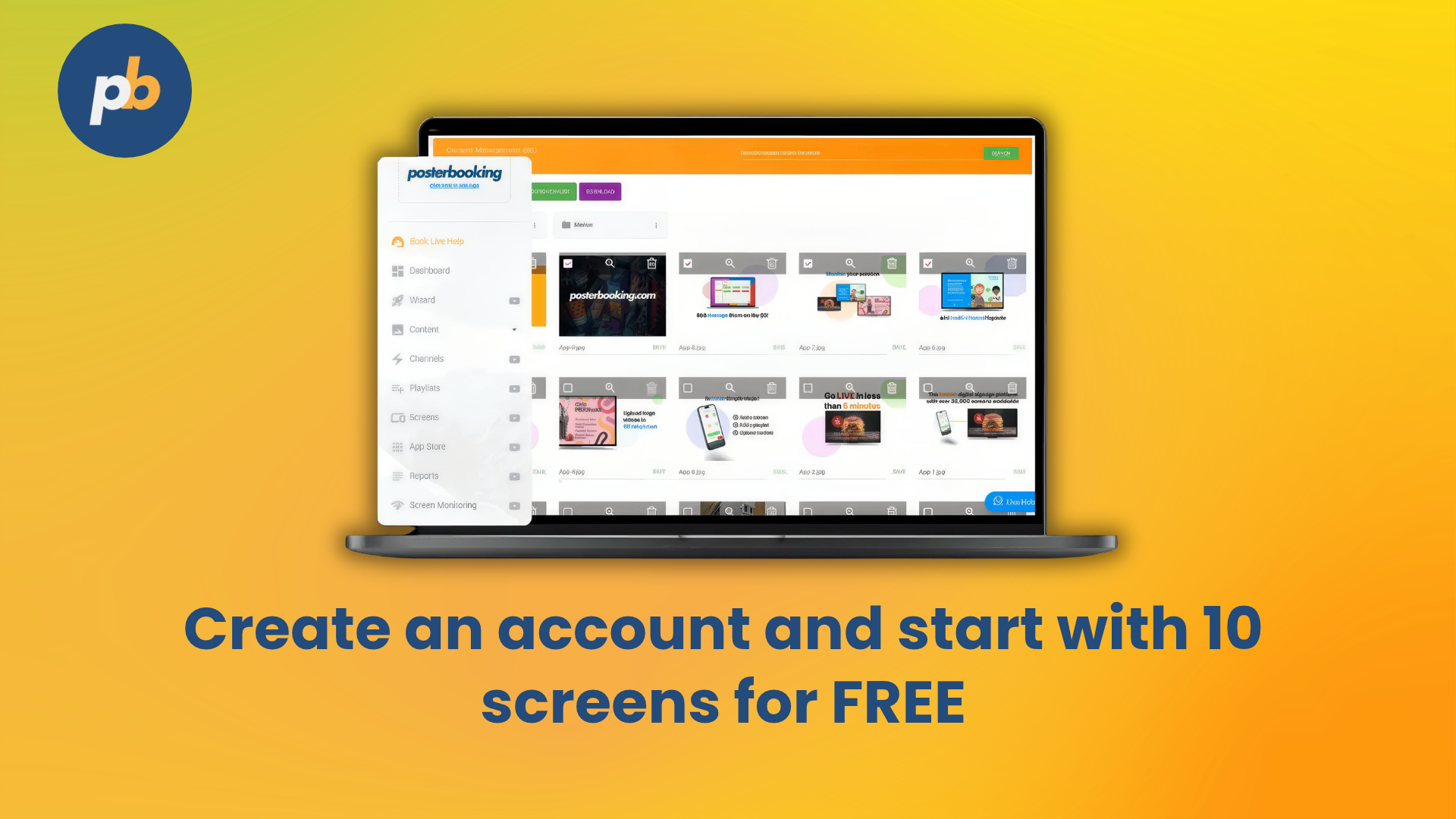
PosterBooking lets you upload your finished designs, organise them into playlists and manage what appears on your screens from one dashboard. You can create your posters in your preferred design tool, then use PosterBooking to display them across your locations.
That’s useful when you need to change a promotion, update a menu or show different posters at different branches. You can manage those changes remotely instead of visiting each screen to replace the content manually.
Choose PosterBooking if your goal is to get your posters in front of customers on screens and keep those displays up to date.