
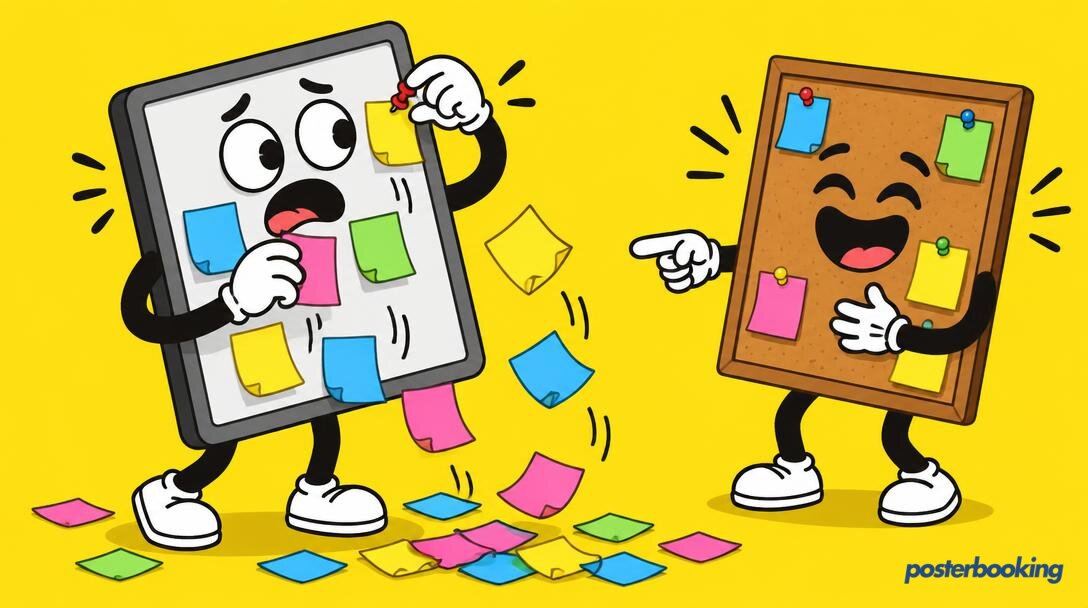

A digital message board is the sophisticated, glowing successor to the dusty cork board that currently dominates your communal areas. While traditional notice boards are often a graveyard for expired announcements, yellowing fete posters from 2019, and optimistic "lost cat" flyers, the digital version offers a dynamic, remotely managed, and actually readable alternative. It turns any screen into a centralized communication hub, ensuring that your audience actually sees what you have to say before the information becomes archaeological history.
Table Of Contents
- What Is a Digital Message Board?
- Digital Message Board vs. Traditional Notice Board
- The Difference Between a Message Board and Full Digital Signage
- Essential Use Cases for Modern Message Boards
- Offices and Corporate Environments
- Schools and Educational Institutions
- Churches and Places of Worship
- Community Centres and Village Halls
- Factories and Industrial Sites
- Flats, Apartments, and Housing Blocks
- Design Rules for Readable Digital Notices
- How Often Should You Update Your Board?
- Single Screen vs. a Managed Network
- Hardware Options: From Budget to Professional
- Setting Up Your Board with PosterBooking
- Frequently Asked Questions
What Is a Digital Message Board?
At its most basic, a digital message board is a screen - typically a TV or a dedicated monitor - that displays a rotating loop of information. This might include text, images, videos, or live data feeds. Unlike its analogue ancestor, the cork board, it does not require drawing pins, blu-tack, or a physical presence to update. You can change the content from your laptop while sitting in a cafe three towns away, which is significantly more efficient than wandering around with a staple gun.
In the modern era, these boards serve as the "pulse" of an organization. They are the go-to spot for finding out if the lifts are broken, if there is free cake in the breakroom, or if the afternoon choir practice has been moved to the vestry. By using a digital format, you ensure that the most important information is always at the top of the pile, rather than buried under a stack of outdated health and safety memos.
Digital Message Board vs. Traditional Notice Board
If we are being honest, the traditional notice board is a mess. It is a visual representation of "we meant to tell you this three weeks ago." The primary issue with analogue boards is the "set it and forget it" mentality. Once a piece of paper is pinned up, it stays there until the paper itself begins to decompose or someone needs the pin for something more urgent.
- Digital Signage Solutions offer a solution to this clutter.
The Case Against Cork:
- The Overlap Problem: Important notices are frequently covered by less important ones. The notice about the building fire drill is often obscured by a flyer for Dave's semi-pro wrestling match.
- Visual Fatigue: After three days, the human brain treats a static notice board as wallpaper. You stop seeing it entirely.
- The Cleanup Burden: Someone has to physically walk to the board and peel off the old notices. This is a job that no one wants and therefore no one does.
The Case for Digital:
- Dynamic Rotation: Because the screen moves, it catches the eye. The brain is hardwired to notice movement, making it far more likely that your message will be consumed.
- Instant Expiry: You can schedule a message to disappear the moment it becomes irrelevant. If the fete was on Saturday, the poster should vanish on Sunday morning, not hang there until the next decade.
- Clarity: Backlit screens are easier to read in dim corridors than a piece of A4 paper that was printed on a printer running low on toner.
The Difference Between a Message Board and Full Digital Signage
While the terms are often used interchangeably, there is a subtle distinction. A digital message board is usually a subset of digital signage.
Full Digital Signage often involves complex, multi-zone layouts. You might see a screen at an airport that has a live flight feed on the left, a weather widget at the bottom, a news ticker scrolling across the middle, and an advertisement for expensive perfume playing in the corner. It is high-octane, high-bandwidth, and often high-stress for the person managing it.
A Digital Message Board, by contrast, is usually simpler. Its primary goal is communication rather than "wow factor." It often uses full-screen slides or simple loops to convey specific information to a specific group of people. It is the digital equivalent of a post-it note, but much harder to lose.
If you are looking to inform your staff that the coffee machine is fixed, you don't need a four-zone interactive layout with social media integration. You just need a big, clear screen that says "Coffee is back." That is the essence of a digital message board.
Essential Use Cases for Modern Message Boards
The beauty of a digital message board is its versatility. It fits anywhere people congregate and need to know things. Here are the most common environments where these boards are currently replacing the old "staple and hope" method.
Offices and Corporate Environments
In the modern office, email is where information goes to die. If you send an email about the new recycling policy, it will be ignored by 40 percent of staff and archived by the rest. A digital message board in the kitchen or by the lifts, however, is unavoidable.
- Internal Communications are vital for morale.
Common office uses include:
- Welcoming Guests: "Welcome to the team, Sarah!" goes a long way.
- KPIs and Wins: Celebrating a sales target or a successful project launch.
- Employee Birthdays: Nothing says "we value you" like a giant digital cake on a 55-inch screen.
- Practical Updates: If the water is being shut off at 3 PM, everyone needs to know before they try to make a cup of tea.
Schools and Educational Institutions
Schools are notorious for having corridors lined with boards that haven't been touched since the school was built. A digital message board allows the administration to communicate with students and staff in real-time.
- School Signage helps keep everyone on the same page.
Ideas for school boards:
- Daily Menus: Letting the students know whether it is "Mystery Meat Monday" or "Taco Tuesday."
- Club Announcements: Changing the location of the chess club meeting instantly.
- Student Achievements: Showing photos of the winning football team or the star of the school play.
- Emergency Alerts: A bright red screen is much more effective than a bell that everyone assumes is just a drill.
Churches and Places of Worship
Churches often have very active communities but rely on paper bulletins that end up in the bin immediately after the service. A digital board in the foyer can highlight the week's events without wasting a single tree.
- Church Signage is a great way to engage the congregation.
Church board suggestions:
- Verse of the Day: Providing a moment of reflection as people enter.
- Upcoming Events: Promoting the bake sale, the youth group trip, or the upcoming choir performance.
- Donation Goals: Visually showing how close the community is to fixing the roof.
- Volunteer Spotlights: Thanking those who spent their Saturday cleaning the pews.
Community Centres and Village Halls
These are the natural habitats of the "lost cat" poster. A community centre board usually has to cater to a huge range of ages and interests, from toddlers' playgroups to senior bridge clubs.
- Community Signage simplifies local management.
Common community uses:
- Room Bookings: Showing which group is in "Hall A" and which is in "Room 4."
- Local Services: Promoting local handymen or gardening services (without the messy tear-off phone number tabs).
- Lost and Found: A digital photo of a set of keys is much more helpful than a vague description.
- Council Notices: Planning applications and local roadworks information.
Factories and Industrial Sites
In a factory, communication isn't just about convenience; it is about safety. Paper notices in a factory quickly become covered in dust, grease, or grime. A digital screen remains bright and legible.
- Industrial Signage improves safety compliance.
Industrial use cases:
- Safety Countdowns: "45 Days Since the Last Accident" is a powerful motivator.
- Shift Changes: Clearly displaying who is on which line for the next rotation.
- Production Targets: Live updates on how many units have been produced today.
- Safety Procedures: Reminding workers to wear their ear defenders in specific zones.
Flats, Apartments, and Housing Blocks
If you live in a block of flats, you probably only check the notice board when you are waiting for the lift. A digital screen in the elevator or the lobby is the perfect place to communicate with residents who are otherwise hard to reach.
Resident board ideas:
- Maintenance Notices: "The window cleaners will be here on Wednesday. Please don't be alarmed by a man outside your fourth-floor bedroom."
- New Building Rules: Reminders about noise levels or where to leave bulky waste.
- Local News: Information about nearby road closures or changes to bin collection days.
- Package Alerts: Reminding residents to check their lockers for deliveries.
Messages That Work
Not all messages are created equal. Just because you have a digital board doesn't mean you should fill it with 500 words of fine print. Here is a guide to what actually works on a screen.
The "Lost Cat" Scenario (and other essentials): While we joke about the lost cat, a digital message board is actually brilliant for this. You can upload a high-resolution photo of "Mittens," making it far easier for people to recognize the feline in question. The same applies to:
- Announcements: Keep them punchy. "Office Closed for Bank Holiday" is better than a long paragraph about why everyone deserves a break.
- Events: Include the Who, What, Where, and When. If there is a QR code to buy tickets, even better.
- Safety: Use bold colours. Red for danger, yellow for caution, green for "all clear."
- Birthdays: Use a photo of the person. It makes it personal and harder for them to hide their embarrassment.
Design Rules for Readable Digital Notices
You don't need to be a graphic designer to make a good-looking digital notice, but you do need to follow some basic rules of physics and human psychology.
1. The 3-Second Rule Your audience is usually walking past the screen. You have roughly three seconds to grab their attention and convey the core message. If they have to stop and squint, you have failed.
2. Contrast is Your Friend Dark text on a light background or white text on a dark background. Avoid "arty" combinations like light grey on slightly darker grey. It looks modern until you try to read it from five meters away in bright sunlight.
3. Font Size Matters If your screen is 50 inches and your text is size 12, no one will see it. As a general rule, your main headline should be large enough to be read from the other side of the room.
4. Limit Your Text A digital message board slide should ideally have no more than 15-20 words. If you need more than that, split it across two slides. People will not stand in a hallway to read a manifesto.
5. Use High-Quality Images Nothing looks worse than a pixelated photo that has been stretched to fit a 4K screen. If you don't have a good photo, use a clean icon or a solid block of colour instead.
How Often Should You Update Your Board?
The quickest way to make your digital message board invisible is to never change the content. If the same three slides have been rotating for six months, the human brain will eventually categorize the screen as a "static object" and ignore it.
- High-Traffic Areas (Lobbies, Kitchens): Update daily or every few days. Even if the information is the same, changing the background colour or the layout will "refresh" the content in the viewer's mind.
- Low-Traffic Areas (Back Corridors): Once a week is usually sufficient.
- Event-Based Updates: Content should be removed the moment the event is over. A "Happy New Year" slide in mid-February is a sign of organizational defeat.
Using a tool like PosterBooking allows you to schedule these changes in advance. You can spend an hour on Monday morning setting up the entire week's content and then forget about it.
Single Screen vs. a Managed Network
If you only have one screen in your office lobby, managing it is simple. You can probably get away with a basic setup. However, once you move to two, five, or ten screens, you need a managed network.
Single Screen Setup:
- Ideal for small shops or single-room offices.
- Easy to monitor manually.
- Low complexity.
Managed Network (The PosterBooking Way):
- Ideal for schools, hospitals, or multi-floor offices.
- Allows you to "Group" screens. For example, all screens in the "Staff Rooms" group get one set of messages, while screens in the "Reception" group get another.
- Centralized control means you can push an emergency alert to every screen in the building simultaneously with one click.
- Remote health monitoring ensures you know if a screen has gone offline before anyone else notices.
Hardware Options: From Budget to Professional
You don't need to spend thousands on "industrial-grade" screens to get started. Most digital message board needs can be met with consumer-grade hardware and a bit of common sense.
1. The Ultra-Budget Option ($30 - $50) If you already have a TV, you just need a media player. An Amazon FireStick or a basic Android box is the cheapest way to turn a TV into a digital message board. You simply plug it into the HDMI port, connect to Wi-Fi, and install the PosterBooking app. It is cheap, cheerful, and remarkably effective.
2. The Mid-Range Option ($150 - $300) This involves buying a dedicated Smart TV (Android-based TVs are best for compatibility). This eliminates the need for an external "dongle" and keeps the setup clean. Look for brands like Xiaomi, TCL, or Hisense if you are on a budget, or Sony and Samsung for slightly better reliability.
3. The Professional Option ($500+ ) Commercial displays (like the Samsung SMART Signage series) are designed to be left on 24/7. They have better cooling, higher brightness for sunlit areas, and often come with a longer warranty. If your screen is going to be in a window or running around the clock in a factory, this is the investment to make.
4. The Raspberry Pi Route ($50 - $80) For the tech-savvy, a Raspberry Pi is a fantastic, robust option. It is small enough to hide behind the screen and powerful enough to handle smooth video playback. PosterBooking has a dedicated version for the Pi, making it a favorite for IT managers.
Setting Up Your Board with PosterBooking
We believe that communicating with your audience shouldn't cost you a fortune or require a degree in systems engineering. That is why we built PosterBooking to be as simple as possible.
- Get Started for Free and see how easy it is.
The 10-Screen Promise: We offer your first 10 screens for free. This isn't a "trial" that expires in 14 days; it is a full-featured plan that covers most small businesses, churches, and community centres. We don't ask for your credit card details up front, and there are no hidden fees.
Why choose PosterBooking for your message board?
- Speed: You can go from an empty screen to a fully functioning message board in under five minutes.
- Flexibility: We support images, videos, web pages, and even Google Slides.
- Compatibility: Our app runs on FireSticks, Android TVs, Windows, Linux, and Raspberry Pi.
- Ease of Use: If you can upload a photo to social media, you can manage a PosterBooking screen.
Whether you are trying to tell your employees about the upcoming Christmas party or reminding residents to pay their service charge, a digital message board is the most effective way to cut through the noise. Get rid of the cork board, put the staple gun back in the drawer, and join the digital age. Your walls (and your audience) will thank you.
Frequently Asked Questions
Can I use any TV as a digital message board?
Yes, almost any modern TV with an HDMI port can be turned into a digital message board. You simply need to plug in a small media player, such as an Amazon FireStick or a Chromecast with Google TV, and install the PosterBooking app. If you have a Smart TV that runs Android or Google TV, you can often install the app directly without any extra hardware.
How do I update the messages on the screen?
Updates are handled through a web-based dashboard. You log in to your account from any computer or smartphone, upload your new images or videos, and add them to your playlist. The changes are then pushed to your screens over the internet. There is no need to visit the screen with a USB stick or a ladder.
Does the screen need to be connected to Wi-Fi all the time?
While a connection is needed to download new content and updates, PosterBooking is designed to be resilient. Once your content is downloaded to the media player, it will continue to play even if the Wi-Fi drops out. The screen will only need the internet again when you want to change the messages or if you are using live data feeds like weather or news.
Is digital signage expensive to run?
The primary cost is the initial hardware (the TV and media player). In terms of software, PosterBooking is free for your first 10 screens. Running a screen 24/7 will have a small impact on your electricity bill, but modern LED screens are very energy-efficient. Compared to the cost of printing, distributing, and disposing of paper notices, digital is often significantly cheaper over time.
Can I schedule different messages for different times of the day?
Absolutely. This is one of the biggest advantages of a digital board. You can schedule a "Good Morning" message to play until 10 AM, a "Lunch Special" slide to play until 2 PM, and a "Don't Forget Your Keys" reminder for the end of the day. You can also schedule content for specific dates, such as holidays or planned maintenance.
What happens if I have screens in different locations?
PosterBooking is cloud-based, meaning you can manage screens in different buildings, cities, or even countries from one single account. You can group screens by location so that a manager in London can update the London boards while you oversee the entire network from your main office.
Do I need to be a graphic designer to make the slides?
Not at all. You can use simple tools like Canva, PowerPoint, or even Google Slides to create your notices. Simply save your design as a JPEG or PNG image and upload it to the dashboard. Many of our users find that a simple photo with a few words of text is often more effective than a complex graphic design anyway.
Ready to upgrade your communication? Join over 87,426 users who trust us to power their screens. Start your digital message board journey today with our free plan.