
Table Of Contents
- What Is a Digital Notice Board?
- Why the Cork Board Is Retiring
- Digital vs Traditional Notice Boards
- What to Show on a Digital Notice Board
- Where Digital Notice Boards Work Best
- How to Set Up a Digital Notice Board
- How Much Does It Cost?
- Common Mistakes to Avoid
- Content Scheduling Ideas
- Digital Notice Board Etiquette
- A Real-World Example
- Launch Checklist
- Frequently Asked Questions
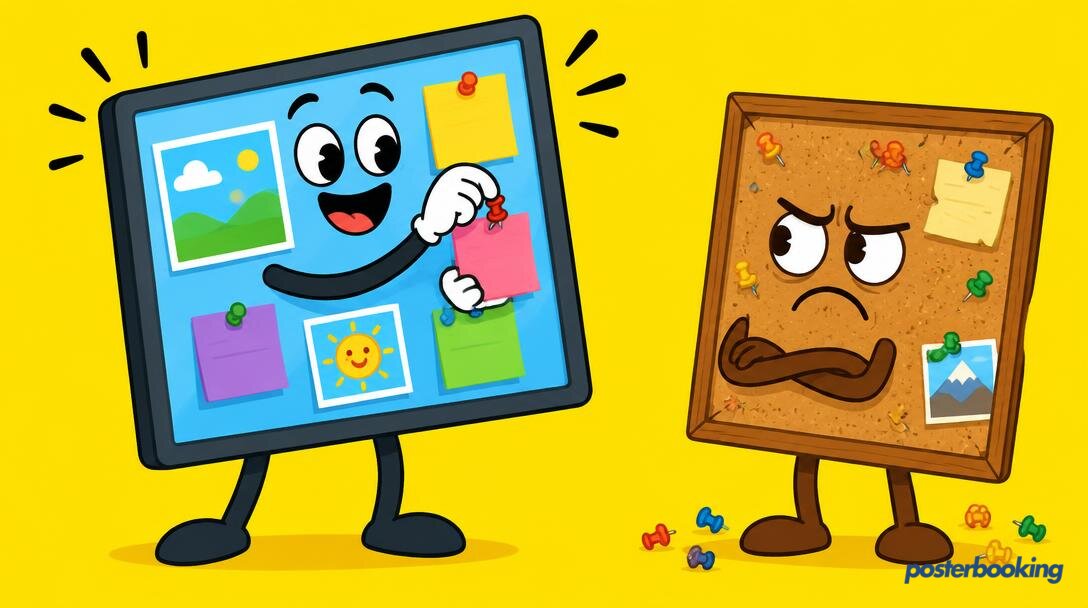
A digital notice board is a TV screen that replaces the traditional cork board or pinboard, showing announcements, events, timetables and news that you can update from anywhere in seconds. Schools, offices, gyms, churches and community centres are switching because the digital version is always current, always tidy and never has a poster from 2019 lurking underneath three newer ones.
What Is a Digital Notice Board?
Every organisation has a notice board: that wall of pinned flyers, curling printouts and a lost cat poster nobody remembers pinning. A digital notice board does the same job on a screen. Announcements, events, menus, timetables and reminders rotate automatically, and the person in charge updates everything from a laptop or phone instead of a stapler.
The idea is not new. What has changed is that the hardware and software needed are now genuinely affordable, so a feature once reserved for corporate head offices is available to a village hall with a spare Wi-Fi connection and an old television.
Why the Cork Board Is Retiring
- People actually look at it. A bright screen with motion beats a wall of faded A4 printouts every time.
- It is always up to date. Remove yesterday's event instantly instead of letting it confuse people for a week.
- One board, unlimited notices. No more deciding which flyer gets the last pin.
- Update from anywhere. Add a notice from home and it appears in the lobby seconds later.
- No more laminating. The environment and your laminator both thank you.
There is a certain satisfaction in never again hunting for a drawing pin at 8am on a Monday, and that alone has converted more office managers than any spec sheet ever could.
Digital vs Traditional Notice Boards
| Cork board | Digital notice board | |
|---|---|---|
| Update effort | Print, pin, repeat | Type, click, done |
| Capacity | Until the pins run out | Unlimited |
| Tidiness | Declines daily | Permanently perfect |
| Readability | Depends on handwriting | Always crisp |
| Scheduling | One layer of chaos | Different content by time of day |
| Expired notices | Archaeological layers | Removed automatically |
What to Show on a Digital Notice Board
- Announcements and news for staff, students, members or visitors
- Event listings with dates, times and locations
- Timetables and schedules: classes, shifts, services, room bookings
- Menus for canteens and cafes
- Weather and news tickers so people check the board daily out of habit
- Birthdays, achievements and shout-outs to make it feel like everyone's board
- Emergency notices that can take over the screen instantly
- QR codes linking to sign-up forms, menus or more detail
- Lost property and facilities updates, the modern equivalent of the lost cat poster, minus the staple holes
Where Digital Notice Boards Work Best
- Schools and universities: corridors, receptions and canteens
- Offices: break rooms, kitchens and lift lobbies
- Gyms and leisure centres: class times and challenges
- Places of worship: service times and community events
- Community centres and libraries: local events and services
- Staff rooms and warehouses: shift patterns, safety notices and targets
How to Set Up a Digital Notice Board
Step 1: Choose your screen and spot
Any TV works. Put it where people naturally pause: entrances, break rooms, corridors and canteens.
Step 2: Install PosterBooking
Install the free PosterBooking app on a Fire TV Stick, Android TV, Windows PC, Chrome device or Raspberry Pi connected to the screen.
Step 3: Pair the screen
Open the app, note the pairing code on the TV, and add the screen in your PosterBooking dashboard.
Step 4: Add your notices
Create slides in Canva or Google Slides (both free), or use PosterBooking's built-in apps for news, weather and clock widgets.
Step 5: Schedule and relax
Set playlists to change by time of day, let old notices expire automatically, and update everything from your phone whenever something changes.
How Much Does It Cost?
The software can be free: PosterBooking is free for your first 10 screens, which covers most schools, offices and community spaces entirely. The hardware is any TV plus an inexpensive player device such as a Fire TV Stick, Android box or Raspberry Pi. Compare that with the annual cost of printing, pins, laminating and the staff time spent stapling, and the digital board usually pays for itself remarkably quickly.
| Item | Typical range |
|---|---|
| TV (if not already owned) | Low hundreds |
| Player device | Well under a hundred |
| Software | Free for first 10 screens |
| Ongoing printing costs avoided | Often the largest saving over a year |
Common Mistakes to Avoid
- Leaving the board static. A notice board that never changes is just a slower, more expensive poster.
- Cramming too much text onto one slide. Readers glance for a few seconds; keep messages short.
- Ignoring scheduling. A lunch menu showing at 9am helps nobody.
- Forgetting who can update it. Give trusted staff shared access so one person is not the sole bottleneck.
- No emergency plan. Decide in advance how an urgent notice can jump the queue and take over the screen.
Content Scheduling Ideas
| Time of day | Suggested content |
|---|---|
| Morning | Today's schedule, weather, welcome messages |
| Midday | Lunch menu, break room notices |
| Afternoon | Event reminders, achievements, shout-outs |
| End of day | Tomorrow's schedule, closing reminders |
Digital Notice Board Etiquette
A shared screen quickly turns into a free-for-all if nobody sets ground rules, so it helps to agree a few basics early. Decide who approves notices before they go live, how long a typical flyer-style slide should stay up, and what counts as urgent enough to jump the queue. Most organisations settle on a simple rule: personal for-sale ads and one-off birthday shout-outs get a short slot, official announcements get priority, and nothing stays up longer than its actual relevance. It is remarkably similar to office kitchen etiquette, just with fewer passive-aggressive sticky notes.
A Real-World Example
A community centre that previously relied on a cluttered cork board in the entrance hall swapped it for a single TV running PosterBooking. Staff reported that residents started checking the screen daily out of habit, something the old board, buried under three layers of flyers, had never achieved. The lost property drawer, sadly, remains exactly as full as before.
Launch Checklist
- TV mounted in a high-footfall spot
- Player device connected to Wi-Fi
- PosterBooking app installed and paired
- Core notices and timetables uploaded
- Scheduling set up for time-of-day content
- Shared dashboard access agreed with relevant staff
Frequently Asked Questions
What is a digital notice board?
A digital notice board is a TV screen that displays rotating announcements, events, timetables and menus in place of a traditional pinboard. It is managed through signage software like PosterBooking, allowing updates from any browser instead of printing and pinning paper notices.
How much does a digital notice board cost to set up?
A digital notice board typically costs a few hundred dollars for a TV and a low-cost player device such as a Fire TV Stick, with software free for the first 10 screens through PosterBooking. This makes it considerably cheaper over time than ongoing printing and laminating costs.
Can multiple people update a digital notice board?
Yes, multiple people can update a digital notice board by sharing access to the signage dashboard, so different staff members can manage their own sections. This avoids bottlenecks where only one person is able to post new notices.
Do digital notices expire automatically?
Yes, digital notices can be scheduled with start and end dates so they expire automatically without manual removal. This keeps a digital notice board current without anyone needing to remember to take old flyers down.
What size screen is best for a digital notice board?
The best screen size for a digital notice board depends on viewing distance, but 43 inches or larger works well for most corridors, break rooms and entrances. Smaller spaces with closer viewing distances can use a 32 inch screen comfortably.
What devices can run digital notice board software?
Digital notice board software such as PosterBooking can run on an Amazon Fire TV Stick, Android device, Windows PC, Chrome device or Raspberry Pi connected to a standard TV. This means most organisations can launch a digital notice board without buying specialist hardware.
What happens to a digital notice board if the internet goes down?
A digital notice board keeps showing its most recently uploaded content if the internet connection drops, since the player device caches the playlist locally on the device itself. Only live elements such as news or weather widgets pause until the connection returns, so routine announcements, timetables and menus keep displaying without interruption.
Ready to retire the cork board? Create your free account and put your first digital notice board up today, pins not included (or needed).