
The Ultimate Guide to Digital Signage Emergency Alerts in 2026
Table Of Contents
- Why Screens are the Fastest Way to Reach Everyone
- The Essential Types of Digital Signage Emergency Alerts
- The Technical Magic: How Alert Overrides and CAP Feeds Work
- Design Rules for Alert Content: Seeing Through the Panic
- Compliance, Duty of Care, and Legal Necessities
- Integrating Screens with Mass Notification Systems (MNS)
- The 2026 Testing Protocol: Don't Let Your Safety Plan Fail
- Digital Signage Emergency Alerts with PosterBooking
- Frequently Asked Questions
DIGITAL SIGNAGE RESOURCES
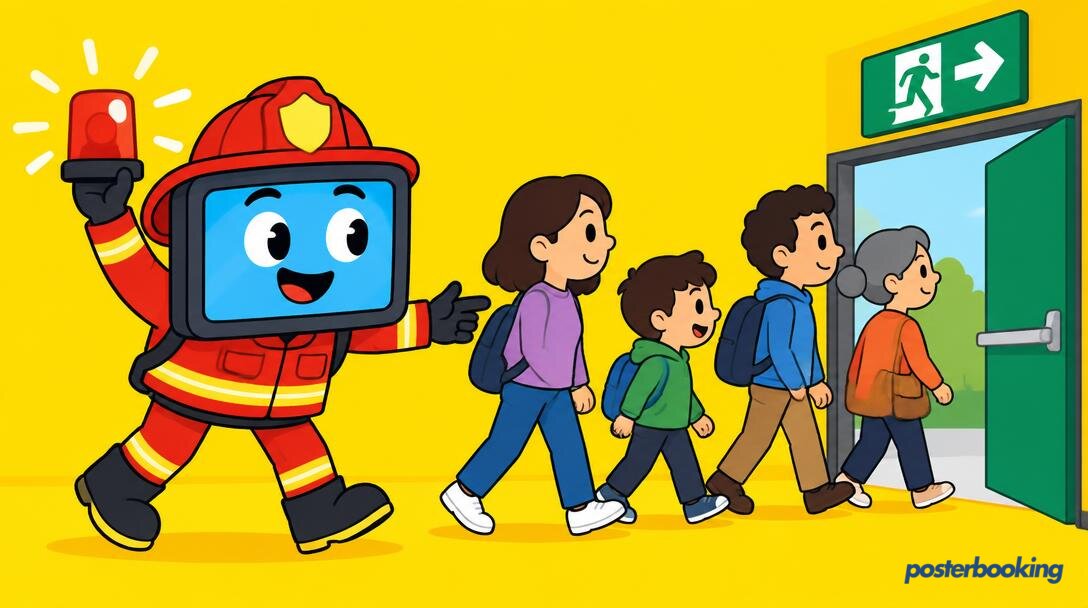
In the event of an actual emergency, the last thing anyone wants to do is check their email. While your IT department might be very proud of their new automated mailing list, a fire is generally faster than a spam filter. This is where digital signage emergency alerts come into play. By the time we reach 2026, the humble screen on the wall has evolved from a simple way to show lunch menus into a critical pillar of building safety. If you are still relying on a loud buzzer and a prayer to evacuate a modern office, school, or hospital, you are living in the past.
We have all been there. You are sitting in a meeting, someone mentions "synergy," and suddenly a siren starts wailing. Half the room looks at their phones, three people look at the ceiling, and one person continues talking about Q4 projections. Digital signage changes this dynamic by providing instant, visual, and authoritative instructions that nobody can ignore. It turns every screen in your network into a silent, screaming sentinel of safety.
This guide will walk you through the nuances of deploying digital signage emergency alerts. We will cover everything from the technical architecture of CAP feeds to the psychology of high-contrast design. We will also look at how PosterBooking can help you get started without costing you a penny for your first ten screens. Because, let us be honest, safety should not be a luxury reserved for those with massive procurement budgets.
Contents
Why Screens are the Fastest Way to Reach Everyone
When a crisis hits, seconds matter. The traditional methods of communication all have significant "friction points." Text messages are great, assuming everyone has their phone on them, it is charged, and they are not currently in a "no-phone zone" like a secure lab or a cinema. Public address systems are excellent, provided you are not wearing noise-cancelling headphones or standing in a particularly loud industrial area.
Digital signage emergency alerts bridge these gaps. Screens are ubiquitous. They are in hallways, lobbies, break rooms, and elevators. They are already being looked at because humans are biologically wired to pay attention to bright, glowing rectangles. By hijacking these rectangles, you ensure that your message is seen by 100 percent of the people in the vicinity, regardless of whether they have a smartphone or a functioning set of ears.
In 2026, the speed of information is no longer limited by the speed of the person typing the alert. With modern cloud-based systems, an alert can be triggered by a single button press or even an automated sensor, propagating across thousands of screens globally in less than three seconds. That is faster than you can find the "mute" button on a fire alarm.
The Psychology of Visual Authority
There is a psychological component to digital signage that often gets overlooked. A text message feels like a suggestion. A screen changing to a bright red background with the word "EVACUATE" in massive white letters feels like a command. The visual authority of a well-designed emergency alert reduces "milling time," which is the period people spend looking at each other to see if the threat is actually real. When the screens say it is real, people move.
Overcoming the "Notification Fatigue" Problem
We live in an age of constant pings. Between Slack, WhatsApp, and that one app that keeps telling you your virtual corn is ready for harvest, we have become experts at ignoring notifications. Digital signage emergency alerts bypass this fatigue because they are not just another notification on a personal device. They are environmental changes. When the environment changes, the human brain switches from "passive mode" to "alert mode."
The Essential Types of Digital Signage Emergency Alerts
Not all emergencies are created equal. A "someone burnt popcorn in the microwave" emergency requires a different response than a "there is a massive hurricane coming" emergency. Your digital signage needs to be nuanced enough to handle various scenarios without causing unnecessary panic.
Fire and Evacuation
This is the classic use case. When the fire alarm triggers, your screens should immediately switch to a map of the nearest exits. In 2026, smart signage can even be integrated with building sensors to show "Dynamic Wayfinding." If a fire is detected in the North Wing, the screens in the lobby will automatically point people toward the South Exit. This is significantly more useful than a static plastic sign that might be leading people directly into the danger zone.
Lockdown and Active Threat
In a lockdown situation, the goal is not to get people out, but to keep them in and silent. Digital signage emergency alerts for lockdowns are different. They should be discreet but clear. Instead of flashing lights and loud sirens (which might attract an intruder), the screens can display clear instructions: "Lock doors. Turn off lights. Stay silent." The ability to update these screens in real time is vital. If the threat moves, the "all clear" can be whispered across every screen without anyone having to speak a word.
Severe Weather Warnings
Weather alerts are perhaps the most common use of digital signage emergency alerts. By integrating with local weather services, your screens can automatically display watches and warnings for tornadoes, flash floods, or extreme heat. This is particularly useful in large campuses or public spaces where people might not be aware of what is happening outside a windowless room.
IT Outages and Cyber Attacks
Let us be real: in a modern office, a total network collapse is an emergency of its own kind. If the internet goes down, sending an email to tell everyone the internet is down is a special kind of stupid. Digital signage emergency alerts can be used to inform staff that the IT team is on the case, what systems are affected, and what the estimated time of recovery is. It saves your help desk from receiving 400 identical phone calls in ten minutes.
Medical Emergencies and Missing Persons
In large public venues like stadiums or shopping centres, screens can be used to find a missing child or alert staff to a medical emergency in a specific section. "Code Blue in Sector G" on a staff-facing screen allows for a rapid response without alarming every visitor in the building.
The Technical Magic: How Alert Overrides and CAP Feeds Work
You might be wondering how a screen showing a video of a tropical beach suddenly knows to show a fire map. This is not magic; it is the result of robust software architecture. The two main components here are "Playlist Overrides" and "CAP Feeds."
The Power of the Playlist Override
Most digital signage software, including the excellent stuff we provide at PosterBooking, uses a priority system. You have your standard content (the beach video), and then you have your high-priority content (the fire map). When an emergency is triggered, the CMS (Content Management System) sends a command to every player to stop what it is doing and play the high-priority content immediately. This "takeover" happens locally on the player, meaning even if the internet flickers for a second, the emergency content stays on the screen.
Understanding CAP (Common Alerting Protocol)
CAP is the international standard for emergency messaging. It is an XML-based data format that allows different systems to talk to each other. Your digital signage software can "subscribe" to a CAP feed from the government, the police, or your own internal security system. When a CAP message is published, the signage system reads the data, parses the urgency, and automatically generates an alert on the screens. This eliminates the "human in the middle," which is often the slowest part of any emergency response.
Integration with Mass Notification Systems (MNS)
In larger organisations, digital signage is just one part of a Mass Notification System. These systems connect screens, speakers, desktop alerts, and mobile apps. In 2026, the best setups use API integrations to ensure that a single trigger in the MNS ripples through every communication channel simultaneously. If you want to learn more about setting this up, check out our guide on how to use digital signage for schools * to see how educational institutions handle these integrations.
Design Rules for Alert Content: Seeing Through the Panic
When people are panicked, their ability to process complex information drops significantly. This is not the time for your brand-approved pastel colour palette or your favourite curly font. If you want your digital signage emergency alerts to be effective, you need to follow the rules of high-stress design.
High Contrast is Non-Negotiable
White text on a red background or black text on a bright yellow background. These are the standards for a reason. They are legible from a distance and even through a certain amount of smoke or dust. Avoid gradients, drop shadows, or busy background images. You want the text to pop off the screen and hit the viewer in the eyes.
Plain Language and No Jargon
"Please proceed to the nearest primary egress point" is bad design. "EXIT THIS WAY" with a big arrow is good design. Use simple, active verbs. Tell people exactly what to do. Use "STAY AWAY FROM WINDOWS" instead of "Avoid proximity to glass surfaces." In an emergency, everyone’s reading level drops to that of a tired toddler. Write accordingly.
The Five-Second Rule
A person should be able to look at the screen for five seconds and understand three things:
- What is happening? (Fire)
- What should I do? (Evacuate)
- Where should I go? (Turn left) If your slide has more than twenty words on it, you have failed. Use icons and symbols (like the international "running man" exit sign) to supplement the text. Symbols are processed faster than words and are understood regardless of the viewer's native language.
Motion and Flashing (Use with Caution)
A bit of motion can help grab attention, but constant flashing can actually make text harder to read and may trigger seizures in sensitive individuals. A pulsing border or a simple "Alert" banner that moves across the top is usually enough. Keep the core message static so it can be read easily.
Compliance, Duty of Care, and Legal Necessities
Running a building comes with a "Duty of Care." This is a legal obligation to ensure the safety of everyone on the premises. In many jurisdictions, having a functioning emergency communication system is not just a good idea; it is the law.
Meeting Accessibility Standards
Your digital signage emergency alerts must be accessible. This means considering people with visual impairments. While a screen is inherently visual, the high contrast and large text help those with low vision. Furthermore, your signage should work in tandem with audio alerts to ensure that those who cannot see the screens are still informed. In the UK, the Equality Act 2010 (and similar laws like the ADA in the US) requires businesses to make "reasonable adjustments" for people with disabilities. Effective digital signage is a major part of that.
Audit Trails and Logging
If an incident occurs, the first thing the lawyers and insurance adjusters will ask is, "What did you tell people, and when did you tell them?" A good digital signage CMS will keep a detailed log of every alert sent, which screens displayed it, and for how long. This audit trail is your best defence in a post-incident investigation. It proves that you fulfilled your duty of care by disseminating information as quickly as possible.
Regional Regulations
Different countries have different rules about emergency signage. For example, some regions require specific colours for specific types of alerts (e.g., green for first aid, blue for information). Make sure your alert templates are compliant with local standards before you need to use them. You can check our pricing page * to see how our enterprise features can help manage these complex requirements across multiple locations.
Integrating Screens with Mass Notification Systems (MNS)
A screen is powerful, but it is not an island. To truly master digital signage emergency alerts, you need to think about the ecosystem.
The "Single Button" Strategy
In a crisis, nobody has time to log into three different dashboards. Your goal should be a "Single Button" strategy. When the fire pull-station is activated, it should automatically trigger the digital signage, the PA system, and the SMS alerts. This is achieved through "Logic Controllers" or software integrations that link your physical security hardware to your digital signage software.
The Role of IoT and Smart Sensors
By 2026, the Internet of Things (IoT) has become a standard part of building management. Sensors can detect everything from smoke and heat to chemical leaks or even the sound of breaking glass. Integrating these sensors directly with your digital signage means alerts can be triggered before a human even realizes there is a problem. Imagine a screen in a lab that automatically displays "CHEMICAL LEAK - VENTILATE IMMEDIATELY" the moment a sensor detects a spill.
Two-Way Communication
While most signage is one-way, some modern systems allow for basic two-way communication. Interactive screens or kiosks can have an "I Need Help" button that, when pressed, sends the location of that screen to the security team. This turns your signage into a network of emergency call boxes.
The 2026 Testing Protocol: Don't Let Your Safety Plan Fail
A safety system that has not been tested is not a safety system; it is a decoration. You do not want to find out that your media player decided to do a four-hour Windows update right as you needed to send a lockdown alert.
Regular "Silent Tests"
You should run silent tests at least once a month. This involves pushing an alert to a specific, non-public screen to ensure the override functionality is still working correctly. You can also schedule these tests for 3:00 AM across the entire network to verify that every player is responsive.
Coordination with Physical Drills
The next time you have a fire drill, do not just ring the bell. Trigger the digital signage emergency alerts as well. Observe how people react. Do they look at the screens? Do they follow the directions? Use these drills to refine your content. If you find that people are confused by a specific map, change it.
Checking the Hardware Health
Digital signage players can fail. SD cards can wear out, and power supplies can die. A robust CMS like PosterBooking provides a "health dashboard" that shows you which screens are online. If a screen is offline, it cannot show an alert. Make it a daily habit to check your dashboard. A screen that is black is a liability in an emergency.
Digital Signage Emergency Alerts with PosterBooking
We believe that safety should be accessible to everyone. That is why PosterBooking is designed to be the simplest and most reliable way to manage digital signage emergency alerts. Whether you are a small local shop or a large international corporation, our platform provides the tools you need to keep people safe.
The Playlist Override Feature
PosterBooking allows you to create a "Safety Playlist" that sits in the background, ready to go. With a few clicks (or via an API call), you can set this playlist to override everything else on your screens. It is fast, it is reliable, and it works on almost any hardware, from a smart TV to a cheap Android stick.
Free for the First Ten Screens
We are not joking about the price. You can connect your first ten screens to PosterBooking for free. No credit card, no hidden fees, no "trial period" that ends just when you need it. This means you can set up a basic emergency alert system in your building today without having to wait for budget approval from a committee that meets once every six months. You can start for free right here: *.
Scalability and Ease of Use
As your organisation grows, PosterBooking grows with you. You can manage hundreds of screens across different time zones from a single web browser. Our interface is designed to be intuitive; we figure that if you are in the middle of an emergency, you do not want to be navigating a complex, multi-layered menu system. You want big buttons that do exactly what they say.
Frequently Asked Questions
Can digital signage replace a traditional fire alarm?
No. Digital signage is a supplement to, not a replacement for, traditional fire alarms and PA systems. Most safety regulations require an audible alarm. The signage is there to provide visual context, directions, and information that a siren simply cannot convey. Think of it as the "brain" to the siren's "voice."
What happens if the internet goes down during an emergency?
PosterBooking and other high-quality systems download the content to the local player. If the internet goes down, the player will continue to display the last content it received. However, to trigger a "live" override, you generally need a connection. For mission-critical environments, we recommend having a local network trigger or a cellular backup for your players.
Can I automate alerts based on weather data?
Absolutely. By using CAP feeds or RSS integrations, you can set your screens to automatically display warnings when a specific condition is met in your local area. This is a "set it and forget it" way to ensure your staff and visitors are always aware of approaching storms or extreme temperatures.
How do I make sure my screens are not too bright for an alert?
Actually, in an emergency, brightness is your friend. You want the screens to be as visible as possible. Most modern screens have auto-brightness sensors, but for emergency content, we recommend forcing the screen to 100 percent brightness to ensure it can be seen through smoke or in a dark room during a power cut.
Does PosterBooking support video alerts?
Yes. You can use images, videos, or even live web pages for your emergency alerts. A video showing the exact path to an exit can be much more effective than a static map for some people. Just ensure the file size is not so large that it takes forever to download to the players.
Can I target alerts to specific floors or buildings?
Yes. With PosterBooking, you can group your screens by location, floor, or even department. If there is a localized incident, like a chemical spill in a specific lab, you can push an alert only to the screens in that immediate area, avoiding unnecessary panic in the rest of the building.
Is it difficult to set up an emergency override?
Not at all. In the PosterBooking dashboard, it is as simple as creating a new playlist and giving it "Override" status. You can have your emergency templates pre-loaded so that in a crisis, you are just one click away from informing your entire building.
If you are ready to take your building safety to the next level, why not try it out? You can get started with our free digital signage software * and have your first alert live in minutes. No stress, no cost, just a safer environment for everyone.