
Table Of Contents
- What Is a Digital Signage Network?
- The Four Parts of a Signage Network
- Single Screen vs a Whole Network
- How a Digital Signage Network Actually Works
- Who Uses Signage Networks?
- Planning Your Network: The Key Decisions
- How to Build a Digital Signage Network
- How Much Does a Signage Network Cost?
- Common Mistakes to Avoid
- Cloud vs On-Premise Signage Networks
- Measuring Whether Your Network Is Working
- Real-World Example: Growing a Network from One Screen
- Security Basics for a Signage Network
- Frequently Asked Questions
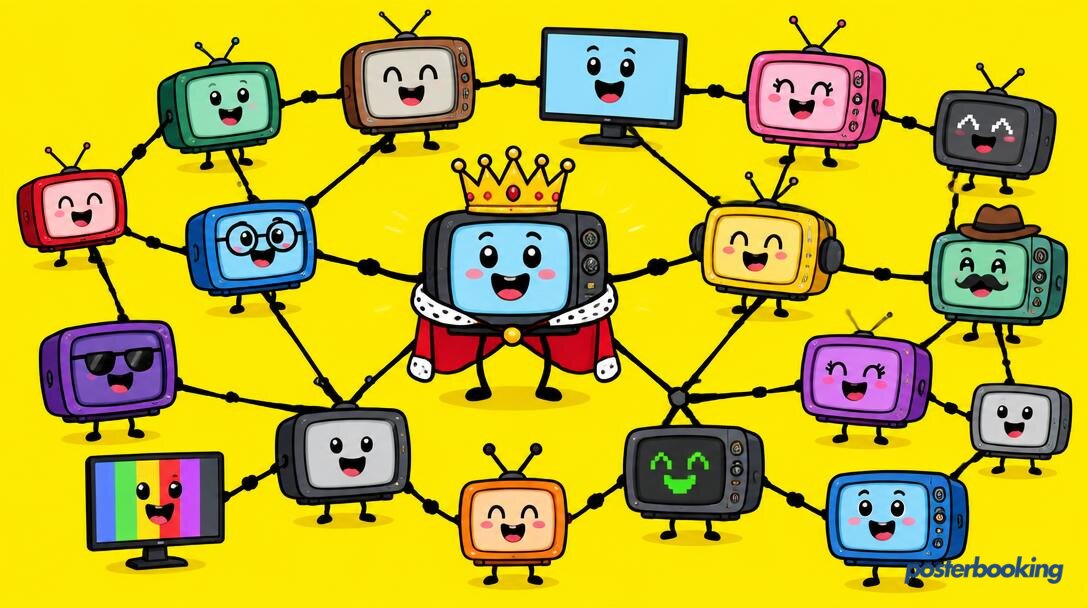
A digital signage network is a group of screens in one or many locations, all managed from a single central dashboard, so you can update every display at once or each one individually. It is the difference between owning a TV and running a media empire, and thanks to cloud software it is now something a single cafe can do as easily as a global chain.
What Is a Digital Signage Network?
One screen showing a menu is digital signage. Ten screens across three shops, each showing the right content at the right time, all controlled from one laptop: that is a digital signage network. The "network" part is what turns scattered screens into a system you can actually manage.
A signage network can be two screens in one building or two thousand across a country. The defining feature is central control: someone logs into one dashboard, makes a change, and the right screens update wherever they are.
The Four Parts of a Signage Network
Every digital signage network, from a corner shop to an airport, is made of the same four ingredients:
1. The screens
Any TV or commercial display. They can be different sizes, brands and orientations; the network does not care.
2. The players
A small device connected to each screen that runs the signage app: a Fire TV Stick, Android TV box, Windows PC, Raspberry Pi, or the Amazon Signage Stick. One player per screen.
3. The software
The cloud platform that ties it all together. This is where you upload content, build playlists, set schedules and monitor every screen. PosterBooking is the software layer, and it is free for your first 10 screens.
4. The connection
The internet link that lets the dashboard talk to the players. The clever part: once content is downloaded to a player, it keeps playing even if the connection drops.
Single Screen vs a Whole Network
| One screen | A signage network | |
|---|---|---|
| Updating content | USB stick or one app | One dashboard for everything |
| Consistency | Easy, there is only one | Automatic across every site |
| Scheduling | Manual | Per screen, per site, per time of day |
| Monitoring | Look at it | See every screen's status at a glance |
| Scaling | Buy another USB stick | Add a screen, pair it, done |
How a Digital Signage Network Actually Works
The flow is refreshingly simple:
- You upload content (images, videos, websites, apps) to the cloud dashboard.
- You assign it to screens or groups of screens, with schedules if you want them.
- Each player downloads its content and plays it locally, checking in for updates.
- You change something in the dashboard and the relevant screens update within moments.
Because playback happens on the device itself, your screens keep working through internet hiccups. The network is smart about connectivity rather than dependent on it.
Who Uses Signage Networks?
- Retail chains keeping promotions identical across every store
- Restaurant groups running menu boards that change by time of day
- Schools and universities with screens in every building
- Healthcare providers managing waiting room screens across clinics
- Corporate offices sharing announcements across floors and sites
- Gyms with screens in the lobby, studio and weights room
- Franchises where head office controls the brand and local sites add their own offers
Planning Your Network: The Key Decisions
How many screens, and where?
Map every location and the spots where people actually pause: entrances, tills, waiting areas, corridors.
Same content everywhere, or different?
Most networks mix both: brand-wide content everywhere, plus local content per site. Group your screens in the dashboard to match.
Who updates what?
Decide whether head office controls everything or local managers can add their own notices. Good software supports both.
What plays when?
Plan dayparts: morning, midday, evening. A network that shows the same loop all day is a missed opportunity.
How to Build a Digital Signage Network
Step 1: Start with one screen
Prove the concept on a single TV. It costs nothing with PosterBooking's free plan.
Step 2: Install the app on each player
Install the free PosterBooking app on a Fire TV Stick, Android TV, Windows PC or Raspberry Pi at each screen.
Step 3: Pair every screen
Open the app, note the pairing code on each TV, and add each screen in your dashboard. Give them sensible names: "Till Screen, Leeds" beats "Screen 7".
Step 4: Group and organise
Create groups for locations, floors or screen types so you can publish to "all shop windows" in one click.
Step 5: Add content and schedules
Upload your content, build playlists, set daypart schedules, and assign them to screens or groups.
Step 6: Grow at your own pace
Add screens whenever you like. Each new one pairs in minutes and immediately follows your existing setup.
How Much Does a Signage Network Cost?
- Software: free for your first 10 screens with PosterBooking, then affordable per-screen plans as you grow.
- Players: inexpensive devices like a Fire TV Stick or Raspberry Pi per screen.
- Screens: any TVs you already own, or new ones sized to each space.
The days of signage networks costing enterprise money are over. A ten-screen network across several sites can genuinely run on free software and budget hardware.
| Network size | Typical software cost | Typical hardware cost |
|---|---|---|
| 1 to 10 screens | Free with PosterBooking | Low hundreds per screen |
| 11 to 50 screens | Affordable per-screen plan | Scales linearly with screen count |
| 50+ screens | Volume pricing | Consider commercial displays for busy sites |
Common Mistakes to Avoid
- Naming screens badly. "Screen 1" through "Screen 40" is a future headache. Name by location and position.
- No grouping. Publishing to 30 screens one by one is how mistakes happen. Group first.
- One loop for the whole day. Use scheduling; your 8am audience is not your 8pm audience.
- Ignoring screen health. Check your dashboard so a dark screen in a distant site gets noticed before customers do.
- Forgetting the content plan. The network is the plumbing; what flows through it is what matters.
Cloud vs On-Premise Signage Networks
One last decision worth understanding: where the management software lives.
Cloud-based networks (like PosterBooking) host the dashboard online. You log in from anywhere, updates roll out over the internet, and there is no server to buy, install or keep alive. For almost every business, this is the right choice: less cost, less maintenance, and the ability to manage screens from your phone on a beach, should the urge strike.
On-premise networks run the management server inside your own building or data centre. They suit organisations with strict security policies or sites with unreliable internet, but they come with real homework: server hardware, IT maintenance, updates and backups all become your problem.
| Cloud network | On-premise network | |
|---|---|---|
| Setup | Sign up and pair screens | Install and maintain a server |
| Access | Anywhere | Usually on-site or via VPN |
| Maintenance | Handled for you | Your IT team |
| Upfront cost | Minimal | Server hardware and licences |
| Best for | Almost everyone | Strict security or offline sites |
For most shops, restaurants, schools and offices, cloud wins by a wide margin.
Measuring Whether Your Network Is Working
A signage network should earn its keep, so check in on it:
- Screen uptime: every screen online and playing, visible from your dashboard
- Content freshness: when did each playlist last change? Stale loops get ignored
- The right content in the right place: spot-check that sites are showing what you intended
- Real-world results: promoted items selling more, fewer "what time does X start?" questions, queues moving faster
Treat the network like an employee: give it clear jobs, check its work occasionally, and it will quietly become one of the hardest-working parts of your business.
Real-World Example: Growing a Network from One Screen
A small chain of three coffee shops started with a single menu board in its busiest branch, running free on PosterBooking with a Fire TV Stick behind the counter. Within a few months, the owner added a screen in each of the other two branches, grouped them as "menu boards", and began pushing seasonal drink promotions to all three at once from a laptop. Opening hours updates during a holiday week took thirty seconds instead of three separate trips with a printer and sticky tape.
Security Basics for a Signage Network
Even a modest network benefits from a few sensible habits:
- Use strong, unique logins for the dashboard, especially if several staff members have access.
- Keep player firmware updated on Fire TV Sticks, Android boxes and Windows PCs to close security gaps.
- Separate guest Wi-Fi from signage Wi-Fi where possible, so a busy public network does not affect screen performance.
- Review who has editing access periodically, particularly after staff changes.
None of this requires an IT department, just the same basic housekeeping you would apply to any other online account.
Frequently Asked Questions
How many screens make a digital signage network?
Two screens are enough to make a digital signage network, since the defining feature is central management rather than screen count. The moment you control more than one display from a single dashboard, you have moved from standalone digital signage to a network.
Can different sites show different content on the same network?
Yes, different sites can show completely different content on the same digital signage network by using groups and per-screen scheduling. Head office can push brand-wide content to every location while individual sites add their own local offers or notices.
Do all screens in a signage network need the internet all the time?
No, screens in a digital signage network do not need a constant internet connection, because each player downloads content and plays it locally. The connection is only required to send new updates or receive status information, so screens keep working through temporary outages.
Can I control who edits a digital signage network?
Yes, digital signage network software like PosterBooking allows you to control editing permissions, so head office can manage brand content while local managers handle their own notices. This keeps the network consistent without bottlenecking every small update through one person.
What is the difference between cloud and on-premise signage networks?
A cloud signage network hosts the management dashboard online and requires no server, while an on-premise network runs the software on a server inside your own building. Cloud networks suit almost every business due to lower cost and easier maintenance, while on-premise suits strict security requirements.
How much does it cost to run a digital signage network?
Running a digital signage network costs very little for small setups, since PosterBooking is free for the first 10 screens and hardware like a Fire TV Stick costs relatively little per screen. Larger networks move to affordable per-screen pricing as the number of displays grows.
Can I start a signage network with just one screen?
Yes, starting a digital signage network with just one screen is the recommended approach, since it lets you prove the setup works before expanding. Each additional screen then pairs in minutes and automatically follows the same groups, schedules and content structure.
Ready to build your network? Create your free account and connect your first screen in minutes. World media domination sold separately.