
Table Of Contents
- What is a Digital Signage Server?
- The Anatomy of the Server: What Does It Actually Do?
- Cloud vs. On-Premise: The Great Digital Divide
- When You Actually Need Your Own Server (The Hard Way)
- The Cloud Advantage: Why Most Businesses Should Abandon the Cupboard
- Hardware and Maintenance: The Real Cost of Ownership
- Security and Sovereignty: Protecting Your Pixels
- The Hidden Labour: Updates, Backups, and 2 AM Emergencies
- Scalability: From One Screen to a Thousand
- Why PosterBooking Makes the Server Someone Else's Problem
- Frequently Asked Questions
A digital signage server is the central brain of a display network, responsible for storing media, managing schedules, and pushing content to remote screens. In the modern era, this server can exist in two primary forms: a physical machine humming away in a dark cupboard (on-premise) or a distributed network of virtual machines managed by a service provider (cloud). While the physical server offers total control and data sovereignty, the cloud alternative provides a level of simplicity and cost-efficiency that has made it the default choice for 95% of businesses. Understanding which model suits your operation is the difference between a seamless visual experience and a never-ending cycle of IT tickets and hardware failures.
What is a Digital Signage Server?
To the uninitiated, a digital signage server sounds like a piece of high-tech equipment from a Bond villain's lair, perhaps situated next to a laser that slowly moves toward a captive secret agent. In reality, it is often a rather unremarkable computer located somewhere quiet, or a set of processes running in a data centre hundreds of miles away. Its job, however, is vital. It acts as the intermediary between your creative ideas and the screens that display them.
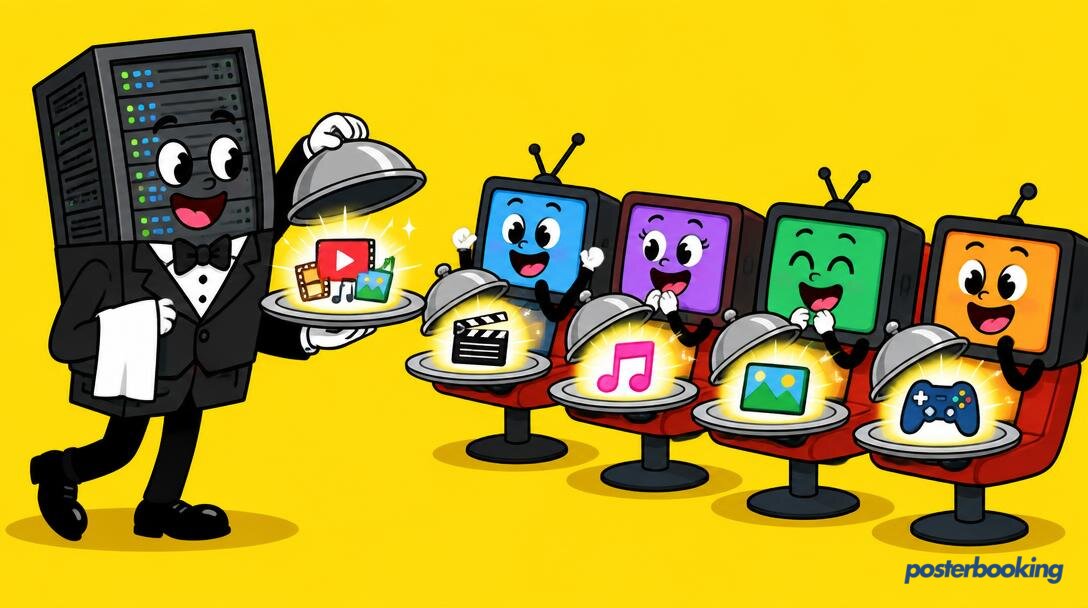
Think of it as the conductor of an orchestra. The media players (the little boxes behind your TVs) are the musicians. They know how to play the notes, but they need someone to tell them which piece of music to play, when to start, and when to stop. Without the server, your screens are just expensive black rectangles that do nothing but reflect your own disappointed face back at you. With the server, they become a dynamic communication network capable of changing messages across the globe in seconds.
In the early days of digital signage, having a server meant buying a heavy, rack-mounted beast that weighed as much as a small car, installing a server-grade operating system that required a PhD to understand, and hiring a man named Gary who only spoke in acronyms and smelled vaguely of old coffee to keep it running. Today, the definition has expanded. A "server" can be a software suite you install on a spare PC, a dedicated appliance, or a subscription to a platform like PosterBooking, where the server infrastructure is completely invisible to the user.
The Anatomy of the Server: What Does It Actually Do?
A digital signage server performs four primary roles that keep your network functioning. Without these, you are essentially just walking around with a USB stick and a ladder, which is a great way to get exercise but a terrible way to manage a business in the twenty-first century.
1. Media Storage and Management
The server is the library. When you upload a 4K video of a sizzling steak or a PDF of your latest menu, that file needs to live somewhere. The server stores these assets, organises them into folders, and ensures they are formatted correctly for the players. It also handles the "transcoding" (a fancy word for converting files) to make sure your video actually plays instead of showing a cryptic error message that confuses your customers and annoys your manager.
2. Scheduling and Logic
This is where the magic happens. The server holds the master calendar. It knows that the "Breakfast Special" should play from 6 AM to 11 AM and that the "Happy Hour" ad should only appear on Fridays. It also manages more complex logic, such as "if the temperature is over 25 degrees, show the ice cream ad." This prevents you from trying to sell hot soup in a heatwave, which is generally considered a poor business strategy in most parts of the world.
3. Monitoring and Health Checks
A good server is a bit of a gossip. It constantly talks to the screens to see if they are still alive. If a screen in the Manchester branch goes offline because a cleaner pulled out the plug to power a vacuum, the server notices. It logs the event, sends an alert, and keeps a record of how long the screen was dark. This is crucial for "Proof of Play," which is a fancy way of proving to advertisers that their ad actually ran and you aren't just making it up.
4. Content Distribution
Finally, the server is the post office. It manages the flow of data. Instead of blasting a 500MB video to every screen simultaneously and crashing the office internet (preventing Gary from reading his favourite tech forums), a smart server manages the distribution, often using "caching" so that the screens download the file once and play it locally.
Cloud vs. On-Premise: The Great Digital Divide
When choosing a digital signage server, you are faced with a fundamental choice: do you want to own the box, or do you want to rent the service? This is the classic "On-Premise vs. Cloud" debate, and it is a topic that can spark heated arguments among IT professionals who have far too much free time and a worrying obsession with blinking LEDs.
The On-Premise Model
In an on-premise setup, you buy the hardware. You install the software. You manage the network. The server lives in your building, usually in the aforementioned broom cupboard, nestled between a damp mop and a box of outdated Ethernet cables from 2004.
The primary advantage here is control. You own the data. It never leaves your network. If the internet goes down, your internal screens can still talk to your internal server. It is a fortress. However, fortresses are expensive to build and even more expensive to defend. You are responsible for every update, every security patch, and every hardware failure. If the server fan starts making a noise like a dying seagull at 4 PM on a Friday, that is your problem to solve.
The Cloud Model
In the cloud model, the "server" is a service provided over the internet. You do not buy a box; you pay a subscription (or use a free tier). The hardware is managed by professionals in a data centre with redundant power supplies, industrial-grade cooling, and probably armed guards.
For most businesses, the cloud is the clear winner. It removes the need for upfront capital expenditure and eliminates the technical headache of server maintenance. You simply log in to a website, upload your content, and the cloud takes care of the rest. It is like the difference between owning a cow and just buying a pint of milk. Most people just want the milk.
When You Actually Need Your Own Server (The Hard Way)
Despite the dominance of the cloud, there are specific scenarios where running your own digital signage server is not just a choice, but a requirement. These are the "power user" cases, often involving large institutions or highly sensitive environments where "convenience" is a dirty word.
Data Sovereignty and Security
If you are running a high-security government facility, a nuclear power plant, or a bank, the idea of sending your internal communications through a third-party cloud provider might make your legal team faint from sheer terror. In these environments, data must stay within the physical walls of the building. An on-premise server allows for a "gapped" network, where the signage system has no connection to the outside world whatsoever. It is the ultimate in digital isolation.
Massive Internal Networks
If you are a university with 500 screens across a single campus, it might make more sense to host the server locally. This keeps all that heavy video traffic on your internal high-speed LAN rather than saturating your external internet connection. It is about efficiency and bandwidth management. You don't want the entire physics department to lose their internet connection just because the cafeteria decided to update its menu images.
Zero Internet Environments
Some places simply do not have reliable internet. Think of a cruise ship in the middle of the Atlantic, a remote mining site, or a basement level of a shopping centre that was built to withstand a direct hit from a meteor. In these cases, a cloud server is useless. You need a local box that can talk to the screens over a local Wi-Fi or Ethernet connection. If you can't reach the cloud, you have to be the cloud.
The Cloud Advantage: Why Most Businesses Should Abandon the Cupboard
For the rest of us, those who do not work in nuclear bunkers or on oil rigs, the cloud is a godsend. The benefits of a cloud-based digital signage server far outweigh the perceived "control" of an on-premise box. Unless you enjoy spending your weekends reading server logs, the cloud is for you.
Zero Configuration
With a cloud server, there is no software to install. You do not need to worry about SQL databases, IIS configurations, or Linux permissions. You open a browser, and you are ready to go. This "Plug and Play" nature is why platforms like PosterBooking are so popular. You can go from a blank screen to a live display in the time it takes to boil a kettle and find a biscuit.
Automatic Updates
Technology moves fast. In the cloud, updates happen silently in the background while you are doing more productive things, like sleeping. When a new feature is released or a security vulnerability is patched, it happens for everyone simultaneously. If you run your own server, you are the one who has to stay up until 11 PM on a Tuesday to run the update script, praying that it doesn't break the entire system and leave you with a hundred blank screens in the morning.
Remote Access from Anywhere
If you are sitting on a beach in Spain and realise you forgot to put the "Closed for Bank Holiday" sign on your shop screens in London, a cloud server lets you fix it from your phone. With an on-premise server, you would likely need to VPN into your office network, which is often a frustrating experience involving forgotten passwords, flickering connection bars, and a significant amount of swearing.
Hardware and Maintenance: The Real Cost of Ownership
One of the biggest mistakes people make when considering a digital signage server is looking only at the "sticker price" of the hardware. They see a server for 800 pounds and think, "That's not so bad." But the hardware is only the tip of a very cold, very expensive iceberg.
The Capital Expenditure (CapEx)
To run a reliable on-premise server, you need more than just a box. You need:
- A server-grade machine (don't try to run it on an old laptop you found in the attic; it will end in tears).
- A stable Uninterruptible Power Supply (UPS) to prevent data corruption during power cuts.
- Backup storage, such as a NAS or external drives, because hard drives have a 100 percent failure rate over a long enough timeline.
- A dedicated space with adequate cooling (servers generate a lot of heat, and heat kills electronics faster than a spilled cup of tea).
Broadly speaking, you are looking at an initial outlay of 1,000 to 5,000 pounds depending on the size of your network and your tolerance for risk.
The Operating Expenditure (OpEx)
Then comes the hidden cost: electricity and labour. A server running 24/7 can add a noticeable chunk to your annual electricity bill. More importantly, there is the cost of IT support. If you are paying an IT consultant 75 pounds an hour to fix the server every time it gets a hiccup, that "free" open-source server software starts looking very expensive indeed. In the cloud, the cost of the hardware and the experts who mind it is spread across thousands of users, making it significantly cheaper for everyone.
Security and Sovereignty: Protecting Your Pixels
Security is a major concern in the digital age. A hacked digital signage server can lead to some very embarrassing situations, such as your shop window suddenly displaying inappropriate content to a crowd of horrified commuters while you are busy elsewhere.
The On-Premise Security Trap
People often think on-premise is more secure, but that is only true if you are an expert in cybersecurity. An unpatched local server is a sitting duck for hackers. If you haven't updated your operating system in six months because you were too busy or just forgot, you are essentially leaving the front door unlocked with a sign that says "Free Data Inside." Most small businesses do not have the time to stay on top of the latest security threats.
Cloud Security at Scale
Cloud providers like PosterBooking take security very seriously because their entire business depends on it. They use encrypted connections (SSL/TLS), secure data centres, and regular penetration testing to find weaknesses before the bad guys do. They have teams of people whose entire job is to ensure that your server is a digital fortress. For a small business, this level of security is impossible to replicate on a DIY budget.
The Hidden Labour: Updates, Backups, and 2 AM Emergencies
Let us talk about the human element. Running your own digital signage server is a bit like owning a vintage sports car. It is beautiful and impressive until you actually have to drive it every day and the engine starts smoking on the motorway.
The Update Carousel
Software needs updates. Sometimes these updates go smoothly. Other times, an update to the server software requires an update to the player software, which in turn requires an update to the operating system, and suddenly you are four hours deep into a technical rabbit hole while your screens show nothing but a spinning loading icon that seems to be mocking you.
The Backup Burden
What happens if your server hard drive fails? If you are running on-premise, you better hope your backup routine was working. Many a business owner has discovered too late that their "automatic backup" stopped working three months ago because a folder path changed. In the cloud, data redundancy is built in. If one physical server fails in the data centre, another one takes over instantly. You won't even notice, which is exactly how technology should work.
The 2 AM Phone Call
If you are the "IT person" for your company, owning the server means you are on call 24/7. When the CEO walks into the lobby at 8 AM and the screen is blank, you are the one who has to explain why. When the server crashes at 2 AM on a Sunday, you are the one who has to get out of bed to reboot it. When you use a cloud service, that stress belongs to someone else. You can sleep soundly knowing that a team of engineers is monitoring the infrastructure for you.
Scalability: From One Screen to a Thousand
Growth is the goal of any business, but growth can be a nightmare for a fixed server. If you start with five screens on an on-premise server, it works fine. But what happens when you grow to fifty screens? Or a hundred? Suddenly, your little broom-cupboard server is struggling to handle the traffic. You need more RAM, more storage, and a faster internet connection. Scaling an on-premise system is a manual, expensive process that usually involves a lot of downtime and frustration.
Cloud servers are elastically scalable. They are built on "clusters" of machines that can grow and shrink as needed. If you want to add a thousand screens tomorrow, the cloud doesn't care. It simply allocates more resources to your account. This flexibility is vital for businesses that plan to expand, allowing you to grow your signage network without having to perform surgery on your hardware every few months.
Why PosterBooking Makes the Server Someone Else's Problem
We have established that for most people, the cloud is the sensible, stress-free choice. This is where PosterBooking comes in. We have built the infrastructure so you don't have to. We have dealt with the Garys of the world, we have cooled the data centres, and we have secured the connections.
PosterBooking provides a powerful, cloud-based digital signage server that is designed for ease of use. Whether you have one screen in a local cafe or hundreds across a national retail chain, our system handles the heavy lifting. We take care of the storage, the scheduling, the security, and the updates.
The best part? You don't need a degree in computer science to use it. If you can upload a photo to social media, you can manage a digital signage network with PosterBooking. And because your first ten screens are free, you can test the waters without spending a single penny on hardware or subscriptions.
Stop worrying about server racks, cooling fans, and 2 AM reboots. Let us handle the server, while you focus on what actually matters: creating content that engages your customers, sells your products, and grows your business.
Frequently Asked Questions
What hardware do I need for a digital signage server?
If you are using a cloud-based service like PosterBooking, you do not need any server hardware at all. You only need a media player for each screen, such as an Amazon Fire Stick, a Chromecast, or an Android box. The "server" part is handled entirely by us in the cloud. If you insist on running an on-premise server, you will need a dedicated PC with a modern processor, at least 8GB of RAM, and a high-speed SSD.
Can I run a digital signage server on a standard PC?
Yes, you can, but it is not recommended for a production environment where reliability is important. Standard PCs are not designed to be left on 24/7 and lack the redundancy features of server-grade hardware. If the PC crashes, goes into a sleep cycle, or decides to install a Windows update at 10 AM on a Monday, your screens will go dark. A cloud-based solution eliminates this risk by using industrial-grade hardware that is constantly monitored.
How much does it cost to maintain a digital signage server?
For an on-premise server, costs can range from 20 to 100 pounds per month in electricity and IT support time, plus the initial cost of the hardware. For a cloud-based server, the cost is usually a flat monthly fee per screen. PosterBooking offers your first ten screens for free, making it the most cost-effective way to get started without any hidden maintenance fees or surprise electricity bills.
Is a cloud server less secure than an on-premise server?
Not necessarily. In fact, for most small to medium businesses, a cloud server is significantly more secure. Professional cloud providers have the budget and expertise to implement high-level security measures, such as encryption and regular audits, that a local business would struggle to maintain on its own. Unless you have a dedicated cybersecurity team, the cloud is generally the safer bet for your data.
Does my digital signage server need a constant internet connection?
If you are using a cloud server, the screens need an internet connection to receive new content and updates. However, most modern media players (including those using PosterBooking) will cache the content. This means that if the internet drops out, the screens will continue to play the currently scheduled loop without skipping a beat. You only need the internet to make changes or to display live data like weather or news feeds.
What is the difference between a CMS and a digital signage server?
The terms are often used interchangeably, but there is a technical difference. The Content Management System (CMS) is the interface you see, the buttons you click, and the menus you navigate. The server is the underlying engine that stores the files and does the actual work of sending data to the screens. In a cloud system like PosterBooking, the CMS and the server are bundled together into one seamless, easy-to-use service.
Can I host my own digital signage server for free?
There are open-source projects that allow you to host your own server for free. However, "free" is a relative term in the world of IT. You will still need to pay for the hardware to run it on, the electricity to power it, and your own time (or an employee's time) to set it up, secure it, and maintain it. Most businesses find that the "free" ten-screen tier from PosterBooking is actually much cheaper in the long run because it eliminates these hidden costs.
If you are tired of the technical headaches and just want your screens to work, it is time to move to the cloud. Join over 87,426 users who trust PosterBooking to power their displays. Get started today with your first ten screens for free at * https://posterbooking.com.