
Digital Signage Widgets: The 2026 Guide
DIGITAL SIGNAGE RESOURCES
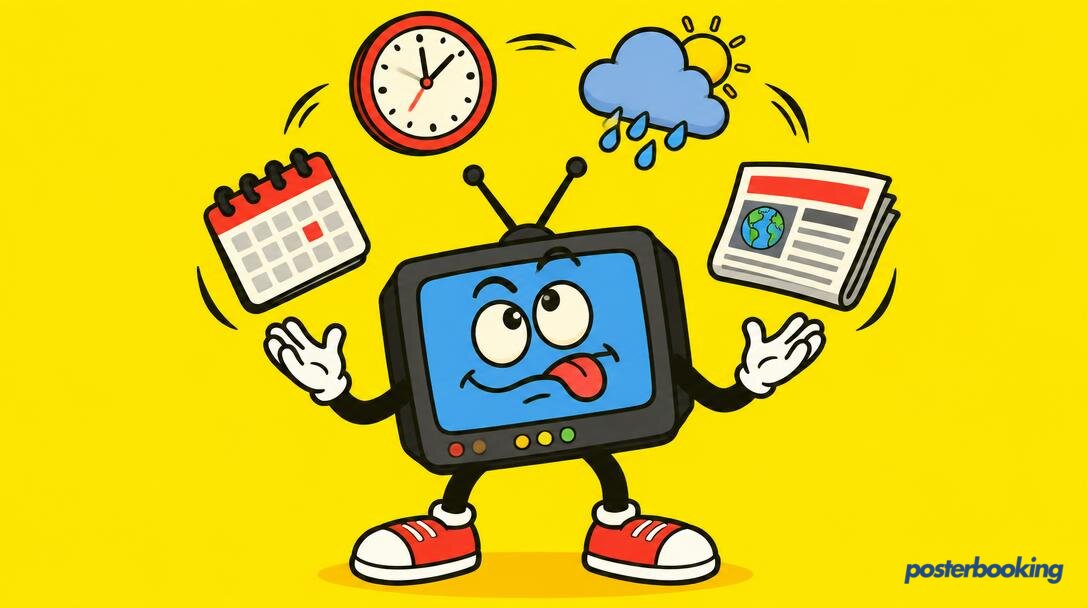
Digital signage has come a long way since the days of looping a slightly grainy PowerPoint presentation on a bulky CRT monitor. Today, we are in the era of dynamic, real-time information. At the heart of this evolution are digital signage widgets. If you have ever walked past a screen in a doctor's waiting room and seen a small weather forecast tucked into the corner, or a rolling news ticker at the bottom of a screen in a hotel lobby, you have encountered a widget.
These small, modular components are the unsung heroes of visual communication. They turn a static display into a living, breathing information hub. In this comprehensive guide, we will explore everything you need to know about digital signage widgets in 2026, from the basic definitions to the technical nuances of implementation, all while ensuring your screens do not end up looking like a cluttered web page from 1998.
Contents
- What are Digital Signage Widgets?
- How Widgets Differ from Full-screen Content
- When to Use Widgets vs. Playlists
- The 8 Most Useful Digital Signage Widgets
- How to Add Widgets to Ordinary TV Screens
- Design Tips: Helping Rather than Cluttering
- Free Ways to Get Widget-style Content
- The Future of Widgets in 2026
- Frequently Asked Questions
What are Digital Signage Widgets?
Defining the Digital Widget
In the context of digital signage, a widget is a small, self-contained application or piece of code that displays specific, often real-time, information on a portion of your screen. Unlike a video file or a static image that takes up the entire display, a widget usually occupies a "zone." It is designed to perform one task and one task only. A weather widget shows the temperature. A clock widget shows the time. A news ticker scrolls the latest headlines. Because they are often web-based (HTML5), they can pull data from external sources and update automatically without you having to lift a finger.
The Anatomy of a Widget
Most widgets consist of three main parts: the data source, the logic, and the visual layer. The data source is where the information comes from, such as a weather API, a Google Calendar feed, or a social media stream. The logic determines how often that data is refreshed. Finally, the visual layer is the CSS and HTML that defines how the information looks on your screen. In 2026, the best widgets are "responsive," meaning they automatically adjust their layout based on the size of the zone you have assigned to them. Whether you have a tiny strip at the bottom of the screen or a large square in the top right, the widget should look crisp and legible.
Why Widgets Matter
The primary reason widgets are so popular is that they provide "passive" value. A customer might not stand and watch a three-minute promotional video for your new range of artisanal tea, but they will glance at a screen to see if it is going to rain before they leave the shop. By providing useful information like the time, the weather, or news, you give people a reason to look at your screen. Once they are looking, they are much more likely to notice your actual marketing messages. It is a subtle way of capturing attention without being overly aggressive.
How Widgets Differ from Full-screen Content
The Question of Scale
The most obvious difference is scale. Full-screen content is designed to be the main attraction. It is the blockbuster film of your digital signage. Widgets, on the other hand, are the supporting cast. They are meant to complement the main content, not distract from it. While a full-screen video might be 1920x1080 pixels, a widget might only be 400x200 pixels. This difference in scale means that widgets must be designed for maximum legibility at a glance. You cannot have small, fiddly text in a widget because it will be impossible to read from across a room.
Static vs. Dynamic
Full-screen content is often static or pre-rendered. You create a video, you upload it, and it plays exactly the same way every time. Widgets are inherently dynamic. They change based on the data they receive. If the temperature outside drops, the weather widget updates instantly. If a new tweet is posted with your company's hashtag, the social media widget displays it. This dynamism keeps your screens feeling fresh and relevant. A screen that looks the same on Tuesday as it did on Monday is a screen that people will eventually stop looking at.
Production Time
Creating high-quality full-screen content can be a time-consuming process involving graphic designers, videographers, and long rendering times. Adding a widget is usually a matter of seconds. Most digital signage platforms, including PosterBooking, offer a library of pre-built widgets. You simply select the one you want, enter your location or your RSS feed URL, and you are done. This allows you to add value to your screens with minimal effort, which is ideal for busy business owners who have more important things to do than spend four hours in Adobe After Effects.
When to Use Widgets vs. Playlists
The Hybrid Approach
It is rarely a choice between one or the other. The most effective digital signage setups use a hybrid approach. You might have a main zone playing a playlist of promotional videos and images, while a sidebar or a bottom ticker runs widgets. However, there are times when one is more appropriate than the other. If you are at a trade show and you want to make a massive impact, full-screen, high-definition video is the way to go. If you are in a corporate office and you want to keep employees informed about internal meetings and the local traffic, widgets are far more efficient.
Managing Visual Fatigue
Playlists are great for storytelling, but they can lead to visual fatigue if the loop is too short. If a customer sees the same 30-second ad four times while waiting for their coffee, they will start to find it annoying. Widgets break up the monotony. Because the widget content is constantly changing, it adds an element of unpredictability to the screen. Even if the main playlist is looping, the ticker at the bottom is always showing something new. This helps to keep the viewer engaged for longer periods.
Real-time Urgency
When you need to communicate something that changes minute by minute, playlists are useless. You cannot re-render and re-upload a video every time a new customer joins a queue. In these scenarios, widgets are the only viable solution. Queue management widgets, live sports scores, and emergency alert tickers are all examples of where the real-time nature of widgets beats the pre-packaged nature of playlists every single time.
The 8 Most Useful Digital Signage Widgets
1. The Clock Widget
It seems almost too simple, but the clock is the most used widget in the world. People have an innate need to know what time it is, especially when they are in transit or waiting for an appointment. A clear, well-designed clock widget acts as an anchor for your screen. It is the visual equivalent of a polite cough, drawing the eye to the display without being intrusive. In 2026, we recommend using a digital clock for modern environments and a high-quality analogue clock face for more traditional settings like hotel lobbies or law firms.
2. Weather Widgets
The British obsession with the weather is legendary, and it turns out the rest of the world is just as interested. A weather widget provides instant utility. You can show the current temperature, a three-day forecast, or even a live radar map. For businesses, this can be a powerful sales tool. A cafe might use a weather widget to highlight their iced coffee when the sun comes out, or their hot chocolate when a storm is brewing. It creates a sense of situational awareness that makes your signage feel connected to the physical world.
3. News Tickers and RSS Feeds
Keeping people informed is one of the best ways to keep them looking at your screens. News tickers (often called crawlers) scroll the latest headlines across the bottom of the display. By using RSS (Really Simple Syndication) feeds, you can tailor the news to your audience. A gym might show health and fitness news, while a financial services office might show the latest from the Financial Times or Reuters. It provides a constant stream of new information that requires zero maintenance from your side.
4. Social Media Walls
In the age of Instagram and X (formerly Twitter), social media widgets allow you to bridge the gap between your online presence and your physical location. By displaying a live feed of posts that mention your brand or use a specific hashtag, you create a sense of community. It also provides "social proof." When a customer sees other people enjoying your products on the big screen, it validates their own decision to be there. Just be sure to use a moderation tool to avoid any "surprises" from the more colourful members of the public.
5. Digital Calendars
For corporate offices, schools, and community centres, the calendar widget is indispensable. It can sync with Google Calendar, Microsoft Outlook, or Apple Calendar to show upcoming events, room bookings, or daily schedules. This reduces the number of people asking "where is the 2pm meeting?" and keeps everyone on the same page. In 2026, these widgets have become highly sophisticated, often integrating with room booking systems to show red or green lights depending on whether a space is currently occupied.
6. Queue Management and Numbered Systems
Nobody likes waiting in a queue, but waiting is much more tolerable when you know where you stand. Queue management widgets display the current ticket number being served. This is essential for delis, pharmacies, and government offices. By putting this information on a digital screen, you can also use the rest of the screen to entertain the waiting customers with videos or news, making the perceived wait time feel much shorter than it actually is.
7. Countdown Timers
Countdowns create a sense of anticipation and urgency. Are you launching a new product in three days? Is there a big sale starting in four hours? A countdown widget keeps that deadline front and centre. It is also a fantastic tool for event venues, showing the minutes remaining until the main act takes the stage. The psychological impact of a ticking clock is a powerful motivator for customer action.
8. Currency and Stock Market Tickers
For businesses in the financial sector, or even for shops in tourist heavy areas, live currency and stock market widgets are vital. They provide real-time data that your customers actually need to make decisions. In 2026, these widgets are often paired with data visualisation tools, turning boring numbers into easy-to-read graphs and charts that look great on a large 4K display.
How to Add Widgets to Ordinary TV Screens
The Hardware Gap
You might be wondering how you can get these sophisticated widgets onto a standard TV you bought from a high street retailer. Most ordinary TVs do not have the built-in software to handle complex digital signage layouts. They are designed to play a single video source, like a Netflix stream or a cable box. To bridge this gap, you need a digital signage media player. This can be something as simple and affordable as an Amazon Fire TV Stick, a Google Chromecast, or a dedicated Android-based signage box.
The PosterBooking Solution
This is where PosterBooking comes into play. You simply plug your media player into the HDMI port of your TV, download the PosterBooking app, and link it to your account. Once linked, you have access to a web-based dashboard where you can design your screen layout. You can divide your screen into "zones" and drop widgets into those zones with a simple drag-and-drop interface. It turns a "dumb" TV into a smart, multi-functional communication tool in less than ten minutes.
The Importance of Stability
When running widgets on an ordinary TV, the most critical factor is a stable internet connection. Since widgets pull their data from the web, if your Wi-Fi drops out, your weather widget might get stuck on Tuesday's forecast while it is actually Friday. We always recommend using a wired Ethernet connection where possible, or ensuring your Wi-Fi signal is exceptionally strong at the location of the screen.
Design Tips: Helping Rather than Cluttering
The Rule of Three
One of the biggest mistakes beginners make is trying to fit too much onto one screen. They add a clock, a weather forecast, a news ticker, a social media feed, and a calendar, all surrounding a tiny video in the middle. The result is visual chaos. We recommend the "Rule of Three." Try to limit your screen to three main elements: one large primary content zone (usually a video or image) and two smaller widget zones. This keeps the layout clean and ensures that each element is large enough to be legible.
Contrast and Legibility
Widgets often sit on top of background images or next to vibrant videos. To ensure they are readable, you must pay attention to contrast. Use high-contrast colour schemes, such as white text on a dark semi-transparent background. Avoid using busy background images behind text-heavy widgets like news tickers. If the viewer has to squint to read the time, the widget has failed in its primary purpose.
Refresh Rates and Motion
While widgets are dynamic, you should avoid too much rapid motion. A news ticker that scrolls at 100 miles per hour is just a blur that gives people a headache. Similarly, if your weather widget refreshes every five seconds with a flashy animation, it will distract from your main marketing message. Use subtle transitions and slow, smooth scrolling. The goal is for the widget to be there when the viewer looks for it, not to jump out and demand attention every few seconds.
Brand Consistency
Your widgets should look like they belong to your brand. In 2026, most digital signage software allows you to customise the colours, fonts, and borders of your widgets. If your company colours are blue and silver, don't use a generic bright green weather widget. Match the widget's aesthetic to your brand guidelines to create a professional, cohesive look that reinforces your identity.
Free Ways to Get Widget-style Content
Leveraging Public URLs
You do not always need expensive, bespoke software to get widget-like content. Many websites offer "public" versions of their data that can be embedded. For example, many weather services provide a URL that just shows a simple forecast page. You can set your digital signage player to display this URL in a specific zone. While it won't be as polished as a dedicated widget, it is a completely free way to get real-time information onto your screen.
Using Google Slides for Dynamic Content
Google Slides is a surprisingly powerful tool for creating "pseudo-widgets." You can create a slide that contains a clock or a link to a live data sheet. Because Google Slides updates in real-time, any changes you make to the slide on your computer will be reflected on the TV screen almost immediately. You can embed a Google Slide published to the web directly into your PosterBooking dashboard. It is a bit of a "hack," but for a small business on a budget, it works brilliantly.
The Power of RSS
RSS is one of the oldest technologies on the web, but it remains one of the most useful for digital signage. Most news organisations, blogs, and even some government agencies provide free RSS feeds. By using a free RSS reader widget within your signage software, you can pipe in an endless stream of content without paying a penny for content creation. It is the ultimate "set it and forget it" solution for keeping your screens active and interesting.
The Future of Widgets in 2026
AI-Powered Personalisation
As we move through 2026, the big trend in digital signage widgets is AI integration. We are starting to see widgets that change their content based on who is looking at the screen. Using basic anonymous sensors, a screen in a clothing shop might switch from showing a "men's fashion" news ticker to a "women's fashion" ticker depending on the demographic of the person standing in front of it. This level of personalisation was science fiction five years ago, but it is becoming a reality today.
Interactive Widgets
The line between a widget and a full application is blurring. Interactive touch-screens are becoming more affordable, allowing customers to interact with widgets directly. A customer might tap a weather widget to see a more detailed 10-day forecast, or touch a calendar widget to book a consultation right there on the shop floor. This turns digital signage from a one-way broadcast into a two-way conversation.
Hyper-local Data
In the past, a weather widget might only give you the forecast for a whole city. In 2026, widgets are pulling data from hyper-local sensors. A smart city infrastructure might provide widgets that show the exact air quality on the specific street corner where the screen is located, or the precise arrival time of the next bus based on live GPS data. This level of relevance makes digital signage an essential part of the modern urban fabric.
Conclusion
Digital signage widgets are the secret sauce that turns a standard TV into a powerful, dynamic communication tool. They provide value to your audience, keep your screens looking fresh, and require almost no ongoing effort to maintain. By carefully selecting the right types of widgets, following sound design principles, and leveraging affordable hardware like a Fire Stick combined with PosterBooking, you can create a professional-grade signage network that rivals those of multi-national corporations. Whether you are a small cafe owner or a corporate communications manager, widgets are your best friend in the quest for effective visual communication.
Frequently Asked Questions
What is the difference between a widget and an app on digital signage?
A widget is usually a small component that lives within a larger screen layout, often occupying just one zone. An app typically refers to the entire software package running on the media player that manages the display, schedules the content, and renders the widgets themselves. Think of the app as the house and the widgets as the furniture inside the rooms.
Do I need a constant internet connection for widgets to work?
Yes, most widgets require a persistent internet connection because they pull live data from external servers. If your internet goes down, the widget will usually display the last piece of data it successfully downloaded or show a loading error. Some advanced systems can cache data for a short period, but for real-time updates, a stable connection is essential.
Can I create my own custom digital signage widgets?
Absolutely. If you have basic knowledge of HTML, CSS, and JavaScript, you can create your own custom widgets. Most modern digital signage platforms allow you to add a "Web Page" or "HTML" zone where you can input your own code or link to a privately hosted widget. This is ideal for displaying internal company data or unique branding elements.
Will adding many widgets slow down my digital signage player?
It can. Each widget is essentially a small web browser instance running on your player. If you use an underpowered media player (like an very old, first-generation streaming stick) and try to run six complex, animation-heavy widgets at once, you may experience lag or crashes. For multi-zone layouts with several widgets, we recommend using a mid-range or high-end Android media player.
Are digital signage widgets secure?
Generally, yes, provided you are using a reputable digital signage provider. The widgets usually pull data via secure APIs. However, you should be cautious when using third-party widgets that require you to log in to sensitive accounts. Always ensure your signage software is updated to the latest version to protect against potential vulnerabilities in the underlying browser engine.
Can widgets play sound?
While technically possible, it is almost always a bad idea. Having a weather widget chirping or a news ticker beeping every time a new headline appears is incredibly annoying for anyone in the vicinity of the screen. Most digital signage best practices dictate that widgets should be purely visual, leaving the audio for the main full-screen video content if necessary.
How much do digital signage widgets cost?
Many basic widgets, like clocks, weather, and RSS feeds, are included for free with platforms like PosterBooking. More specialised or data-heavy widgets, such as premium financial tickers or advanced social media moderation walls, may require a subscription or a one-time purchase. However, for most small to medium businesses, the free widgets provided by their signage software are more than sufficient.
To start using these widgets and more on your screens for free, visit PosterBooking and get your first ten screens connected today.