
Digital Wayfinding: The Definitive 2026 Guide to Navigating Modern Spaces
Table Of Contents
DIGITAL SIGNAGE RESOURCES
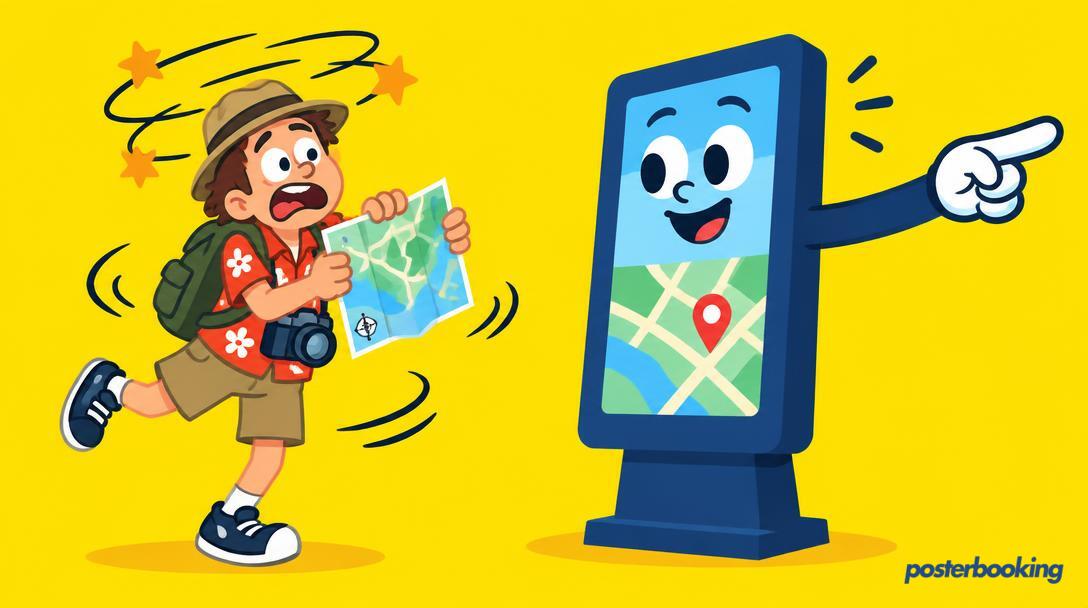
There is a specific kind of panic that sets in when you are ten minutes late for a consultant appointment and the hospital corridor you are standing in looks exactly like the one you left three minutes ago. In the old days, we relied on faded plastic signs and the occasional helpful volunteer who had been there since 1974. Today, we have digital wayfinding. It is the art and science of using screens to tell people where to go so they do not end up wandering into a janitor's closet or the staff canteen by mistake.
Digital wayfinding has evolved from being a luxury for high-end shopping centres into a necessity for any complex physical environment. As we move through 2026, the expectations of visitors, patients, and students have shifted. They expect real-time information, accessibility by default, and a level of clarity that traditional static posters simply cannot provide. If your building is still relying on a printed map from the late nineties, you are essentially asking your visitors to play an unintentional game of hide and seek.
In this guide, we will explore the landscape of digital wayfinding in 2026, looking at the hardware, the software, and the design principles that keep people moving in the right direction. Whether you are managing a sprawling university campus or a single floor of a co-working space, understanding how to deploy directional signage effectively is the difference between a satisfied visitor and one who is currently contemplating their life choices in a dead-end hallway.
Contents
What is Digital Wayfinding?
At its most basic level, digital wayfinding is the use of digital displays to provide navigation assistance. However, calling it a digital map is a bit like calling a smartphone a calculator with a screen. It is a dynamic communication system that adapts to the environment. Unlike a printed sign, a digital wayfinding screen can change its message based on the time of day, the presence of an event, or even an emergency situation.
The Evolution of Directional Signage
We have come a long way from the "You Are Here" stickers on physical maps. In 2026, digital wayfinding incorporates everything from high-definition directional arrows to QR codes that transfer a map directly to a user's smartphone. The goal is to reduce cognitive load. When people are in a new environment, they are often stressed or hurried. Digital wayfinding aims to provide the right information at the right time without overwhelming the viewer.
Why Digital Beats Static Every Time
The most obvious advantage is flexibility. If a shop moves in a mall, a static sign needs to be replaced, which involves design, printing, and manual labour. A digital sign requires a few clicks in a dashboard. Furthermore, digital screens attract more attention. The human eye is naturally drawn to light and movement, making it far more likely that a visitor will actually see the directions you have spent so much time preparing.
The Role of Real-Time Data
In the modern era, wayfinding is often integrated with other data sources. For example, a screen in a transport hub might show wayfinding directions alongside live bus times. A screen in a corporate office might show which meeting rooms are currently occupied. This layering of information makes the signage far more valuable than a simple arrow pointing towards the toilets.
Static vs Interactive Wayfinding: Choosing Your Path
When planning your wayfinding strategy, the first big decision is whether to go static or interactive. This choice dictates your hardware requirements, your software complexity, and, most importantly, your budget.
The Case for Static Digital Wayfinding
Static digital wayfinding refers to screens that display non-interactive content, such as a rotating list of departments, a fixed map, or a series of directional arrows. Do not let the word static fool you; these screens are still dynamic in the sense that you can update them remotely. They are excellent for corridors, lobbies, and lift banks where people are on the move and do not have time to stand and poke at a screen.
Static screens are generally cheaper to deploy because they do not require touch technology. They also tend to last longer because they are not being constantly prodded by sticky fingers. For many businesses, a well-designed loop of directional information is actually more efficient than an interactive kiosk. If 90 percent of your visitors are looking for the same three locations, a static screen showing those directions is faster for everyone involved.
The Rise of Interactive Kiosks
Interactive wayfinding allows the user to engage with the screen. This usually involves a touch interface where a visitor can search for a specific person, room, or shop. The system then generates a custom route, often showing a "blue dot" path to the destination. In 2026, we are also seeing the rise of voice-activated wayfinding, which is a boon for accessibility.
The primary benefit of interactive wayfinding is depth. You can store thousands of locations in a single kiosk that would be impossible to fit on a physical sign. However, interactive systems are more expensive, require more maintenance, and can occasionally cause bottlenecks. If one person is spending five minutes exploring every shop in the mall on the kiosk, four other people are standing behind them getting increasingly annoyed.
Finding the Hybrid Middle Ground
Many modern installations use a hybrid approach. You might have an interactive kiosk at the main entrance for deep searches and static screens throughout the rest of the building to provide "breadcrumb" directions. This ensures that the user gets the detailed information they need at the start of their journey and constant reassurance along the way that they are still heading in the right direction.
Where Digital Wayfinding Pays Off
Not every building needs a complex wayfinding system. If you run a small local shop, a chalk board probably does the trick. But for large-scale environments, the return on investment for digital wayfinding is significant.
University and College Campuses
Universities are notorious for being designed by people who clearly wanted to confuse future generations. With multiple buildings, lecture halls named after obscure benefactors, and sprawling grounds, students and visitors are perpetually lost. Digital wayfinding on campus can be integrated with student schedules, showing them exactly where their next class is located. It also serves as a vital tool during open days when thousands of newcomers descend upon the site.
Hospitals and Healthcare Facilities
Hospitals are perhaps the most critical environment for effective wayfinding. Patients and their families are often under significant stress. Getting lost in a basement while trying to find the radiology department only adds to that burden. Digital wayfinding in hospitals can include multi-lingual support, clear icons for those with literacy challenges, and real-time updates on clinic wait times. It reduces the number of times staff are interrupted to give directions, allowing them to focus on clinical care.
Shopping Malls and Retail Districts
In the retail world, wayfinding is about more than just navigation; it is about discovery. An interactive kiosk in a mall can suggest nearby shops based on what the user is searching for. It can also display promotions and advertisements, turning a utility tool into a revenue generator. By making the mall easier to navigate, you increase the time people spend shopping and decrease the time they spend looking for the exit.
Corporate Offices and Co-working Spaces
With the rise of hybrid working, corporate offices have become more fluid. People no longer have assigned desks, and meeting rooms are booked on the fly. Digital wayfinding in an office environment helps employees find their colleagues, locate available desks, and navigate to meeting rooms they may have never visited before. It creates a professional, tech-forward atmosphere that reflects a modern company culture.
Large Scale Events and Venues
Stadiums, convention centres, and festival grounds are temporary mazes. Digital wayfinding here needs to be flexible. One day the venue is hosting a tech conference; the next, it is a heavy metal concert. Digital screens allow organisers to reconfigure the entire wayfinding logic in minutes, ensuring that thousands of people can find their seats, the refreshments, and the exits safely and efficiently.
Design Principles for 2026
Designing for wayfinding is not the same as designing a website or a brochure. It requires a deep understanding of how people move through physical space. If your design is too cluttered, people will ignore it. If it is too minimalist, it will be useless.
The Power of Colour Coding
Colour is one of the fastest ways for the human brain to process information. By assigning specific colours to different zones, floors, or departments, you can provide instant orientation. For example, all signs related to the "Emergency" department might be red, while "Outpatients" is blue. In 2026, we use high-contrast colour palettes to ensure that people with visual impairments can still distinguish between different sections.
Typography and Legibility
In wayfinding, font choice is a matter of function, not fashion. Sans-serif fonts like Helvetica, Frutiger, or specialized wayfinding fonts are preferred because they remain legible from a distance and at various angles. You must also consider the height at which the screen is mounted. A screen mounted high on a wall needs larger text than a waist-high kiosk. Avoid all-caps for long strings of text as it is harder for the brain to scan quickly.
Plain Language and Universal Icons
We have all seen signs that use overly technical language. Instead of "Vertical Transportation Hub," just say "Lifts." Digital wayfinding should use plain language that a child or a non-native speaker can understand. Icons are equally important. A simple graphic of a toilet or a coffee cup is understood globally. In 2026, the trend is towards simplified, flat icons that do not distract from the primary message.
Accessibility and Inclusion
Digital wayfinding must be accessible to everyone. This means placing interactive kiosks at a height reachable by wheelchair users. It means providing high-contrast modes for the visually impaired. It also means considering the "drip-feed" of information. Do not show twenty directions on one screen. Show the three most important ones and let the user find the rest as they move closer to their destination.
The 3-30-3 Rule
This is a classic signage principle that holds true in the digital age. At three feet, the user should be able to read the fine print (like a room number). At thirty feet, they should be able to identify the main headings (like "Level 2"). At three hundred feet, they should be able to identify the screen as a source of information (through its colour or lighting). Digital screens make this easier to achieve through bright backlighting and scalable graphics.
Hardware Options: From Simple Screens to Kiosks
One of the biggest misconceptions about digital wayfinding is that it requires expensive, bespoke hardware. While high-end kiosks have their place, many effective systems are built using everyday technology.
Consumer TVs and Commercial Displays
For many static wayfinding needs, a standard consumer TV is often sufficient, especially if it is only running for 8 to 10 hours a day. However, for 24/7 environments like hospitals or airports, commercial-grade displays are recommended. These are designed to handle constant heat and have features like panel locking to prevent people from changing the channel to a football match.
Small Format Screens and Tablets
Not every wayfinding sign needs to be 55 inches. Small 10-inch tablets are perfect for mounting outside meeting rooms or at the end of library aisles. They provide localized information without taking up much space. With a simple mount and a power source, a tablet becomes a highly effective directional tool.
Media Players and Smart Sticks
The "brain" of your digital wayfinding screen does not have to be a bulky PC. Devices like the Amazon Fire TV Stick, Chromecast, or a Raspberry Pi are more than capable of running digital signage software *. These devices are cheap, easy to hide behind the screen, and can be replaced in seconds if they fail. This low barrier to entry is what has allowed digital wayfinding to proliferate in smaller businesses.
Interactive Kiosks and Totems
If you need interactivity, you will likely look at dedicated kiosks. These are often ruggedized units designed for public spaces. They feature toughened glass, high-brightness screens (for outdoor or bright lobby use), and internal cooling. In 2026, these units are becoming slimmer and more energy-efficient, often incorporating recycled materials in their chassis.
System-on-Chip (SoC) Displays
Many modern commercial screens come with built-in media players (SoC). This eliminates the need for an external device entirely. You simply install your signage app directly onto the TV. This reduces the number of cables and potential points of failure, making for a very clean installation.
Broad Cost Ranges and Implementation
Talking about costs in the digital signage industry is like talking about the price of a car; it depends on whether you want a used hatchback or a custom-built supercar. However, we can look at broad ranges to help you budget.
Software Costs
Software is usually charged on a per-screen, per-month basis. Prices can range from completely free for basic functionality to a significant monthly fee for enterprise-level features like advanced analytics and AI-driven content. Many providers offer discounts for annual billing * or for large numbers of screens. When evaluating software, look for hidden costs like "content storage fees" or "priority support" charges.
Hardware Costs
A basic 43-inch TV and a media stick might cost you a few hundred pounds. A high-end, outdoor-rated interactive kiosk could easily reach several thousand. It is important to factor in the cost of mounting brackets, cabling, and potentially hiring an electrician to add power outlets where you need them. Do not forget the "replacement fund" - digital hardware has a lifespan, and you will likely need to refresh your screens every 3 to 5 years.
Installation and Maintenance
If you are handy with a drill and a screwdriver, you can do much of the installation yourself. For larger rollouts, professional installation is a wise investment to ensure screens are level, secure, and safely wired. Maintenance involves keeping the screens clean, updating the software, and occasionally rebooting a device that has decided to take an unscheduled nap.
Content Creation
This is the most overlooked cost. Someone needs to design the maps, create the arrows, and keep the directory updated. You can do this in-house using tools like Canva or dedicated signage designers, or you can hire a professional agency. If your building layout changes frequently, budget for the time it takes to keep your digital wayfinding accurate. A map that shows a wall where there is now a door is worse than no map at all.
How PosterBooking Simplifies Wayfinding
If you are looking at the potential costs and complexities above and feeling a slight sense of dread, PosterBooking is here to lower your blood pressure. We believe that digital wayfinding should be accessible to everyone, from the local community centre to the corporate headquarters.
First 10 Screens Free
The biggest hurdle to starting a wayfinding project is often the initial budget approval. PosterBooking removes this hurdle by offering your first 10 screens completely free. This is not a trial; it is a permanent plan. You can set up your directional screens in the lobby, the hallways, and the cafeteria without spending a penny on software. This allows you to prove the value of the system to your stakeholders before committing to a larger rollout.
Compatibility with Affordable Hardware
We do not force you to buy expensive proprietary hardware. PosterBooking runs on almost anything. Got an old Firestick in a drawer? Plug it into a TV, install our app, and you have a wayfinding screen. Prefer using a tablet or an Android-based commercial display? We support those too. This flexibility means you can build a professional-looking system using hardware that fits your budget.
Ease of Use and Remote Management
Our dashboard is designed to be intuitive. You do not need a degree in computer science to upload a map or update a directory. You can manage all your screens from a single location, whether they are in the same building or spread across different cities. If a meeting room changes or a new shop opens, you can update your signage in seconds.
Reliability for Critical Environments
When people are relying on your signs to navigate, the system needs to work. PosterBooking is built for stability. Our app caches content locally, meaning that even if your internet connection flickers, your wayfinding maps will stay on the screen. This is particularly important for hospitals and campuses where downtime can cause genuine confusion.
Scaling as You Grow
If your wayfinding needs expand beyond 10 screens, our paid plans are straightforward and affordable. We do not hide behind complex pricing tiers or sales calls. You know exactly what you are paying, allowing you to scale your navigation system as your facility grows.
Frequently Asked Questions
What is digital wayfinding?
Digital wayfinding is the use of electronic displays, such as TVs and kiosks, to provide navigation assistance and location information within a physical environment. Unlike static printed signs, digital wayfinding can be updated in real-time, incorporate animations to draw attention, and even offer interactive maps for users to find specific destinations.
Is interactive wayfinding better than static?
It depends on the context. Interactive wayfinding is better for complex environments with hundreds of destinations, as it allows users to search and get custom routes. However, static digital wayfinding is often superior in high-traffic corridors where people need quick, at-a-glance directions without stopping. Often, a combination of both is the most effective solution.
Can I use a regular TV for wayfinding?
Yes, you certainly can. For most indoor environments with standard operating hours, a consumer-grade 4K TV is a cost-effective choice. If you require 24/7 operation or a screen that is visible in direct sunlight, you should look into commercial-grade or high-brightness displays. PosterBooking works seamlessly with both consumer and commercial hardware.
How much does digital wayfinding cost?
The cost varies based on hardware and software choices. You can start for the cost of a basic TV and a Firestick (a few hundred pounds) and use PosterBooking's free plan for the software. For large-scale interactive installations with custom-built kiosks, the cost can rise significantly. However, for most businesses, digital wayfinding is now more affordable than it has ever been.
Does wayfinding work offline?
With PosterBooking, yes. Our software downloads and caches your content onto the media player. If the internet goes down, your maps and directional signs will continue to display as normal. You only need a connection when you want to update the content or check the status of your screens.
How does digital wayfinding improve accessibility?
Digital wayfinding can be designed with high-contrast modes for the visually impaired, voice-to-text features, and multi-lingual support. Interactive kiosks can also offer a "wheelchair accessible" route option, guiding users to lifts and ramps rather than stairs. It provides a more inclusive experience than traditional signage ever could.
Why is PosterBooking free for wayfinding?
We believe in democratizing digital signage. By offering the first 10 screens for free, we allow small businesses and non-profits to professionalize their space without financial risk. It also allows larger organizations to test our platform extensively before scaling up. We grow when you grow, and we are confident that once you see how easy wayfinding is with us, you will stick around.
If you are ready to stop people from wandering aimlessly around your building, it is time to embrace the future of navigation. Digital wayfinding is not just about pointing an arrow; it is about creating a better, less stressful experience for every person who walks through your door. With the right design, the right hardware, and a platform like PosterBooking, you can transform your space into a place where everyone knows exactly where they are going.
Ready to lead the way? Get started with our FREE! * plan and have your first wayfinding screen live today at https://posterbooking.com.