
The Comprehensive Guide to e ink signage: Sustainability, Visibility, and the Art of Doing Less
Table Of Contents
- What is e ink signage?
- How E-paper Differs from LCD and LED
- The Science of Bistability
- Key Benefits of e ink signage
- Primary Use Cases for E-paper Displays
- Limitations: The Trade-offs of Going Low-Power
- Colour E-ink: The New Frontier
- Cost Expectations and ROI
- Setting Up E-ink with PosterBooking
- Frequently Asked Questions
DIGITAL SIGNAGE RESOURCES
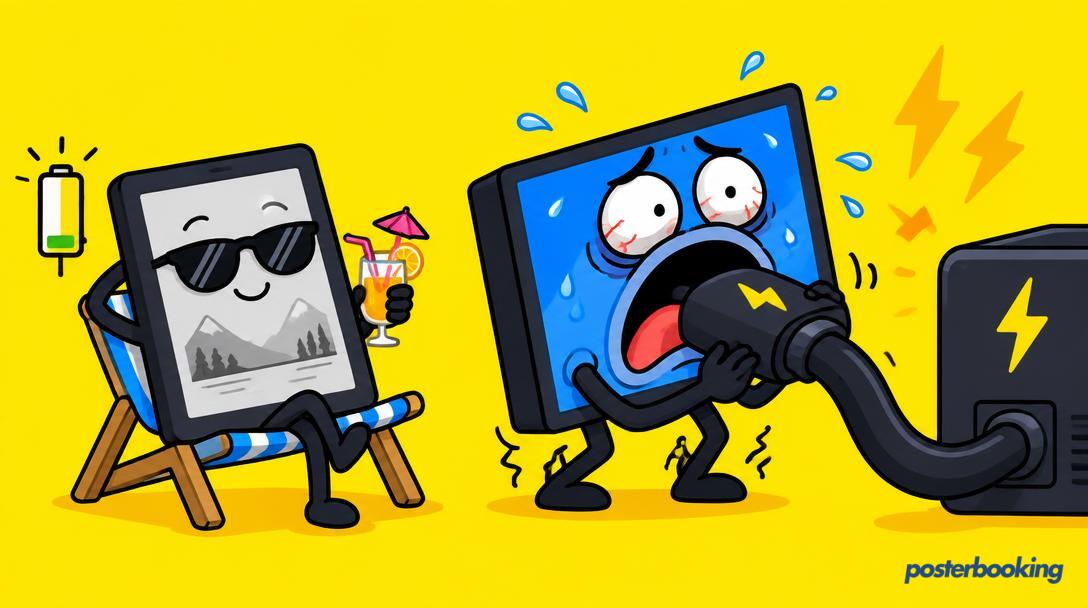
Digital signage is usually associated with the aggressive glow of high-definition LCD panels, the kind that hums slightly and attracts moths like a campfire in the middle of a forest. While those screens have their place, usually for shouting about half-price burgers or showing high-speed car chases, there is a quieter, more sophisticated alternative that is gaining traction. We are talking about e ink signage. You might know it as e-paper, the stuff that makes your Kindle look like a real book, but in the world of professional displays, it is a game-changer for anyone who values battery life, readability, and not having their electricity bill resemble a telephone number. This guide explores everything you need to know about e ink signage, from the science of electrophoresis to how you can integrate these displays into your existing PosterBooking setup.
Table of Contents
What is e ink signage?
e ink signage, or Electronic Paper Display (EPD) technology, is a type of display that mimics the appearance of ordinary ink on paper. Unlike conventional flat panel displays that emit light, e ink displays reflect light just like paper. This makes them extremely comfortable to look at and provides a viewing angle that is essentially 180 degrees. If you can see the screen, you can read the text, no matter how awkwardly you are standing in relation to it.
The technology was originally developed in the 1990s at the MIT Media Lab and is now primarily produced by the E Ink Corporation. While the early versions were strictly black and white (and a few shades of grey for the adventurous), modern e-ink has evolved to include multiple colours. However, the core principle remains the same: a focus on static or slow-changing information delivered with minimal environmental impact.
The Mechanism of Electrophoresis
At the heart of every e ink sign are millions of tiny microcapsules, about the diameter of a human hair. Each microcapsule contains positively charged white particles and negatively charged black particles suspended in a clear fluid. When a positive or negative electric field is applied, the corresponding particles move to the top of the microcapsule, where they become visible to the viewer. This makes the surface appear white or black at that specific spot. It is essentially a very tiny, very complex game of musical chairs played by pigment particles.
How E-paper Differs from LCD and LED
To understand why you would choose e ink signage, you must first understand why it is so fundamentally different from the screens we use every day. Most digital signs are emissive, meaning they create light. E-ink is reflective, meaning it uses the light already present in the environment.
Emissive vs. Reflective
LCD and LED screens are like flashlights pointing directly at your retinas. They work by filtering a backlight (in the case of LCD) or by having the pixels themselves emit light (in the case of LED). This is great for dark rooms, but in bright environments, these screens have to fight the sun. Usually, the sun wins. E-ink, however, loves the sun. The brighter the ambient light, the clearer the e ink display becomes. It does not need a backlight to be readable, though many modern units include a "front light" for use in the dark, which bounces light off the surface of the screen rather than shining it through it.
Power Consumption
This is the area where e-ink truly humiliates traditional displays. An LCD screen requires a constant flow of electricity to keep the pixels aligned and the backlight glowing. If you pull the plug, the screen goes black immediately. E-ink is "bistable," which means it only requires power to change the image. Once the particles are moved into place, they stay there. You could literally unplug an e ink sign and the image would remain visible for weeks, months, or even years. This allows e-ink signs to run on small batteries for incredibly long periods.
The Science of Bistability
Bistability is the "magic" of e-ink. In a standard monitor, the image is being refreshed dozens of times every second (60Hz, 120Hz, etc.). This consumes a lot of energy. With e ink signage, the image is static. The electrical state of the microcapsules does not need to be maintained by a power source.
Think of it like writing on a whiteboard. It takes effort (energy) to write the message, but once you put the marker down, the message stays there until someone takes the effort to erase it. Standard digital signs are more like a person standing there holding a torch and shouting the message repeatedly. Eventually, the person gets tired, and the torch runs out of batteries. The whiteboard just sits there, being useful and quiet.
Key Benefits of e ink signage
If you are considering e-ink for your business, you are likely looking for specific advantages that traditional screens cannot provide. Here are the primary reasons why companies are making the switch for specific applications.
Exceptional Battery Life
Because power is only consumed during a refresh, e-ink signs can operate in locations where running a power cable would be expensive or impossible. A small 6 inch e-ink door sign can run for three years on a single set of coin-cell batteries. Larger displays used for bus timetables can be powered by a tiny solar panel, making them entirely self-sufficient. This is the ultimate "set it and forget it" hardware.
Unmatched Sunlight Readability
If you have ever tried to read your smartphone on a beach, you know the struggle. The glare makes the screen useless. e ink signage has no glare. Because it reflects light, it behaves exactly like paper. In direct, harsh sunlight, the contrast actually improves. This makes it the only viable choice for outdoor information kiosks that do not have the budget for high-brightness, high-heat, high-cost specialized LCDs.
Aesthetic and Eye Comfort
There is a certain "tech fatigue" that comes with being surrounded by glowing screens. E-ink has a softer, more organic look. It blends into the architecture of a building rather than clashing with it. For hospitals, libraries, and high-end offices, the "paper-like" quality of e-ink is much more prestigious and less distracting than a flickering LED panel.
Sustainability and Environmental Impact
For organisations with strict CSR (Corporate Social Responsibility) goals, e-ink is a dream. It consumes up to 99% less power than an equivalent LCD screen over its lifetime. By reducing energy consumption, you are not just saving money; you are significantly lowering your carbon footprint. Furthermore, because they generate almost no heat, you do not need cooling fans, which further reduces energy use and eliminates noise pollution.
Primary Use Cases for E-paper Displays
E-ink is not a universal replacement for all digital signage. You wouldn't use it to show a blockbuster movie trailer. However, for specific tasks, it is vastly superior.
Meeting Room Doors
This is perhaps the most common professional use for e-ink. Large offices often have dozens of meeting rooms. Installing a tablet outside every single one requires a massive amount of cabling for power and data. E-ink door signs can be stuck to glass or wood with simple adhesive, connect to the Wi-Fi or a dedicated gateway, and update their schedules automatically. They look professional, they are never "too bright" for the hallway, and they last for years without a battery change.
Retail Shelf Labels (ESLs)
Electronic Shelf Labels are the tiny e-ink screens you see at large retailers like Best Buy or some high-end grocery stores. They allow the store to change prices across thousands of items instantly from a central server. This eliminates the need for staff to manually swap paper tags, reducing errors and allowing for dynamic pricing (e.g., happy hour discounts or flash sales).
Public Transport and Smart Cities
Bus stops and train stations are often located in areas without easy access to the power grid. e ink signage allows transport authorities to provide real-time arrival information at every stop. By using a solar-powered e ink display, the city avoids the massive cost of digging up pavements to lay power lines. The high contrast also ensures that commuters can read the timetable even in the middle of a sunny day.
Menus and Wayfinding
For restaurants that change their menu daily or seasonally, an e-ink board provides a classy, understated way to display choices. Similarly, for wayfinding in large complexes like museums or universities, e-ink signs can be updated to reflect temporary exhibitions or room changes without the harshness of a glowing television screen.
Limitations: The Trade-offs of Going Low-Power
We must be honest: e-ink is not perfect. If it were, LCD manufacturers would have gone out of business years ago. There are specific limitations you must accept when choosing this technology.
Refresh Rate and Latency
The biggest drawback is the speed. E-ink particles physically move through a fluid. This takes time. A full screen refresh can take anywhere from half a second to two full seconds. During this time, the screen often "flashes" to clear the previous image (a process called "ghosting" prevention). Consequently, e-ink is completely unsuitable for video, animation, or anything that requires a fast UI response. It is a medium for static content.
No Video (And Why That is Sometimes Good)
If your goal is to catch someone's eye with motion, e-ink will fail you. However, in many environments, video is a distraction. In a hospital or a quiet office, the lack of movement is actually a benefit. It provides information without demanding attention in an intrusive way. But if you want to show a "Coming Soon" movie trailer, stick to an LCD.
Colour Limitations
For a long time, e-ink was strictly monochrome. We now have 3 colour displays (Black, White, and Red/Yellow) and full-colour displays (ACeP or Gallery 3). However, the colours on an e-ink screen are not as vibrant as those on your phone. They look more like a Sunday newspaper comic strip or a matte print. The colour gamut is limited, and the refresh times for colour screens are often slower than their black-and-white counterparts.
Colour E-ink: The New Frontier
The quest for colour e-paper has been long and fraught with technical hurdles. Today, there are two main types of colour e ink signage:
Spectra and Triton
These older technologies used a colour filter array over a black and white screen. The result was often a bit washed out and low resolution, as each "pixel" had to be divided into sub-pixels for red, green, and blue.
Advanced Color ePaper (ACeP) / Gallery 3
This is the cutting edge. Instead of a filter, these screens use actual coloured pigments (Cyan, Magenta, Yellow, and White) within each microcapsule. This produces much richer, more saturated colours. While still not as bright as an iPad, Gallery 3 displays are finally good enough for high-end retail signage and digital art. The catch? They are currently more expensive and slower to refresh than monochrome versions.
Cost Expectations and ROI
When you look at the price tag of an e ink display, you might experience a brief moment of "sticker shock." Per square inch, e-ink is significantly more expensive than a standard LCD. A 13 inch e ink display can cost as much as a 40 inch 4K television.
Why the High Price?
The high cost is due to the manufacturing process and the relatively low volume compared to the billions of LCD panels produced every year. The E Ink Corporation holds many of the key patents, which also influences the market pricing.
Calculating ROI
To see the true value, you have to look at the Total Cost of Ownership (TCO).
- Installation Savings: No need for an electrician to run power to 50 different meeting rooms.
- Energy Savings: The electricity cost is virtually zero.
- Longevity: e ink displays often last longer because they don't have backlights that burn out or suffer from "image burn-in" in the traditional sense.
- Operational Efficiency: The time saved by not having to print and manually distribute paper signs is where the real profit lies.
In a large-scale deployment, the installation savings alone often pay for the difference in hardware cost within the first year.
Setting Up E-ink with PosterBooking
You might be wondering if a "free" digital signage platform like PosterBooking can work with such specialized hardware. The answer is a resounding yes. While PosterBooking is often used on Android boxes, Firesticks, and Smart TVs, it is perfectly capable of driving e ink displays.
The Android E-ink Route
Many professional e ink displays (like those from Onyx Boox, Dasung, or specialized industrial tablets) run a version of Android. Since PosterBooking has a native Android app, you can simply install the APK onto the device.
Once installed, the device will generate a code. You add this code to your PosterBooking dashboard, and suddenly your e-ink tablet is part of your global signage network. You can push images, menus, or schedules to it just as you would a 75 inch LED screen in the lobby.
The Web Player Route
For e ink displays that do not run Android but have a web browser (like many e-paper kiosks), you can use the PosterBooking web player. You simply point the device's browser to the unique URL provided in your dashboard. The display will then show the content you have scheduled.
Mixing and Matching
The beauty of using PosterBooking is the ability to mix hardware. You can have:
- A 65 inch Samsung Smart TV in the reception showing video.
- A series of 10 inch e ink displays outside meeting rooms showing schedules.
- A 32 inch e ink display in the outdoor smoking area showing the weather and daily specials.
All of these are managed from one single login. You don't need separate software for your "fancy" screens and your "efficient" screens. Everything is unified.
Technical Considerations for Implementation
Before you rush out and buy a pallet of e-ink screens, there are a few technical hurdles to consider.
Image Optimization
Because e-ink has a limited colour palette and lower contrast than a backlit screen, you cannot just upload any old photo and expect it to look great. You should optimize your images:
- High Contrast: Use bold text and clear lines.
- Dithering: If using monochrome, use dithering to simulate gradients.
- Resolution: Match the image resolution exactly to the screen's native resolution to avoid blurry scaling.
Connectivity
While e-ink saves on power, it still needs a way to get data. Most units use Wi-Fi, but in large deployments, this can congest the network. Some industrial e-ink systems use Sub-GHz radio frequencies or Zigbee to communicate with a central gateway, which is much more power-efficient than Wi-Fi. If you are using the PosterBooking Android app, ensure your Wi-Fi signal is stable, or set the app to cache content so it stays visible even if the signal drops.
Refresh Strategy
Since you don't want the screen flashing every 10 seconds, you should schedule your content updates thoughtfully. For a meeting room, updating once every 15 minutes is usually plenty. PosterBooking allows you to set your playlist, but you should keep in mind that the "transition" on an e-ink screen is a physical process.
The Future of E-ink in Digital Signage
The e-ink market is currently in an aggressive growth phase. We are seeing larger panels (up to 42 inches and beyond) and the development of "E-ink Prism," which is a film that can change colour and pattern, used by architects to create dynamic walls and by car manufacturers (like BMW) to change the colour of a vehicle at the touch of a button.
As the world moves toward "Net Zero" targets, the pressure to reduce the energy consumption of digital infrastructure will grow. E-ink is the most logical solution for the billions of static information signs that currently clutter our world. We expect to see e-ink becoming the standard for smart cities, replacing almost all paper-based public information within the next decade.
Frequently Asked Questions
Does e ink signage require power to show an image?
No, e ink signage only requires power to change the image. Once the image is set, the particles remain in place without any further electricity. This is due to a physical property called bistability. You could remove the batteries entirely, and the last image displayed would remain on the screen for a very long time.
Can e ink displays play video?
Technically, some modern e ink displays have a "fast refresh" mode that can reach 15 frames per second, which looks like a very choppy video. However, for professional digital signage, the answer is effectively no. The ghosting and low frame rate make it unsuitable for video content. It is designed for static or slow-moving text and images.
Are there colour e ink displays?
Yes, colour e-ink has improved significantly. Technologies like ACeP (Advanced Color ePaper) allow for thousands of colours. While they aren't as vibrant as an LCD or OLED screen, they are perfect for posters, menus, and advertisements that require a printed-paper aesthetic.
How long does the battery last on an e-ink sign?
It depends entirely on how often you change the image. For a small door sign that updates a few times a day, a battery can last between 3 to 5 years. For larger displays that update every few minutes, you might get several months. Many outdoor e-ink signs use solar power to stay charged indefinitely.
Is e ink signage waterproof?
The e-ink film itself is just a component. Whether the sign is waterproof depends on the housing provided by the manufacturer. Many outdoor e ink displays are built with IP67 rated enclosures, making them completely waterproof and dustproof for use in bus stops and park wayfinding.
Can I use PosterBooking with e-ink?
Yes, you certainly can. If your e-ink device runs Android, you can install the PosterBooking app directly. If it has a web browser, you can use our web player. This allows you to manage your e-ink screens alongside your standard TVs and LED walls in one central dashboard.
Is e-ink more expensive than LCD?
In terms of initial hardware purchase, yes, e-ink is generally more expensive than a consumer-grade LCD of the same size. However, when you factor in the lack of wiring costs, zero electricity bills, and the ability to place them in locations where LCDs would fail, the total cost of ownership is often much lower over a 3 to 5 year period.
Conclusion
e ink signage represents a shift in how we think about digital communication. It moves away from the "brute force" approach of bright, power-hungry screens and toward a more elegant, sustainable, and readable solution. Whether you are managing a corporate office, a retail chain, or a city's transport network, e-ink offers a way to digitize your information without the environmental or aesthetic costs of traditional displays.
If you are ready to start experimenting with e-ink, or if you already have e-ink hardware and need a simple, powerful way to manage your content, give us a try. You can get started with your first 10 screens for FREE! * and see how easy it is to mix the magic of e-paper with the power of the PosterBooking platform. No credit card required, just a desire to make your signage smarter, greener, and a lot easier on the eyes.
Join the thousands of businesses worldwide who are discovering that sometimes, the best way to get noticed is to be the quietest screen in the room. Visit https://posterbooking.com today to claim your free account and start your journey into the future of digital signage.