
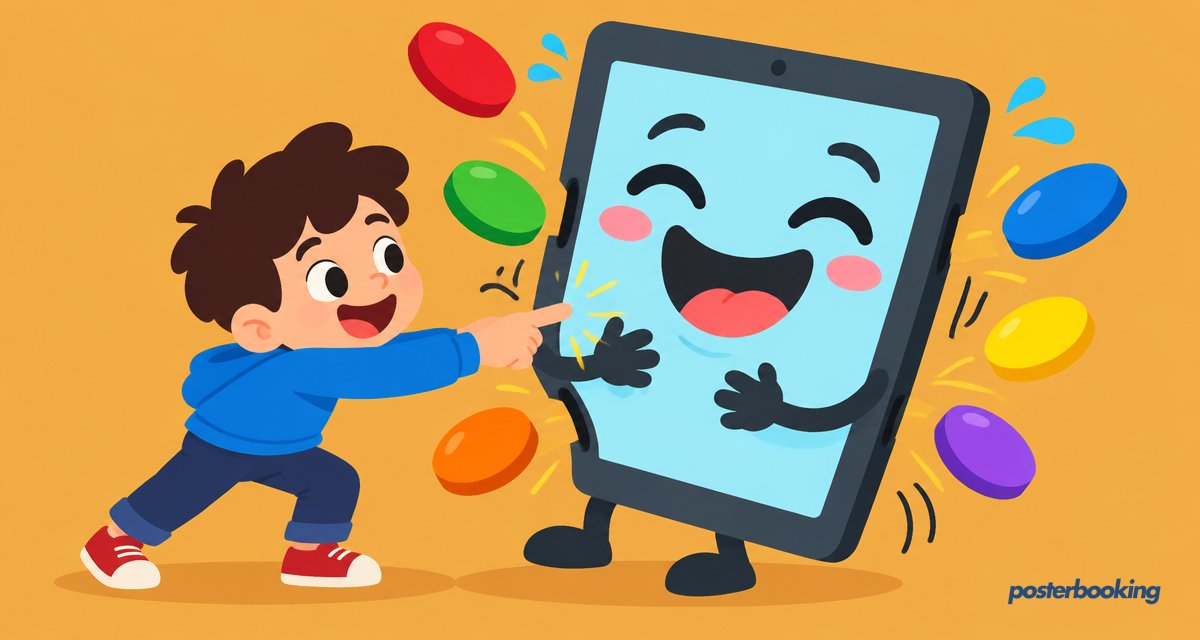

There is a specific, modern tragedy that occurs in shopping malls and hotel lobbies every day: a human being walks up to a screen, stabs it firmly with their index finger, and... nothing happens. The screen remains as indifferent as a cat in a rainstorm. The human, now feeling slightly foolish, tries again with more force, as if the television just needs a bit of physical discipline to understand its purpose. When that fails, they might even try a desperate swipe, hoping for a flicker of life.
This is the gap between passive and interactive digital signage. In 2026, we have reached a point where people expect screens to talk back, or at least to react when poked. Interactive digital signage is no longer a futuristic gimmick reserved for science fiction films; it is a fundamental tool for customer engagement, wayfinding, and selling things without actually having to talk to a salesperson (the introvert’s dream).
With over 88,466 users worldwide, PosterBooking has seen the shift from simple slideshows to complex interactive experiences. Whether you are using a high-end infrared touch overlay or a humble QR code on our first 10 screens free plan, interactivity is the key to stopping the scroll and starting a conversation. In this guide, we will explore everything you need to know about interactive digital signage, from hardware and software to the psychology of why we just love poking things.
Table Of Contents
- What is Interactive Digital Signage?
- Interactive vs Passive Signage: The Battle for Attention
- The Different Types of Interactivity
- Touchscreens: The Direct Physical Connection
- QR Codes: The Hygienic Budget Alternative
- NFC and RFID: The Tap and Go Experience
- Motion and Gesture Sensors: Look Ma, No Hands
- Voice Control: Talking to the Machine
- Key Use Cases for Interactive Displays
- Wayfinding and Digital Directories
- Interactive Product Catalogues and Endless Aisles
- Self Check-in and Visitor Management
- Interactive Restaurant Menus
- Museum Exhibits and Immersive Education
- Designing for Interaction: UX Tips for Large Screens
- The Fat Finger Problem
- Visual Hierarchy and Call to Actions
- The Reset Timer and Privacy
- Hardware Options and Broad Cost Ranges
- The Hygiene Question: Post-2020 Touchscreens
- PosterBooking: Making Interactivity Affordable
- Frequently Asked Questions
What is Interactive Digital Signage?
Interactive digital signage is any digital display that allows for two-way communication between the user and the content. While traditional signage tells you what to think (for example, "Buy this burger"), interactive signage asks you what you want (for example, "Do you want extra bacon on that burger?"). It is the difference between a monologue and a dialogue. A passive screen is a billboard; an interactive screen is a concierge.
In 2026, interactivity is powered by a variety of sensors, cameras, and software triggers that turn a flat piece of glass into a responsive portal. It is not just about touch anymore. It is about how the screen understands the environment and the person standing in front of it. At its core, interactive signage is designed to solve a problem or provide a deeper layer of information that cannot fit on a single static slide. It respects the user's time by letting them skip the bits they do not care about and jump straight to the information they need.
The beauty of interactive signage lies in its ability to gather data. Every time a user clicks a button, searches for a product, or scans a code, you are getting a piece of market research that a static poster could never provide. You are no longer just guessing if people like your new promotion; you can see exactly how many people clicked on it and how long they spent looking at the details.
Interactive vs Passive Signage: The Battle for Attention
Not every screen needs to be interactive. In fact, making a screen interactive when it does not need to be is a great way to waste money and confuse your customers. Imagine a digital sign at the side of a motorway. If that required a touch interaction to show the next exit, we would have a very busy emergency services department.
When Passive Signage Wins
Passive signage is the bread and butter of digital displays. It is best for:
- High-speed environments: Airports, roadsides, and busy corridors where people only have three seconds to look.
- Simple messages: "Sale: 50 percent off" or "Happy Birthday, Dave."
- Atmosphere: Abstract videos in a hotel lobby or a "burning log" video in a fireplace showroom.
- Budgets: When you just want to put a standard TV on the wall and run PosterBooking's free plan without any extra sensors or fancy overlays.
When Interactive Signage Wins
Interactive signage is the "pro" version of communication. It wins when:
- Information Density is High: When you have a thousand products but only one screen.
- Personalization is Key: When a customer wants to see how a sofa looks in blue instead of the default beige.
- Action is Required: When you need a user to sign in, buy a ticket, or find their way to Room 402.
- Engagement is the Goal: When you want someone to stop and play a game or take a quiz related to your brand.
In 2026, the best setups often use a combination of both. A large passive screen draws the customer in with a beautiful video, and a smaller interactive kiosk nearby allows them to act on that interest.
The Different Types of Interactivity
Interactivity is not just about touch. In fact, if the last few years have taught us anything, it is that some people are quite allergic to touching public surfaces. Here are the main ways screens interact with their environment in 2026.
Touchscreens: The Direct Physical Connection
This is what most people think of. You have capacitive touch (like your smartphone) or infrared touch (which uses light beams to detect where your finger is). Touchscreens are intuitive because we have been trained by our phones to swipe, pinch, and tap everything we see.
The downside is smudge marks. By 3 PM, a popular interactive kiosk can look like a forensic crime scene of fingerprints. However, for sheer ease of use, nothing beats the direct physical interaction of a touchscreen. It is fast, familiar, and works perfectly for self-service applications.
QR Codes: The Hygienic Budget Alternative
If you are using PosterBooking's free plan and want to get interactive without buying a two thousand dollar industrial touchscreen, the QR code is your best friend. By displaying a QR code on a regular TV, you turn the user's smartphone into the interactive controller.
The user scans the code, and suddenly your signage is living on their phone. They can browse a menu, fill out a form, or download a map while standing in front of your screen. It is hygienic, cheap, and works on literally any display. It also gives you the benefit of putting your website directly into the customer's pocket, which is a marketing win that a physical touchscreen cannot easily replicate.
NFC and RFID: The Tap and Go Experience
Near Field Communication (NFC) allows users to tap their phone against a designated spot on the signage to trigger an action. It is the same technology behind Apple Pay or Google Wallet. It is fantastic for quick "tap for info" or "tap to join loyalty program" prompts. It requires specific hardware but offers a frictionless experience that feels a bit like magic. RFID (Radio Frequency Identification) is similar and often used in retail for "lift and learn" displays: you pick up a shoe, and the screen automatically displays the specs for that specific shoe.
Motion and Gesture Sensors: Look Ma, No Hands
Motion sensors or gesture control allow users to interact with a screen without touching it. Wave your hand to scroll through photos, or step closer to the screen to trigger a specific video. This is excellent for high-traffic areas where hygiene is a priority, or for "wow factor" installations in retail windows where the glass prevents actual touch. In 2026, these sensors have become much more accurate, no longer requiring you to perform a full interpretive dance just to click "Next."
Voice Control: Talking to the Machine
"Hey Kiosk, where is the nearest toilet?" Voice recognition has improved significantly. While it can be a bit awkward in a crowded shopping centre (no one wants to shout their pizza order at a machine while others watch), it is an invaluable tool for accessibility and hands-free environments like sterile medical labs, workshops, or kitchens where your hands might be covered in flour or engine oil.
Key Use Cases for Interactive Displays
Where does this technology actually provide value? Let's look at the heavy hitters of the interactive world.
Wayfinding and Digital Directories
The "You Are Here" map is the grandparent of interactive signage. In a massive shopping mall or a sprawling hospital, a static map is often confusing. An interactive wayfinding kiosk allows the user to type in their destination and receive a step-by-step path, often with a QR code they can scan to take the map with them on their phone. It reduces the stress of being lost and saves your staff from having to give directions fifty times a day.
Interactive Product Catalogues and Endless Aisles
In retail, you might not have the space to display every single item you sell. An interactive kiosk acts as an "endless aisle." Customers can browse sizes, colours, and specifications that are not on the shelf, and even place an order right there. This is particularly effective for high-ticket items like cars or bespoke furniture, where the customer wants to explore every configuration before committing to a purchase.
Self Check-in and Visitor Management
From doctor's offices to corporate lobbies, self check-in kiosks reduce the load on reception staff. Users can enter their details, sign NDAs, or print visitor badges. It is efficient, reduces wait times, and ensures that data is entered accurately (because if the user misspells their own name, it is officially their fault). In a post-2020 world, many of these systems now use QR codes so the user can "check in" on their own device without touching the kiosk.
Interactive Restaurant Menus
While many restaurants use passive screens to show their menu, interactive menu boards allow customers to customize their orders. This is a staple of fast-food chains now, but it is moving into smaller cafes and takeaways. It increases the average order value (because the machine never forgets to ask if you want extra fries) and reduces order errors.
Museum Exhibits and Immersive Education
Museums have embraced interactivity to make history less dusty. Instead of reading a tiny plaque, visitors can swipe through timelines, watch interviews with experts, or rotate 3D models of artefacts. In schools, interactive whiteboards have been standard for a while, but interactive signage in hallways can be used for student projects, event calendars, and "gamified" learning experiences.
Designing for Interaction: UX Tips for Large Screens
Designing for a 55 inch touchscreen is not the same as designing a website for a desktop. One of the biggest mistakes designers make is creating buttons that are too small or putting important information where no one can reach it.
The Fat Finger Problem
We call this the "Fat Finger Problem." A mouse cursor is precise; a human thumb is a blunt instrument. If your "Close" button is a tiny "X" in the corner, your users will spend three minutes fruitlessly stabbing the bezel of the monitor before giving up in a fit of rage.
Rules for Touch Design:
- Huge Buttons: If you think the button is big enough, double the size. The target area should be at least 40 to 60 pixels for mobile, but on a large signage screen, think in terms of centimetres.
- No Hover States: In the world of touch, there is no "hover." An element is either pressed or it is not. Do not rely on "hover to reveal" menus.
- Physical Reach: Do not put important buttons at the very top of a 75 inch screen. Unless your target audience is entirely composed of professional basketball players, they will not be able to reach the "Checkout" button. Keep interactive elements within the "comfort zone" (between waist and chest height).
- Feedback: Every touch should result in immediate visual or auditory feedback. If the screen does not react instantly, the user will tap it again, and again, and again, likely causing the software to crash.
Visual Hierarchy and Call to Actions
Your screen needs a "Main Hook." This is usually a large, moving image or headline that tells people the screen is interactive. A static screen often looks like a poster, so people will not even try to touch it. Use phrases like "Touch to Start" or "Scan to Explore" in large, bold fonts.
The Reset Timer and Privacy
If a user walks away halfway through a search for "embarrassing medical symptoms" in a pharmacy kiosk, the next user should not see that. A reset timer is essential. If the screen is not touched for 60 seconds, it should automatically clear the session and return to the attract loop (the passive video that draws people in).
Hardware Options and Broad Cost Ranges
Interactive signage is a bit like buying a car: you can get a reliable hatchback or a gold-plated supercar. Here is what you can expect to pay in 2026.
- Entry Level (QR-Based):
- Cost: Zero dollars for the interactive tech.
- Components: A standard TV and a PosterBooking account.
- Pros: Cheapest possible option; works with any screen.
- Cons: Requires user to have a smartphone and data/Wi-Fi.
- Mid-Range (Touch Overlays):
- Cost: Two hundred to six hundred dollars.
- Components: An infrared (IR) touch frame that you strap onto the front of your existing TV.
- Pros: Turns any TV into a touchscreen; relatively easy to install.
- Cons: Can look a bit "DIY" if not aligned perfectly; IR can be affected by bright sunlight.
- Professional Grade (Integrated Touchscreens):
- Cost: One thousand to five thousand dollars.
- Components: A purpose-built industrial display with built-in capacitive touch glass.
- Pros: Very durable; looks sleek; high accuracy; designed for 24/7 use.
- Cons: Expensive; heavy.
- Premium (Sensors and AI):
- Cost: Five thousand dollars and up.
- Components: LIDAR, motion sensors, or AI cameras that track user movement.
- Pros: The "wow" factor; complete touchless interaction.
- Cons: Requires specialist software development and high maintenance.
PosterBooking works across the board. Whether you are running a simple Firestick into a touch-enabled monitor or using a QR code on a massive LED wall, our CMS handles the content delivery so you can focus on the hardware.
The Hygiene Question: Post-2020 Touchscreens
We cannot talk about touchscreens without talking about germs. After 2020, the public's relationship with touching public things changed forever. Some people will happily lick a bus handrail, while others will not touch a kiosk without a bottle of hand sanitiser and a protective suit.
To address this, many businesses have moved toward "Touchless Interaction." This includes the aforementioned QR codes and motion sensors. However, if you do use physical touchscreens, it is vital to:
- Place a hand sanitiser station right next to the screen.
- Use oleophobic coatings on the glass to reduce fingerprints and make cleaning easier.
- Clearly state your cleaning schedule (a small "Last cleaned at 2 PM" sign goes a long way).
- Use antimicrobial glass where possible.
If the screen looks greasy and neglected, no one will want to use it, no matter how clever your interface is. A quick wipe with a microfibre cloth every hour is the best investment you can make in your interactive signage strategy.
PosterBooking: Making Interactivity Affordable
The biggest hurdle for most businesses when it comes to interactive signage is the perceived cost and complexity. You might think you need a team of developers and a six figure budget to get started.
At PosterBooking, we believe interactivity should be accessible to everyone. That is why our first 10 screens are free. You can start with a simple QR code strategy on a standard TV today, and as your business grows, you can move into touch overlays or professional kiosks.
Our cloud-based CMS allows you to:
- Manage all your interactive points from one dashboard.
- Schedule different content for different times of day.
- Deploy web-based interactive apps with a simple URL.
- Scale up to thousands of screens without breaking a sweat.
With over 88,466 users already on board, we have the experience to help you make your screens more than just glowing rectangles on a wall.
Frequently Asked Questions
Can I turn any TV into an interactive touchscreen?
Not by itself, but you can add a touch overlay. These are infrared frames that you strap onto the front of your existing TV. They connect via USB to your media player (like a PC or a high-end Android box) and tell the system where the touch is happening. Alternatively, the cheapest way to make any TV interactive is to display a QR code that users scan with their phones.
Does PosterBooking support touch interactions directly?
PosterBooking is primarily a content management system designed for displaying media. For true touch-based interaction where you navigate a complex local file system, you would typically display a web-based app or a specialized interactive URL through our dashboard. This allows you to build a responsive web interface that users can interact with on a touch-enabled screen while we handle the deployment and scheduling.
How do I prevent people from closing my interactive app?
This is usually handled at the hardware or OS level, commonly known as Kiosk Mode. Most Android devices and Windows PCs have settings that lock the screen to a single application and disable the Home or Back buttons. This prevents mischievous teenagers from using your digital menu to browse social media or change your wallpaper to something inappropriate.
Are QR codes still popular for interactive signage?
Actually, they are more popular than ever. Because everyone knows how to use them now, they have become the universal remote for digital signage. They solve the hygiene issue of touchscreens and the hardware cost of expensive sensors. Plus, once the user scans the code, you have a direct link to their personal device, which is much better for marketing than a public kiosk.
What is the best hardware for a budget interactive setup?
For a budget setup, we recommend a standard 4K TV paired with an Amazon Firestick or a Chromecast with Google TV, using PosterBooking's free plan. To make it interactive, design your content in Canva or Google Slides with a prominent QR code. This gives you a professional-looking interactive experience for the cost of a basic television and a forty dollar media player.
Can interactive signage work without an internet connection?
It depends on the type of interactivity. If your interaction relies on a live website or a QR code that links to an online form, you need internet. However, if the interactive elements are built into the local app or media player (like a local directory file), it can function offline once the content is fully downloaded to the device. PosterBooking generally requires a heartbeat connection for updates, but will continue playing cached content if the Wi-Fi drops.
How do I measure the ROI of interactive digital signage?
Interactivity is much easier to measure than passive signage. You can track events such as how many times a button was pressed, how many QR codes were scanned, or how many people completed a self check-in. By comparing these interactions to your sales data or foot traffic, you can get a very clear picture of how much value your screens are adding to your business.
Ready to stop being ignored and start being poked? Join the 88,466+ users who have simplified their display management. Get your first 10 screens for free at https://posterbooking.com and see how interactive digital signage can work for you.