
Table Of Contents
- The Great Meeting Room Heist: Why We Need Better Signs
- What Exactly is Meeting Room Digital Signage?
- The Red Light, Green Light Philosophy: Solving the Availability Crisis
- Key Use Cases for Meeting Room Screens
- Real-Time Room Schedules and Live Booking Status
- Welcome Messages: Corporate Hospitality Done Right
- Agenda Displays: Keeping the 47-Minute Catch-Up on Track
- Office Wayfinding: Because Nobody Knows Where The Hive Is
- Occupancy and Capacity: Navigating the Modern Workspace
- Branding and Company Culture: Beyond the Logo
- The Ghost Meeting Killer: Reducing No-Shows
- Display Options: Small Outside Panels vs. Large Internal Screens
- Calendar Integration Concepts: Syncing Your Office Life
- Hardware on a Budget: Making It Work Without the Fortune 500 Budget
- Content Strategy and Office Etiquette: The Unwritten Rules
- Why PosterBooking is the Perfect Fit for Modern Offices
- Frequently Asked Questions
Meeting room digital signage is a system of electronic displays used to manage room bookings, display schedules, and improve office communication. In a world where "I just need five minutes" is the most dangerous sentence in the English language, these screens serve as the ultimate arbiters of truth. They tell you who is supposed to be in a room, for how long they plan to stay, and, most importantly, when you can politely knock on the glass and point at your watch. By integrating with existing calendar systems, meeting room signage transforms a chaotic office floor into a streamlined environment where productivity actually has a fighting chance.
The Great Meeting Room Heist: Why We Need Better Signs
We have all been there. You have spent three days trying to align the schedules of six busy people. You finally find a 30-minute window on Tuesday afternoon. You book "Meeting Room B" and arrive three minutes early, only to find Dave from Accounts and his team of three looking intensely at a spreadsheet. Dave claims he booked the room. You claim you booked the room. You both check your phones. It turns out Dave booked it for next Tuesday, but he is here now and "just needs a second."
Ten minutes later, you are still standing in the corridor like a group of awkward penguins. This is the meeting room heist: the theft of time, productivity, and office harmony.
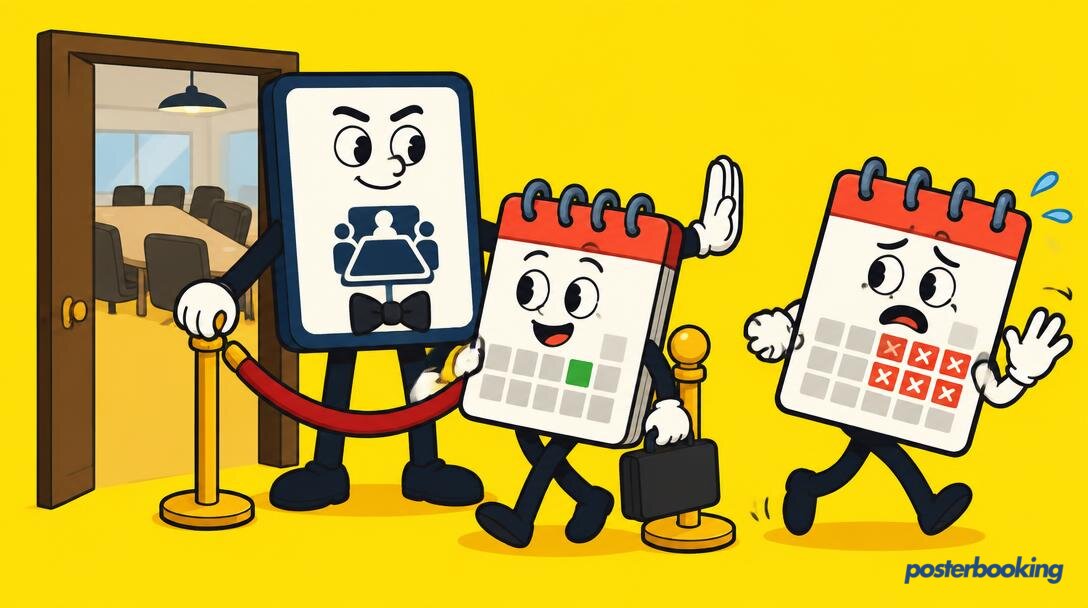
Meeting room digital signage is the cure for this corporate plague. It removes the ambiguity that leads to these confrontations. When a bright, high-definition screen outside the door clearly states that the "Q3 Marketing Review" is currently in session and that Dave should be back at his desk, the argument ends before it begins. It is the silent, digital security guard for your office space.
Beyond just preventing Dave-based interruptions, these screens solve the "empty room" paradox. You know the one: every room in the building is booked on the digital calendar, yet as you walk past, you see four rooms sitting entirely empty. Someone booked them, forgot, and stayed at home to work in their pyjamas. Digital signage, when used correctly, can identify these "ghost meetings" and release the room back into the wild for people who actually need it.
What Exactly is Meeting Room Digital Signage?
At its core, meeting room digital signage consists of a screen (often a tablet or a small monitor) mounted outside a meeting space, connected to a central management system. This system pulls data from your office calendar (like Google Workspace or Microsoft 365) and displays the current status of the room.
However, the definition has expanded in recent years. Modern offices now use a combination of displays:
- Small tablets outside the door for scheduling and status.
- Large screens inside the room for agendas, timers, and welcome messages.
- Central lobby displays that act as a "flight arrival board" for all meetings in the building.
The goal is simple: to make sure everyone knows where they are going, why they are there, and how much longer they have until they can go back to ignoring emails.
The Red Light, Green Light Philosophy: Solving the Availability Crisis
The most effective part of meeting room signage is not the text or the fancy transitions; it is the colour. Most systems use a simple traffic light system that can be seen from the other end of a long, windowless corridor.
The Green Zone: A Sign of Hope
A green screen is a beautiful thing. It means the room is free. It means you can walk in, sit down, and have that "quick chat" about the office coffee machine without feeling like a criminal. For an employee looking for a quiet spot to focus, a green light is a beacon of hope in a sea of open-plan chaos.
The Red Zone: Do Not Enter
A red screen is the universal signal for "Go away." It tells you that a meeting is in progress. More importantly, it can tell you how long the meeting has left. If the screen says "Occupied until 2:00 PM" and it is currently 1:58 PM, you know you can wait. If it says "Occupied until 5:00 PM," you know it is time to find a different plan or perhaps just go home early.
The Amber Zone: The Warning Shot
Some systems use an amber or yellow status to indicate that a meeting is ending soon or that a room has been booked but the participants have not yet checked in. It is a transitional phase that prepares the next group to move in, like the "warm up" lap in a race, but with more PowerPoint and less adrenaline.
Key Use Cases for Meeting Room Screens
While "who is in here?" is the primary question, digital signage can do so much more. In fact, using a screen just for a name and a time is a bit like using a smartphone just to make phone calls: it is a waste of potential.
Real-Time Room Schedules and Live Booking Status
The bread and butter of meeting room signage is the live schedule. This isn't just about showing the current meeting; it is about showing what is coming up next.
Modern office life is fluid. Meetings get cancelled, extended, or moved. A static paper sign pinned to the door is obsolete the moment the ink dries. Digital screens update in real time. If the CEO decides they need a room right now, the screen reflects that immediately. This prevents the "I thought this room was free" dance that happens five times a day in every office in London.
Welcome Messages: Corporate Hospitality Done Right
First impressions matter. When a client or a job candidate walks into your office, seeing their name or their company logo on a screen outside the room they are about to enter is a powerful touch. It says, "We were expecting you, we are prepared for you, and we probably won't forget your name halfway through the pitch."
It is a small detail that elevates the entire experience. Instead of being led into a generic "Meeting Room 4," they are being welcomed into a space that has been specifically prepared for their arrival. It is corporate hospitality at its most efficient.
Agenda Displays: Keeping the 47-Minute Catch-Up on Track
We have all been in a meeting that was supposed to take 15 minutes but somehow ends up discussing the logistics of the Christmas party for over an hour. Inside the meeting room, a large digital screen can be used to display the agenda.
Keeping the agenda visible at all times serves as a psychological nudge to the participants. If "Action Items" is the fourth item on the list and you are still on "Introductions" after 20 minutes, someone (usually the person who wants to go to lunch) will eventually point at the screen and get things moving. It is a polite way to tell Dave to stop talking about his weekend.
Office Wayfinding: Because Nobody Knows Where The Hive Is
In large offices or co-working spaces, finding a specific room can be a quest worthy of an epic fantasy novel. "The Hive" sounds like a cool name for a meeting room until you realize it is tucked away behind the server room and next to the secondary fire exit.
Digital signage can act as a wayfinding tool. Large screens in the reception area or near elevators can show a map of the floor with current meetings highlighted. "The Hive: Level 3, Turn Left at the Ficus Tree." This reduces the number of lost visitors wandering into the executive lounge by mistake.
Occupancy and Capacity: Navigating the Modern Workspace
In a post-pandemic world, occupancy limits and air quality have become genuine concerns. Digital screens can display the maximum capacity of a room. If a room is designed for four people but contains twelve, the screen can (if integrated with sensors) display a warning.
Furthermore, screens can show when a room was last cleaned or when it is scheduled for its next "deep clean." It provides peace of mind to employees and ensures the office is being used safely and efficiently.
Branding and Company Culture: Beyond the Logo
When a meeting room is not in use, it shouldn't just be a black rectangle on the wall. This is prime real estate for branding and culture building.
Use the screens to show:
- Employee achievements and "Employee of the Month" photos.
- Company news and upcoming social events.
- Live social media feeds or industry news.
- Internal jokes (within reason) to make the office feel more human.
It turns a functional tool into a part of the office's personality.
The Ghost Meeting Killer: Reducing No-Shows
One of the biggest wastes of resources in a modern office is the "Ghost Meeting." This occurs when a room is booked on the calendar, but the person who booked it never shows up. Perhaps they are sick, perhaps they forgot, or perhaps they decided that the meeting could have been an email after all.
Digital signage systems can be configured to require a "check-in." If no one taps the screen or walks into the room within 10 minutes of the start time, the system automatically cancels the booking and makes the room available for others. This can increase room availability by up to 30% in busy offices. It is like a digital repossession service for wasted space.
Display Options: Small Outside Panels vs. Large Internal Screens
When implementing meeting room digital signage, you have two main areas to consider: outside the door and inside the room. Both serve different purposes and require different approaches.
Small Panels Outside the Door (The "Do Not Disturb" Sign of the Future)
These are usually 7-inch to 10-inch tablets mounted at eye level. They are the frontline of your signage strategy.
- Purpose: To show availability, schedules, and allow for instant booking.
- Placement: Mounted on the wall or glass next to the entrance.
- Key Feature: Visibility. The status (Red/Green) should be obvious from a distance.
For these panels, you don't need the latest iPad Pro. A budget-friendly Android tablet or a dedicated signage panel will do the job perfectly. The focus here is on reliability and clarity, not on playing high-definition video.
Large Internal Screens (The TV You Only Use For PowerPoint)
Once people are inside the room, the signage needs change. You are no longer trying to stop people from coming in; you are trying to help the people who are already there.
- Purpose: To show the agenda, meeting timers, welcome messages, and collaborative content.
- Placement: A 43-inch to 65-inch screen on the main wall.
- Key Feature: Integration with the meeting tools.
When the room is not in use for a presentation, these screens can revert to "Signage Mode," displaying company news or nature scenes to make the room feel less like a clinical box and more like a workspace.
Calendar Integration Concepts: Syncing Your Office Life
The magic of meeting room signage happens when it talks to your existing calendar. You don't want to have to update the screen manually; that is just another task on an already overflowing to-do list.
Google Workspace Integration
If your office runs on Gmail and Google Calendar, you likely already have "Resources" set up for your rooms. Digital signage software can connect to these resources. When someone adds "Meeting Room A" to their calendar invite, the screen outside Meeting Room A updates automatically. It is seamless, invisible, and requires zero effort from the end-user.
Microsoft 365 (Outlook) Integration
For the corporate giants, Microsoft 365 is the standard. Similar to Google, Outlook allows for room mailboxes. The signage system acts as a window into that mailbox. It can show the subject of the meeting (or hide it for privacy), the organizer, and the duration.
The Importance of Two-Way Sync
The best systems offer two-way synchronization. This means that if you walk up to a free room and tap "Book Now" on the screen, that booking is instantly pushed back to the central calendar so that Dave, sitting at his desk three floors up, knows that the room is now taken.
Hardware on a Budget: Making It Work Without the Fortune 500 Budget
You do not need a multi-million pound IT budget to implement effective meeting room signage. In fact, some of the most successful setups are built using incredibly affordable hardware.
Using Amazon Fire TV Sticks
If you have a spare monitor or TV, an Amazon Fire TV Stick is one of the cheapest ways to turn it into a digital sign. You simply plug it into the HDMI port, install the PosterBooking app, and you are ready to go. It is a "set it and forget it" solution that costs less than a decent office chair.
Repurposing Old Tablets
Do you have a stack of old iPads or Android tablets gathering dust in a drawer? These are perfect for meeting room panels. With a simple wall mount and a long charging cable, you can give these devices a second life. It is environmentally friendly and light on the wallet.
Android Boxes
For a more robust solution that still stays under budget, small Android boxes can be hidden behind screens. They are more powerful than a streaming stick and offer more connectivity options, making them ideal for larger displays that need to run 24/7.
Content Strategy and Office Etiquette: The Unwritten Rules
Having the technology is one thing; using it without annoying everyone is another. Meeting room signage comes with its own set of etiquette rules.
Keep It Simple
The screen should be readable in three seconds. If an employee has to stand there for a minute to figure out if a room is free, the system has failed. Use large fonts, high contrast, and clear icons.
Respect Privacy
Not every meeting needs its title displayed to the whole office. A meeting titled "Restructuring and Layoffs" probably shouldn't be broadcast in glowing red letters outside the glass-walled conference room. Good signage software allows you to mark certain meetings as "Private," displaying only "Busy" or "Occupied" instead of the meeting details.
Don't Overload with Content
While it is tempting to use the "free" space for weather updates, stock prices, and news tickers, remember the primary purpose of the screen. If the information about the current meeting is buried under a feed of celebrity gossip, people will stop looking at the screen entirely.
The "Ten Minute Rule"
Encourage a culture where the digital sign is the final word. If the sign says someone has the room at 2:00 PM, the people currently in the room should be packed up and out by 1:59 PM. The signage facilitates the etiquette, but the humans still have to follow it.
Why PosterBooking is the Perfect Fit for Modern Offices
Setting up a digital signage system can feel daunting. There are enterprise solutions that cost thousands of pounds and require a team of consultants to install. Then, there is PosterBooking.
PosterBooking was designed to be simple, powerful, and accessible. For a small to medium-sized office, the 10-screen free plan is a game-changer. It allows you to equip ten meeting rooms or office areas with professional-grade digital signage without spending a single penny on software.
- Easy Setup: If you can install an app on a phone, you can set up PosterBooking.
- Flexibility: It works on almost any hardware, from high-end professional displays to a budget Fire Stick.
- Centralized Control: Update all the screens in your office (or all the screens in your offices across the world) from a single dashboard.
- Reliability: With over 87,426 users, the platform is built to handle the demands of a busy corporate environment.
Whether you are a startup in a garage or a growing business with multiple floors, PosterBooking provides the tools you need to end the meeting room wars once and for all.
Frequently Asked Questions
Can I use any tablet for meeting room signage?
Yes, you can use almost any modern tablet, including iPads, Android tablets, and even Amazon Fire tablets. As long as the device can connect to the internet and run the PosterBooking app, it can serve as a meeting room display. For a professional look, we recommend using a dedicated wall mount that hides the charging cable and prevents users from accidentally closing the app.
How does digital signage help with meeting room "no-shows"?
Digital signage can help by requiring a physical check-in on the screen when a meeting starts. If the meeting organizer or a participant doesn't tap the screen to confirm their arrival within a set time frame (e.g., 10 or 15 minutes), the system can automatically release the room on the central calendar. This makes the room available for others to book and prevents valuable space from sitting empty.
Is it possible to hide the names of private meetings?
Absolutely. Privacy is a major concern in the corporate world. Most digital signage software allows you to toggle privacy settings. You can choose to show the meeting subject and organizer for all meetings, or you can set it to hide details for any event marked as "Private" in the original calendar invite. This ensures that sensitive information remains confidential while still showing that the room is occupied.
Can I book a room directly from the screen?
Yes, many setups allow for "on-the-spot" booking. If you walk past a room and see that it is currently green (free), you can tap the screen, select a duration, and book it immediately. This booking will then sync back to the main office calendar, preventing anyone else from booking that same time slot while you are using the room for your "quick chat."
Do I need to run power and data cables to every door?
While a wired data connection (Ethernet) is always more stable, most meeting room screens run perfectly well on a strong office Wi-Fi connection. Power, however, is essential. You will need to ensure there is a power outlet nearby. Many offices use Power over Ethernet (PoE) adapters, which allow you to send both power and data through a single thin cable, making for a much cleaner installation.
What happens if the internet goes down?
Most digital signage players, including PosterBooking, are designed to cache content locally. This means that if the Wi-Fi drops out for a few minutes, the screen won't just go blank. It will continue to show the last known schedule or cached images. However, it won't be able to receive real-time updates until the connection is restored, so it is always best to ensure your office has a stable network.
How much does meeting room digital signage cost?
The cost can vary wildly depending on your hardware choices. If you use existing tablets or budget-friendly Android boxes, your hardware costs can be very low. On the software side, PosterBooking offers a completely free plan for up to 10 screens. For larger installations, the pricing remains incredibly competitive, making it one of the most cost-effective ways to modernize your office communication.
Ready to bring order to your office chaos? Join over 87,426 users and start managing your meeting rooms with professional digital signage today. Sign up for our free 10-screen plan and see the difference a little digital clarity can make to your workday.