
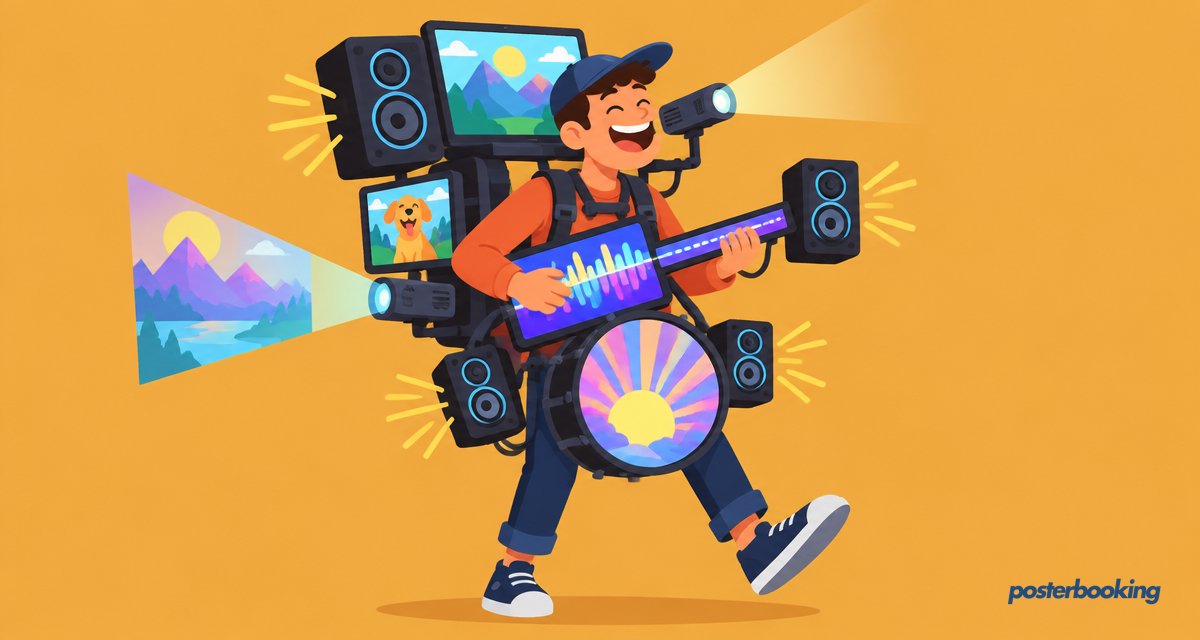
A multimedia display system is a powerful tool for businesses, schools, retail stores, and public spaces to showcase videos, images, presentations, live data, and more on digital screens. Whether used for advertising, information sharing, or entertainment, these systems provide dynamic and engaging content that grabs attention and enhances communication.
In 2026, PosterBooking stands out as the best free multimedia display system, offering an easy-to-use cloud-based solution for managing multimedia content on any screen remotely. This guide covers everything you need to know about multimedia display systems, their benefits, and how to set up one for free using PosterBooking.
Table Of Contents
- What is a Multimedia Display System?
- How Does a Multimedia Display System Work?
- 1. Hardware - The Display and Media Player
- 2. Software - The Content Management System (CMS)
- 3. Internet Connection
- 5 Key Benefits of a Multimedia Display System
- 1. Increased Engagement & Attention
- 2. Cost Savings Over Traditional Signage
- 3. Remote Content Management
- 4. Multi-Screen & Multi-Location Control
- 5. Interactive & Dynamic Content
- Types of Multimedia Display Systems
- 1. Commercial Digital Signage Systems
- 2. Corporate Multimedia Displays
- 3. Educational & Institutional Displays
- 4. Hospitality & Entertainment Displays
- How to Set Up a Free Multimedia Display System with PosterBooking
- Step 1: Choose Your Display
- Step 2: Install a Media Player (If Needed)
- Step 3: Sign Up for a Free PosterBooking Account
- Step 4: Add Your Screen to the PosterBooking Dashboard
- Step 5: Upload & Schedule Multimedia Content
- Step 6: Manage Screens Remotely
- Cost Comparison: Traditional vs. Multimedia Display Systems
- Why PosterBooking is the Best Free Multimedia Display System in 2026
- Key Advantages of PosterBooking:
- Final Thoughts
- Frequently Asked Questions
- What is a multimedia display system?
- How much does PosterBooking cost for digital signage?
- What devices can I use to run PosterBooking?
- Can a multimedia display system work without internet?
- How long does it take to set up PosterBooking?
What is a Multimedia Display System?
A multimedia display system is a combination of hardware and software used to manage and display various forms of digital content, such as:
- Videos (MP4, AVI)
- Images (JPEG, PNG)
- Live Data Feeds (Weather, Stock Prices, Social Media)
- Presentations (PowerPoint, Google Slides)
- Interactive Content (QR Codes, Touchscreen Integration)
Unlike traditional static signage, multimedia display systems allow for remote content management, scheduling, and real-time updates, making them a cost-effective solution for businesses and organizations.
How Does a Multimedia Display System Work?
A multimedia display system operates using three key components:
1. Hardware - The Display and Media Player
- Smart TV or Digital Screen - Any screen capable of displaying digital content.
- Media Player - A device that processes and plays content, such as:
- Amazon Fire Stick (affordable and easy to use).
- Raspberry Pi (ideal for DIY multimedia setups).
- Android TV Box (another budget-friendly option).
2. Software - The Content Management System (CMS)
A CMS is used to upload, schedule, and control what is displayed on your multimedia screens.
- PosterBooking is a free cloud-based CMS that allows users to upload and manage multimedia content remotely.
- Users can control multiple screens from a single dashboard, making it perfect for businesses with multiple locations.
3. Internet Connection
While some systems work offline, an internet connection allows for:
- Real-time content updates without physically accessing the screen.
- Cloud-based scheduling to automate content changes.
- Remote troubleshooting and support.
5 Key Benefits of a Multimedia Display System
1. Increased Engagement & Attention
- Studies show that digital signage grabs 400% more views than static signage.
- Motion and multimedia elements make content more engaging.
2. Cost Savings Over Traditional Signage
- No need for printing costs - update digital content instantly.
- A one-time investment in screens and software reduces long-term costs.
3. Remote Content Management
- Upload and schedule content from anywhere using PosterBooking.
- No need to manually update screens - set it once and automate.
4. Multi-Screen & Multi-Location Control
- Manage multiple digital displays from one centralized dashboard.
- Ideal for retail chains, franchises, corporate offices, and event venues.
5. Interactive & Dynamic Content
- Display live data, news feeds, social media updates, and QR codes.
- Run interactive campaigns for customer engagement.
Types of Multimedia Display Systems
1. Commercial Digital Signage Systems
- Used in retail stores, restaurants, shopping malls, and airports.
- Supports advertisements, promotions, and wayfinding information.
2. Corporate Multimedia Displays
- Found in lobby areas, meeting rooms, and office buildings.
- Displays company announcements, performance dashboards, and training videos.
3. Educational & Institutional Displays
- Used in schools, universities, and government buildings.
- Showcases event schedules, emergency alerts, and educational content.
4. Hospitality & Entertainment Displays
- Found in hotels, casinos, museums, and theme parks.
- Provides interactive directories, guest information, and promotional videos.
For all these industries, PosterBooking offers a free and scalable multimedia display system to manage and display content effectively.
How to Set Up a Free Multimedia Display System with PosterBooking
Setting up a multimedia display system with PosterBooking takes just a few minutes:
Step 1: Choose Your Display
- Smart TV or Commercial Digital Display (for business environments).
- Tablet or Monitor (for smaller interactive displays).
Step 2: Install a Media Player (If Needed)
- If using a non-smart screen, connect an Amazon Fire Stick or Raspberry Pi.
Step 3: Sign Up for a Free PosterBooking Account
- Visit PosterBooking.com and create a free account.
Step 4: Add Your Screen to the PosterBooking Dashboard
- Open the PosterBooking app on your Fire Stick or screen.
- Enter the unique screen code into your PosterBooking dashboard.
Step 5: Upload & Schedule Multimedia Content
- Add images, videos, live feeds, and presentations.
- Set up playlists and scheduling for automated playback.
Step 6: Manage Screens Remotely
- Control multiple screens across different locations from one dashboard.
- Update content instantly without visiting each display.
Cost Comparison: Traditional vs. Multimedia Display Systems
| Feature | Traditional Signage | Multimedia Display System |
|---|---|---|
| Printing Costs | High recurring costs | One-time setup, no printing needed |
| Update Speed | Slow (manual replacement) | Instant remote updates |
| Engagement Level | Low (static content) | High (motion and interactive content) |
| Multi-Location Control | No | Yes (via cloud-based CMS) |
With PosterBooking, businesses can implement a full multimedia display system for free, eliminating the need for costly signage replacements.
Why PosterBooking is the Best Free Multimedia Display System in 2026
While many digital signage platforms charge high fees, PosterBooking offers a completely free solution for managing multimedia displays across multiple screens.
Key Advantages of PosterBooking:
- 100% Free to Use - No hidden fees, no contracts.
- Unlimited Screen Support - Manage multiple locations remotely.
- Cloud-Based System - Upload and schedule content from anywhere.
- Works on Any Screen - Supports smart TVs, Fire Stick, Raspberry Pi, and Android devices.
- Supports All Multimedia Formats - Display videos, images, live feeds, and more.
For businesses, event organizers, and educational institutions, PosterBooking is the easiest way to set up and manage a multimedia display system at zero cost.
Final Thoughts
A multimedia display system is an essential tool for businesses looking to engage customers, share information, and advertise effectively. With the right hardware and a cloud-based CMS, managing multimedia content remotely and efficiently is easier than ever.
For those looking for a free and powerful multimedia display solution, PosterBooking provides all the necessary tools to upload, schedule, and display content without high costs or technical expertise.
To get started, sign up for free at PosterBooking.com and take control of your multimedia displays today.
Frequently Asked Questions
What is a multimedia display system?
A multimedia display system is a combination of hardware and software used to showcase digital content like videos, images, and live data feeds on screens. These systems allow for remote content management and scheduling, making them more dynamic than traditional static signage.
How much does PosterBooking cost for digital signage?
PosterBooking is free for up to 10 screens, though a watermark will appear on these screens after a three month trial period. For larger setups, the service costs $6.49 per screen per month starting from the 11th screen, or users can choose flat rate plans like Home Basic for $52 per month.
What devices can I use to run PosterBooking?
The system works on a variety of hardware including Amazon Fire TV Stick, Amazon Signage Stick, Android TV, and Chromebox. It is also compatible with Windows, Raspberry Pi, and various smart displays.
Can a multimedia display system work without internet?
Yes, PosterBooking supports offline playback by caching your content directly on the device. An internet connection is primarily needed for initial setup, remote troubleshooting, and pushing real time content updates to the screens.
How long does it take to set up PosterBooking?
Setting up the system is quick and typically takes about 2 minutes to complete. You simply install the app on your media player, enter the unique screen code into your online dashboard, and begin uploading your multimedia content.