
As of October 2026, PosterBooking Business Pro offers the best pricing in this comparison for businesses managing 100 or more screens. For $520 per month, you get unlimited screens and locations, alongside unlimited content storage, scheduled playlists and white-label features. Your software subscription stays the same as your screen network grows.
That makes a difference when you compare the cost per screen. At 100 screens, Business Pro works out at $5.20 per screen monthly. At 200 screens, that drops to $2.60, compared with the published rates of $8 per screen for Yodeck Basic and $20 for ScreenCloud Core. [Source: PosterBooking pricing]
By the end of this article, you’ll understand what Business Pro includes, how its pricing compares, and why it is the best-value option among these plans for a growing screen network. We’ll also explain how qualifying Amazon Signage Stick purchases can get you one year of Business Pro free.
Table Of Contents
- What Is the PosterBooking Business Pro Plan?
- What Features Does PosterBooking Business Pro Include?
- Unlimited Screens and Locations
- Unlimited Content, Uploads and Storage
- Unlimited Playlists and Scheduled Content
- No PosterBooking Watermark
- White-Label Features and Your Branded Dashboard
- All Basic Features Included
- Offline Playback for Downloaded Content
- How Much Does PosterBooking Business Pro Cost?
- How Does PosterBooking Business Pro Compare With Alternatives Per Screen?
- Effective Monthly Cost Per Screen
- What That Means for Your Monthly Software Bill
- What Do Customers Say About PosterBooking?
- How to Join PosterBooking Pro
- Join PosterBooking and Get Free One Year Business Pro Plan
- Is PosterBooking Business Pro Worth It?
What Is the PosterBooking Business Pro Plan?
PosterBooking Business Pro is our fixed-price digital signage subscription for managing unlimited screens through one online dashboard.
Instead of updating each display in person, you upload your content and publish it through your browser. That gives your team a central place to manage what appears across your locations.
Think about changing a menu using a USB stick. You prepare the file, copy it across, walk to the TV and check that it displays correctly. Then you repeat the process whenever something changes. With PosterBooking, you make that update online. Business Pro gives you room to extend the same workflow across your screen network without buying another software licence for every display. [Source: PosterBooking Amazon Signage Stick]
What Features Does PosterBooking Business Pro Include?
Business Pro combines our everyday publishing tools with unlimited screen capacity and branding features. Here is what that means for your business.
Unlimited Screens and Locations
You can manage unlimited screens across unlimited locations under the same Business Pro subscription.

Opening another branch does not mean adding another per-screen software charge. You can decide where a display would be useful based on your business needs, rather than the extra licence fee attached to it.
For a restaurant group, that could mean adding another ordering screen. For an agency, it could mean expanding a client’s signage rollout.
Unlimited Content, Uploads and Storage
Business Pro includes unlimited images and videos, with unlimited uploads and storage.
Your team can maintain a content library for different campaigns without paying for each additional creative.
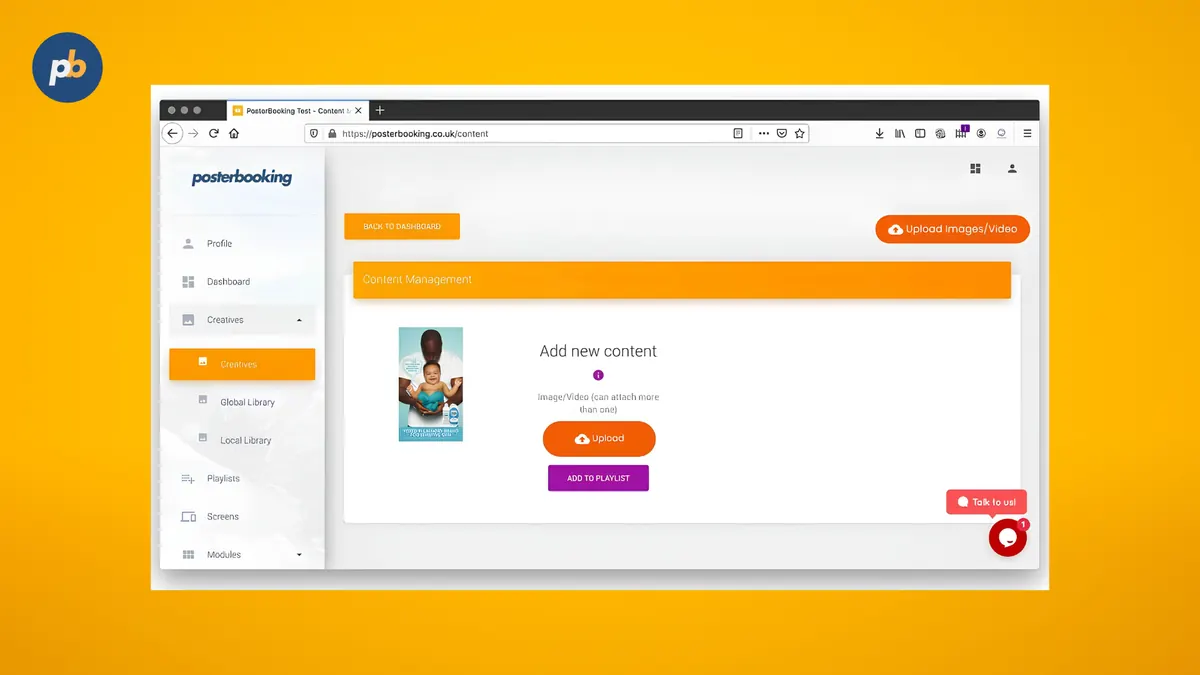
You can keep previous seasonal material ready to reuse instead of rebuilding the same campaign next year.
That becomes particularly useful when different locations need different content.
Unlimited Playlists and Scheduled Content
You can organise your content into unlimited playlists and schedule when it appears.
For example, a café could prepare its breakfast menu before opening and schedule its lunchtime content in advance.
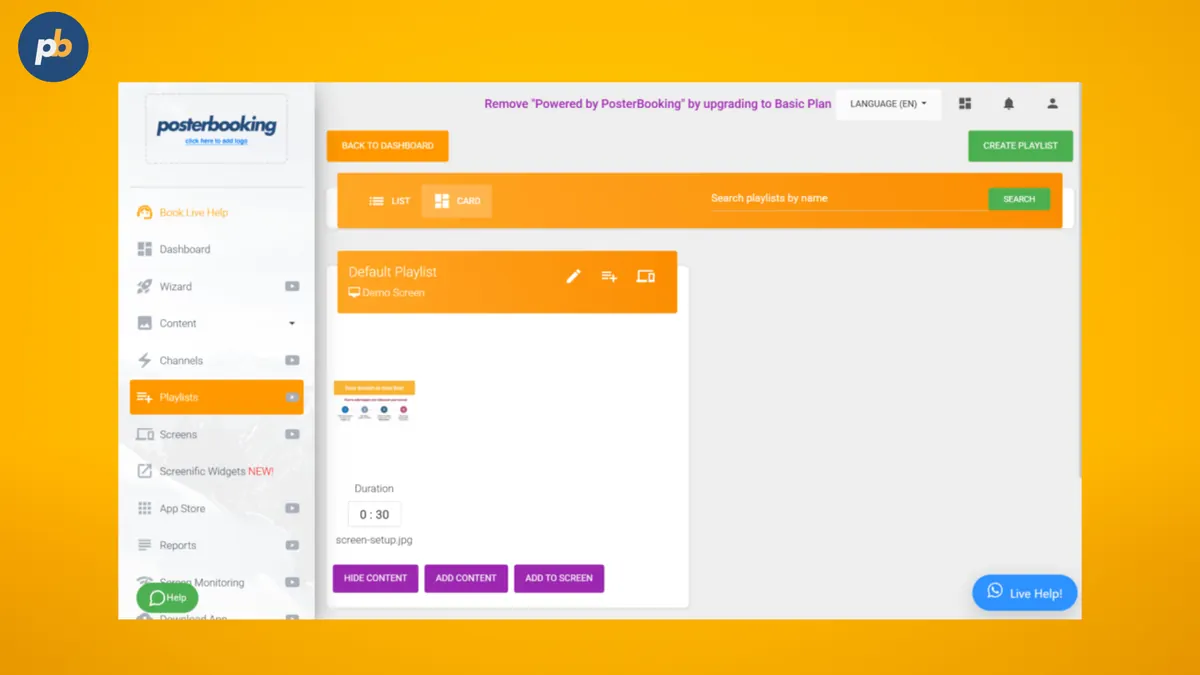
The change does not depend on someone remembering to update the TV during a busy service. [Source: PosterBooking Amazon Signage Stick] The benefit is control over when your message reaches the screen.
No PosterBooking Watermark
Business Pro removes the PosterBooking watermark from your displays.
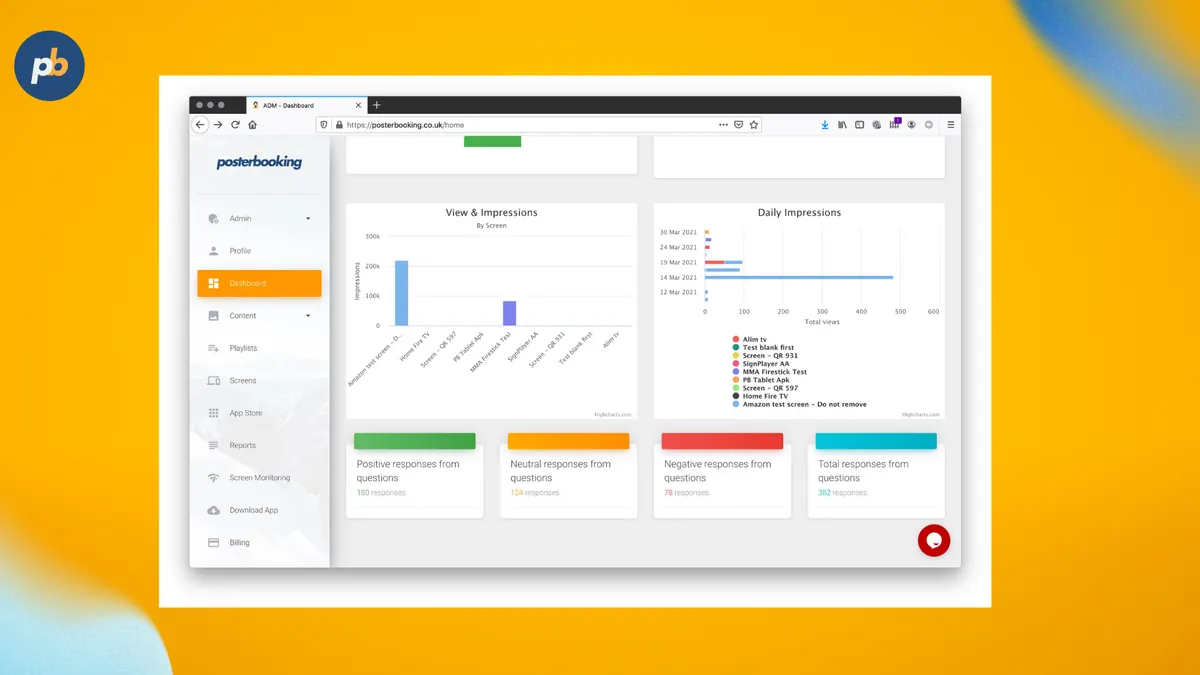
Your screens stay focused on your content, which matters when they form part of a branded customer experience. A menu board or reception display should feel like an extension of your business.
White-Label Features and Your Branded Dashboard
Business Pro includes white-label features and your branded dashboard. White-labelling means presenting a service under your own identity while another provider supplies the underlying technology.
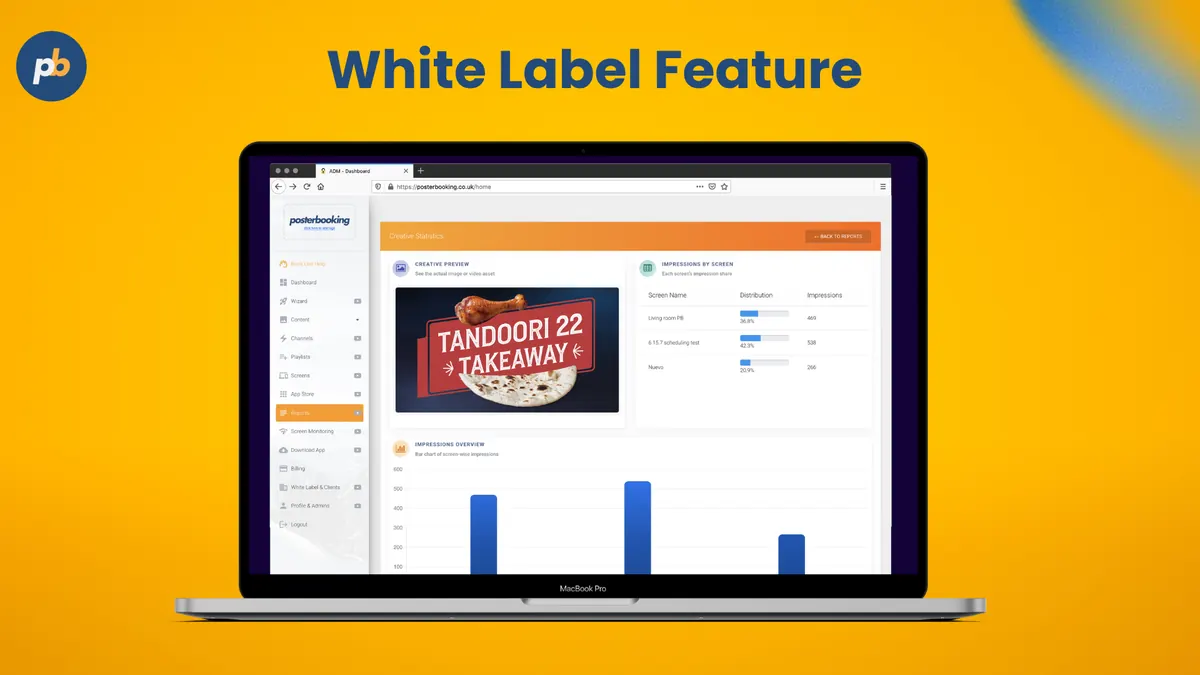
For an agency offering digital signage, that creates a route to delivering a branded service without developing the software from scratch. [Source: PosterBooking white label]
Your team can focus on the content and service you provide to clients.
All Basic Features Included
Business Pro includes our basic feature set, including 4K content support and screen monitoring.
You keep the publishing tools used for everyday signage while gaining the Pro plan’s capacity. The upgrade gives your operation room to expand without outgrowing a fixed screen allowance.
Offline Playback for Downloaded Content
PosterBooking supports offline playback for content already cached on the player.
Previously downloaded media continues playing during an internet interruption. New uploads still require a connection, so there is a distinction between content already stored on the device and content that needs to arrive from the dashboard. [Source: PosterBooking Amazon Signage Stick]
For a menu board, that means testing your downloaded playlist on the hardware you plan to use before rolling it out across every location.
How Much Does PosterBooking Business Pro Cost?
PosterBooking Business Pro costs $520 per month as of October 2026. The standard plan includes a free 30-day trial, with no long-term contract. [Source: PosterBooking pricing] The subscription stays fixed as you add screens. Here is how that changes your effective cost:
| Screens in use | Monthly Business Pro subscription | Effective cost per screen/month |
|---|---|---|
| 10 | $520 | $52.00 |
| 50 | $520 | $10.40 |
| 100 | $520 | $5.20 |
| 200 | $520 | $2.60 |
These figures divide the subscription by the number of screens. Hardware and other operating costs are separate.
Look at your planned rollout alongside your current screen count. A fixed subscription has a different commercial value when you use 200 screens instead of 10.
For a small installation, one of our lower-cost plans may fit better. Business Pro becomes more compelling when you need its branding features or expect your screen network to grow.
How Does PosterBooking Business Pro Compare With Alternatives Per Screen?
PosterBooking Business Pro’s effective cost per screen falls as you add displays. You spread the same $520 monthly subscription across more screens instead of adding a software licence charge for each display.
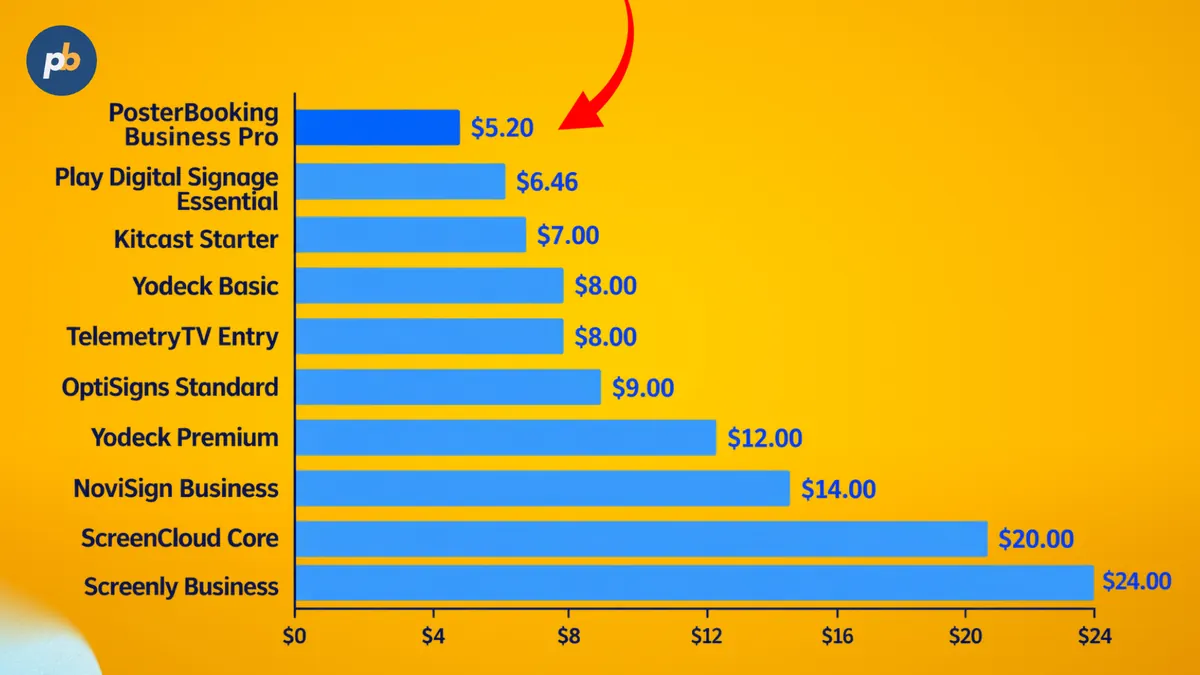
The following comparison uses published US-dollar pricing checked on October 21, 2026. The plans have different features, so these figures compare software pricing rather than identical packages.
Effective Monthly Cost Per Screen
| Plan | Published pricing basis | At 100 screens | At 200 screens |
|---|---|---|---|
| PosterBooking Business Pro | $520/month, unlimited screens | $5.20 | $2.60 |
| Yodeck Basic | $8/screen, billed annually | $8.00 | $8.00 |
| Yodeck Premium | $12/screen, billed annually | $12.00 | $12.00 |
| ScreenCloud Core | $20/screen, billed annually | $20.00 | $20.00 |
| NoviSign Business | $14/screen, billed annually | $14.00 | $14.00 |
| OptiSigns Standard | $9/screen, billed annually | $9.00 | $9.00 |
| TelemetryTV Entry | $8/device, displayed rate¹ | $8.00 | $8.00 |
| Kitcast Starter | $7/screen, billed annually² | $7.00 | $7.00 |
| Play Digital Signage Essential | Published volume pricing³ | $6.46 | Quote required |
| Screenly Business | $24/screen, billed annually | $24.00 | $24.00 |
PosterBooking, Yodeck and ScreenCloud rates come from their official pricing pages.
NoviSign lists $14 annually, OptiSigns lists $9 annually, and Screenly Business lists $24 annually. [Source: NoviSign pricing]
TelemetryTV displays $8 alongside annual/monthly controls. The retrieved page did not establish which billing selection was active. [Source: TelemetryTV pricing]
Kitcast offers custom volume pricing from 50 screens. Its figures above illustrate the advertised $7 list rate, rather than verified quotes for 100 or 200 screens. [Source: Kitcast pricing]
Play publishes $6.46 per screen at 100 screens on monthly billing. A 200-screen price was not publicly verified, so it has not been estimated.
What That Means for Your Monthly Software Bill
Multiplying those rates produces these monthly costs or monthly equivalents:
| Plan | 100 screens | 200 screens |
|---|---|---|
| PosterBooking Business Pro | $520 | $520 |
| Yodeck Basic | $800 | $1,600 |
| Yodeck Premium | $1,200 | $2,400 |
| ScreenCloud Core | $2,000 | $4,000 |
| NoviSign Business | $1,400 | $2,800 |
| OptiSigns Standard | $900 | $1,800 |
| TelemetryTV Entry¹ | $800 | $1,600 |
| Kitcast Starter² | $700 | $1,400 |
| Play Digital Signage Essential³ | $646 | Quote required |
| Screenly Business | $2,400 | $4,800 |
Annual-billing rows show monthly equivalents. List-rate calculations exclude negotiated volume discounts, hardware, taxes, add-ons and free-screen entitlements. The qualifications above apply to both tables.
Against NoviSign Business’s $14 list rate, PosterBooking Business Pro’s effective software cost is approximately 63% lower at 100 screens. At 200 screens, the difference reaches approximately 81%, before any volume discount.
Against OptiSigns Standard’s $9 annual rate, the equivalent differences are approximately 42% at 100 screens and 71% at 200 screens.
Play’s published volume example provides another useful comparison. At 100 screens, Essential works out at $646 monthly, compared with $520 for Business Pro. That comparison already accounts for Play’s published 100-screen discount.
This is where our fixed-price model earns its value. You can equip another location without increasing your Business Pro screen licence bill. Your effective cost per screen keeps falling as more displays share the same subscription.
What Do Customers Say About PosterBooking?
Customer feedback highlights ease of use, although reviews also raise concerns about free-plan messaging.
D.C Pizza, a fast-food franchise, specifically praised Business Pro’s value as they planned to add more screens. In an October 2025 Trustpilot review, they reported setting up 20 screens in under an hour after purchasing Amazon Signage Sticks. They said the falling cost per screen gave them a reason to stay with PosterBooking as they expanded.
In a June 2026 Trustpilot review, Jocelynn Alford described setting up a basic sign within minutes. She reported using an Android device and logging in regularly to make adjustments. That is a specific example of the everyday publishing experience customers value.
Also in a July 2024 review, Bernado described using Business Pro for more than 100 screens. Alongside the pricing, they highlighted a personalised demo that helped their team learn the software. They also appreciated receiving support links and contact details afterwards.
How to Join PosterBooking Pro
To join Business Pro, select the Business Pro Create Account option on our pricing page.
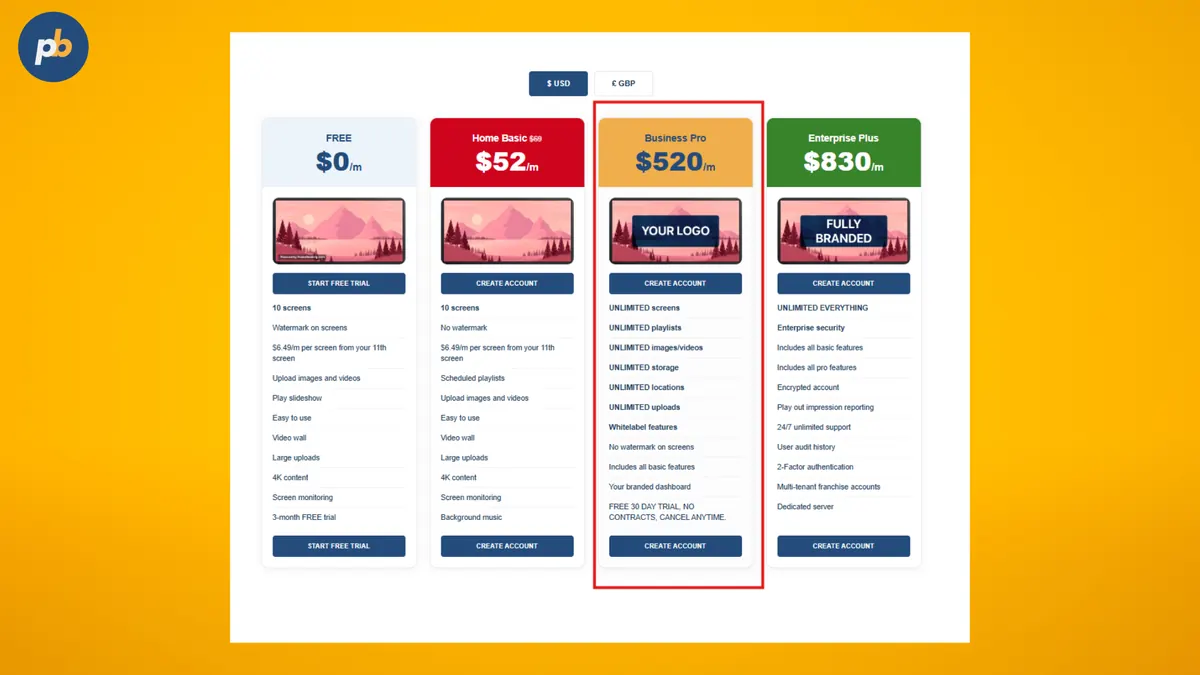
Then follow these four steps:
- Create your account: Choose Business Pro and follow the registration prompts.
- Connect your player: Install or select PosterBooking on compatible hardware.
- Pair your screen: Enter the player code in your dashboard.
- Publish your playlist: Upload your content and assign it to the screen. [Source: PosterBooking setup guide]
Start with one screen and content you actually intend to use. Once that works for your team, you have a setup to repeat across the next location.
Join PosterBooking and Get Free One Year Business Pro Plan
You MUST purchase an Amazon Signage Stick through the qualifying link to qualify for the one-year FREE subscription to our Business Pro plan.
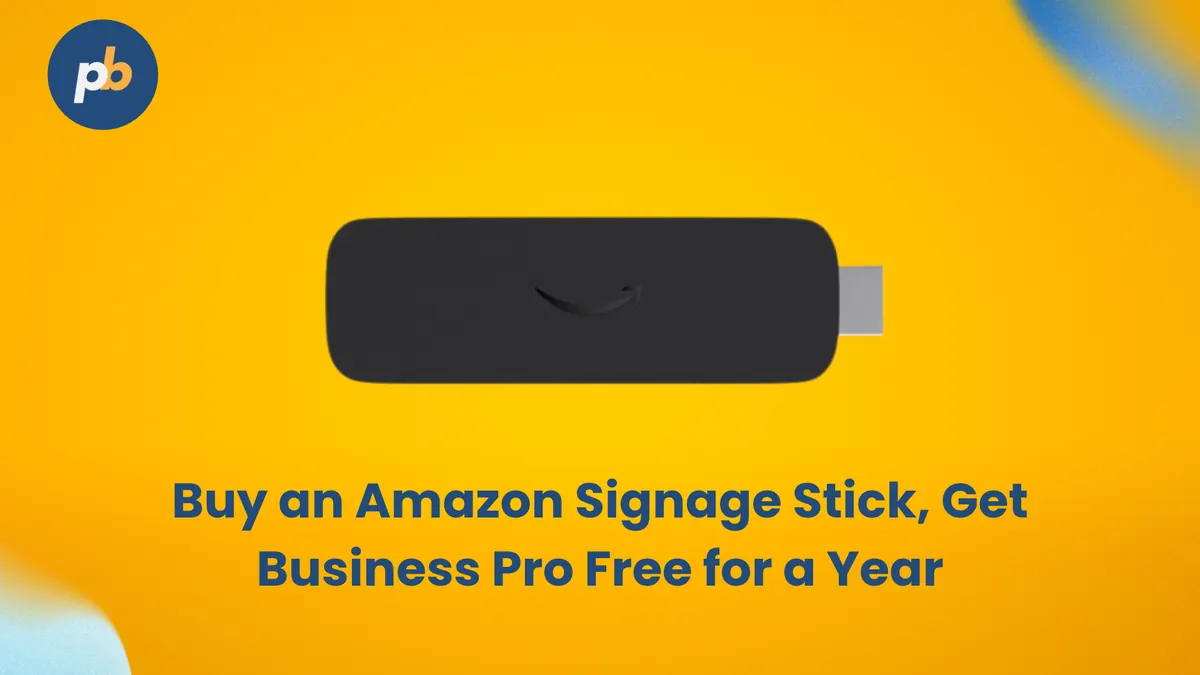
The offer has five eligibility conditions:
- All screens must use Amazon Signage Sticks. Otherwise, the Business Pro offer is automatically disabled.
- Existing customers can qualify. Every screen within the qualifying account must use an Amazon Signage Stick.
- Mixed-device customers need a separate account. Keep the promotional account exclusively for Amazon Signage Stick devices.
- Offers cannot be combined. This includes other promotions, discounts, free trials or special pricing agreements.
- Device eligibility can be verified. PosterBooking reserves the right to check device eligibility before applying the free subscription. [Source: posterbooking.com]
The free year covers the Business Pro software subscription. You still purchase the hardware, and buying through the qualifying link is required.
Is PosterBooking Business Pro Worth It?
Yes, PosterBooking Business Pro offers its strongest value when you need to manage a growing screen network at a predictable software cost.
At 100 screens, you pay the equivalent of $5.20 per screen monthly. At 200 screens, that falls to $2.60. You also get the content management and branding features covered above.
For a small installation, our lower-cost plans may be enough. But when per-screen fees start influencing where you place your displays, Business Pro gives you a different way to expand.
Create your PosterBooking account or use the qualifying Amazon Signage Stick link to get started with the one-year Business Pro offer.