
Table Of Contents
- What Is Salon Digital Signage?
- What to Show on Salon Screens
- Why Salons Are Replacing Printed Posters
- What Hardware and Software Do You Need?
- How to Set Up Salon Screens
- Costs to Expect
- Common Mistakes to Avoid
- Salon Signage vs Other Retail Signage
- Salon Signage Checklist
- Real-World Examples
- Content Ideas by Salon Type
- Frequently Asked Questions
Salon digital signage is the use of TV screens in hair salons, barbershops, nail bars and spas to show price lists, promotions, style inspiration and social media content. It replaces printed posters and laminated price lists with screens that update in seconds from your phone or laptop.
This guide covers the best content ideas for salon screens, why salons are switching to digital, and how to set everything up for very little money.
What Is Salon Digital Signage?
Salon digital signage is any screen in your salon that displays changing content: your service menu and prices, current promotions, before-and-after photos, product recommendations and entertainment for clients in the chair. Everything is managed through digital signage software, so you can update prices or launch a promotion across every screen without printing anything.
Gone are the days of a price list so sun-faded it looks like a ransom note. A screen simply refreshes itself, no laminator required. One salon owner joked that the screen was the only employee who never asked for a day off, which is unkind to the staff but not technically wrong.
What to Show on Salon Screens
Price lists and service menus. A clean, always-current price list on screen ends the "how much is..." questions and makes it easy to adjust prices or add new services.
Promotions and upsells. Promote quiet-day discounts, product bundles, loyalty schemes and gift cards. Screens at the reception desk are perfect for retail product promotion.
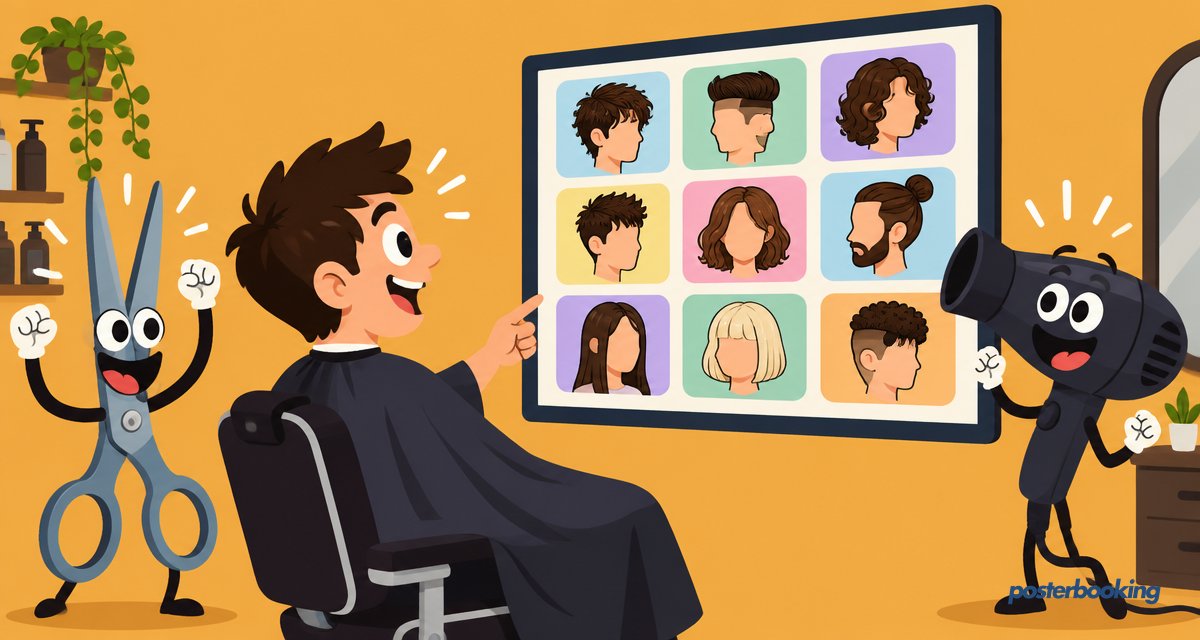
Before-and-after photos and style inspiration. A rotating gallery of your best work is the most persuasive sales tool a salon has. Clients often point at the screen and ask for "that one".
Social media and reviews. Show your Instagram feed or Google reviews to build trust while clients wait.
Entertainment. News, music videos or ambient content keeps clients relaxed during longer treatments.
Retail product recommendations. A short loop showing the shampoo or styling product used on a client's hair during their appointment can nudge retail sales at the till on the way out.
Why Salons Are Replacing Printed Posters
Printed posters fade, curl at the edges and are expensive to reprint every time a price changes. A screen always looks fresh, can show dozens of messages in rotation, and updates in seconds. For salons that change promotions monthly or seasonally, digital quickly becomes cheaper than print.
There is also the small matter of dignity. A curling, sun-bleached poster from last spring's promotion does nothing for a salon's carefully curated image.
What Hardware and Software Do You Need?
You need a TV and a small player device for each screen. An Amazon Fire TV Stick or Android box is enough, and most salons already have a suitable TV. The player connects to your Wi-Fi and pulls content from your online dashboard.
PosterBooking works on all of these devices, plus Windows, Chrome and Raspberry Pi, and your first 10 screens are completely free, so a single salon can run every screen at no software cost. See the setup guide for step-by-step instructions.
How to Set Up Salon Screens
- Mount a TV where clients spend time: the reception and waiting area, and visible from the chairs if possible.
- Plug in a Fire TV Stick or Android device and connect it to your Wi-Fi.
- Install the signage app and pair the screen with your dashboard using the on-screen code.
- Upload your content: price list images, promotion slides, before-and-after photos and videos.
- Schedule content so morning promotions and afternoon promotions can differ.
Costs to Expect
Salon signage is one of the cheapest upgrades a small business can make, largely because the software cost can be zero.
| Item | Typical cost range |
|---|---|
| TV screen | Often already owned, or a modest one-off purchase |
| Fire TV Stick or Android box | Low, one-off hardware cost |
| Wall mount and cabling | Small one-off cost |
| Signage software | Free for first 10 screens with PosterBooking |
| Content design | Free with tools like Canva, or a small design cost |
For a single-chair salon, the total setup cost is often less than a single professional photoshoot, which is a fairly good deal considering the screen keeps selling long after the photos are forgotten.
Common Mistakes to Avoid
- Mounting the screen too low or too high. It should sit at natural eye level for someone seated in the waiting area.
- Overloading one screen with everything. Prices, promotions and entertainment competing at once is confusing rather than impressive.
- Using blurry or stretched photos. A distorted before-and-after photo undermines the very point of showing it.
- Forgetting to update seasonal promotions. An expired Christmas offer in March looks careless, not charming.
- Skipping the Wi-Fi check. Salons at the back of a shopping parade sometimes have patchy signal, which is exactly where the screen needs to stay connected.
A screen that tries to be the price list, the Instagram feed, the loyalty programme and the news channel all in the same five seconds achieves roughly none of those things. Pick an order, give each message its own slide, and let it breathe.
Salon Signage vs Other Retail Signage
Salon signage differs from general retail signage in one important respect: the client is often seated for twenty minutes to an hour, not browsing for ninety seconds. That longer dwell time means salon screens can afford a slower-paced, richer playlist, mixing in genuine entertainment alongside the sales content, something a convenience store screen simply does not have time for.
| Typical retail screen | Salon screen | |
|---|---|---|
| Average dwell time | Under 2 minutes | 20 to 60 minutes |
| Content pacing | Fast, punchy | Slower, can include longer videos |
| Primary goal | Immediate upsell | Build trust and showcase work over time |
| Best placement | Till point, window | Reception, waiting area, visible from chairs |
Salons that run multiple screens often find the reception screen and the waiting area screen serve different purposes entirely: one closes the sale at checkout, the other quietly builds desire while a client is still deciding what to book next time.
Salon Signage Checklist
- TV mounted at eye level in reception or waiting area
- Fire TV Stick or Android device connected to Wi-Fi
- PosterBooking app installed and screen paired
- Price list, promotions and photo gallery uploaded
- Morning and afternoon schedules set if needed
- Screen checked weekly for outdated promotions
Real-World Examples
A three-chair barbershop replaced its laminated price list with a single TV, updating prices for a new beard trim service within minutes rather than waiting for a reprint. Staff reported fewer pricing disputes at the till, which is a small but welcome change.
A larger salon chain used screens across six branches to run a unified loyalty promotion, pushed out from one dashboard on a Friday afternoon rather than printing and distributing posters to every location. It saved a genuinely significant amount of admin time, proving that sometimes the boring back-office benefits matter as much as the shiny client-facing ones.
A nail bar found that its before-and-after gallery, left running quietly on a loop by the waiting sofas, generated more upsell requests than any member of staff ever had by simply asking. Clients pointed at the screen; staff booked the appointment.
Content Ideas by Salon Type
| Salon type | Best content |
|---|---|
| Hair salon | Style gallery, price list, seasonal colour trends |
| Barbershop | Before-and-after fades, loyalty card promotions, sports feed |
| Nail bar | Design gallery, seasonal colour collections, add-on upsells |
| Spa | Treatment menu, calming visuals, gift voucher promotions |
| Beauty clinic | Treatment explainers, before-and-after results, booking reminders |
Frequently Asked Questions
How much does salon digital signage cost?
Salon digital signage typically costs very little if the salon already owns a TV, since the main expense is a low-cost player device like a Fire TV Stick. PosterBooking is free for the first 10 screens, which covers the software cost entirely for most single-location salons.
Can I update salon screens from my phone?
Yes, salon digital signage can be updated from a phone, since the dashboard works through any web browser. This allows salon owners to change promotions or price lists between appointments without needing a computer.
Can a salon show its Instagram feed on a screen?
Yes, a salon can display its Instagram feed or Google reviews on a digital signage screen alongside its own photos and videos. This helps build trust with new clients while they wait, by showing real work and genuine feedback.
Do I need an expensive screen for a salon?
No, a salon does not need an expensive or specialised screen for digital signage. A standard consumer TV paired with a low-cost device such as a Fire TV Stick or Android box works perfectly well for salon use.
What should a salon show on its screen besides prices?
A salon should show before-and-after photos, seasonal promotions, loyalty scheme details and social proof such as reviews, in addition to its price list. Rotating these alongside the price list keeps the screen interesting rather than static.
How long does it take to set up salon digital signage?
Setting up salon digital signage typically takes under an hour per screen, covering mounting the TV, installing the player device and uploading initial content. Most of the ongoing time investment afterwards is simply updating promotions every few weeks.
Can different salon screens show different content?
Yes, each screen in a salon can run its own independent playlist and schedule, managed from a single online dashboard. This allows a reception screen to show prices while a waiting area screen shows style inspiration at the same time.
Ready to upgrade your salon? Create your free account and set up your first screen free in minutes.