
Table Of Contents
- What Is Self-Hosted Digital Signage?
- What Is Cloud Digital Signage?
- Self-Hosted vs Cloud: Side by Side
- When Self-Hosted Makes Sense
- When Cloud Is the Better Choice
- What Self-Hosting Actually Costs
- Common Self-Hosting Mistakes
- Popular Open Source Signage Platforms
- How to Get Started With Cloud Signage
- A Hybrid Approach: Is It Worth It?
- Real-World Scenario: A Multi-Site Retailer
- Checklist Before You Choose
- Frequently Asked Questions
Self-hosted digital signage means running the signage server on your own hardware, while cloud digital signage runs on the provider's servers and you manage screens from a browser. Open source tools like Xibo can be self-hosted, but most businesses in 2026 choose cloud software because there is nothing to install, patch or back up.
What Is Self-Hosted Digital Signage?
With a self-hosted setup you install the content management server yourself, usually on a Linux machine, a Docker container or a private cloud server. Your screens connect to that server to download playlists. You control the data, but you are also responsible for updates, security patches, backups, SSL certificates and uptime.
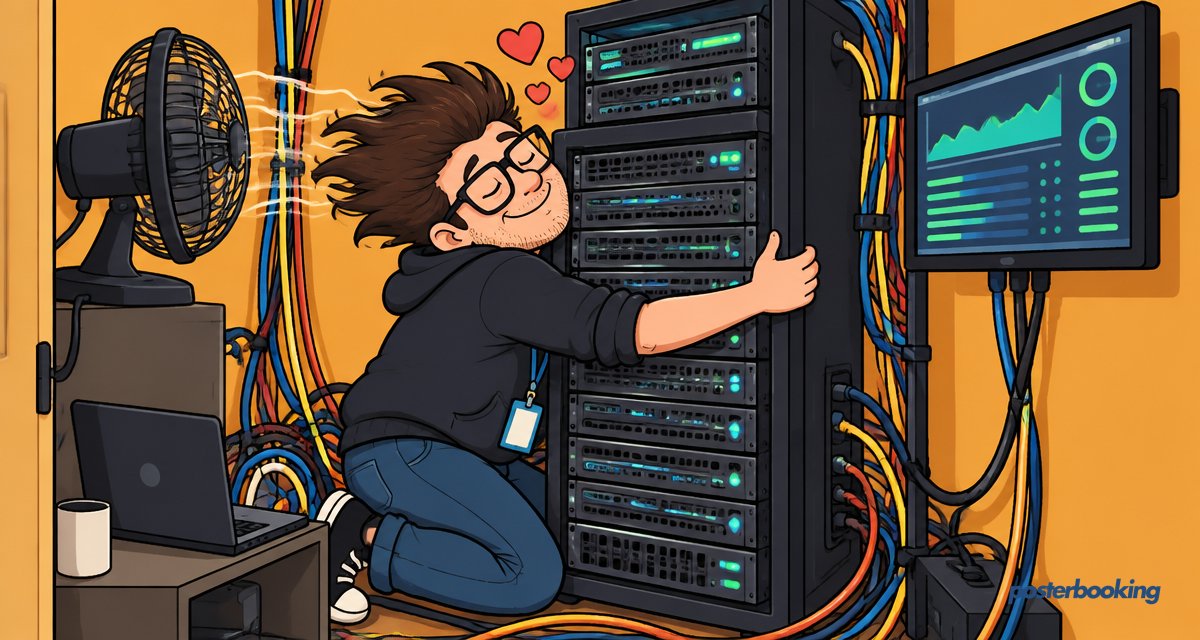
In practice this means someone on your team becomes, whether they signed up for it or not, the unofficial system administrator for your signage network. That person now owns a small slice of IT infrastructure alongside their actual job.
What Is Cloud Digital Signage?
Cloud digital signage is delivered as a service. You install a player app on each screen, sign in to a web dashboard and push content from anywhere. The provider handles servers, updates and security. PosterBooking is cloud digital signage software that works on Fire TV Stick, Android, Windows, Chrome and Raspberry Pi. Read more in our cloud digital signage guide.
Because everything lives in a browser tab, adding a new screen is more like adding a new email account than deploying a server. No ports to forward, no certificates to renew at 2am.
Self-Hosted vs Cloud: Side by Side
| Self-hosted | Cloud | |
|---|---|---|
| Setup time | Hours to days | Minutes |
| Server needed | Yes, your own | No |
| Updates and patches | Your job | Automatic |
| Remote access | Needs VPN or port setup | Built in |
| Upfront cost | Server, IT time | Often free to start |
| Data location | Your network | Provider's servers |
| Works offline | Yes, on local network | Players cache content offline |
| Scaling to new sites | Manual, site by site | Add a screen from the dashboard |
| Who's on call at 2am | You, probably | The provider's engineers |
When Self-Hosted Makes Sense
- Strict rules require all data to stay on your own network (some government, defence or hospital sites).
- Screens sit on an air-gapped network with no internet access.
- You have an in-house IT team that already runs Linux servers and genuinely enjoys patching them.
- You need deep customisation of the signage platform's code itself.
When Cloud Is the Better Choice
- You want screens live today without IT help.
- You manage screens across several locations.
- You do not want to maintain a server, backups or security updates.
- You want predictable costs. PosterBooking's first 10 screens are free, see pricing.
- Your team would rather spend their time on content than on server logs.
What Self-Hosting Actually Costs
Self-hosting is rarely "free" in any meaningful sense, even when the software itself carries no licence fee. Here is a rough breakdown of where the money and time actually go:
| Cost area | Typical range | Notes |
|---|---|---|
| Server hardware or VPS | A few hundred dollars upfront, or a monthly VPS bill | Scales with number of screens and content size |
| Domain and SSL certificate | Small annual fee, or free with Let's Encrypt | Still needs renewing and configuring |
| IT staff time | Several hours a month, ongoing | Patching, backups, troubleshooting |
| Downtime risk | Variable | A crashed server means blank screens until someone fixes it |
| Backup storage | Small ongoing cost | Easy to forget until you need it |
None of these numbers are enormous on their own, but added together they usually exceed what a comparable cloud plan would cost, before you even count the opportunity cost of your IT team's time.
Common Self-Hosting Mistakes
- Forgetting backups entirely. A server failure without a backup means rebuilding your whole content library from scratch.
- Leaving the admin panel exposed to the open internet. This is how signage servers end up showing content nobody uploaded.
- Never updating the software. Old versions accumulate known vulnerabilities, which is exactly the problem self-hosting was meant to let you control.
- Underestimating bandwidth. Video-heavy playlists across many screens can quietly overwhelm a modest home-office connection.
- No monitoring. If nobody is watching the server, a crash at 6am means dark screens all morning and nobody finds out until a customer complains.
Popular Open Source Signage Platforms
If you do decide to self-host, these are the names you will most often encounter:
- Xibo: one of the longest-running open source options, with a dedicated CMS and player.
- Screenly OSE: a lighter weight option popular with Raspberry Pi hobbyists.
- Concerto: originally built for universities, still used in some education settings.
Each requires the same basic commitment: a server, ongoing maintenance and someone willing to read the documentation when things go wrong. Which, let's be honest, they occasionally will.
How to Get Started With Cloud Signage
Step 1: Create a free account
Sign up for a free PosterBooking account. No credit card is needed.
Step 2: Install the player app
Install the app on your Fire TV Stick, Android TV, Windows PC, Chrome device or Raspberry Pi from the downloads page.
Step 3: Pair your screen
Enter the code shown on your TV into the dashboard.
Step 4: Add content and publish
Upload images and videos or add websites, build a playlist and assign it to the screen. Use the setup guide if you get stuck.
Step 5: Add more screens as you grow
Each new screen pairs the same way, whether it is next door or on the other side of the country.
A Hybrid Approach: Is It Worth It?
Some larger organisations run a self-hosted server for a handful of highly sensitive locations and cloud software for everything else. It is a reasonable compromise if you have the IT capacity to maintain both, but for most businesses it simply doubles the number of systems someone has to remember exists. Unless you have a genuine regulatory reason to keep certain screens off the cloud entirely, a single cloud platform is usually the simpler and cheaper path.
Real-World Scenario: A Multi-Site Retailer
Picture a retail chain with 40 stores, each running three screens for promotions and menu boards. Running this self-hosted would mean a central server, a VPN connecting every store, and an IT person fielding calls whenever a store's screen goes blank after a router reboot. Running it on cloud software means each store manager pairs their own screens once, and head office pushes campaigns to all 120 screens from a single dashboard during a coffee break. The difference in day-to-day friction is the whole story.
Checklist Before You Choose
- Do you have a specific regulatory reason to keep signage data off the cloud?
- Does someone on your team already maintain Linux servers for other systems?
- Are your screens spread across multiple sites, or all in one building?
- How much IT time per month can you realistically dedicate to maintenance?
- Do you need to be live today, or can setup take a few days?
If most of your answers point towards simplicity and speed, cloud signage is almost certainly the right call.
Frequently Asked Questions
Is open source digital signage really free?
Open source digital signage software itself is free to download, but running it is not free once you count server hosting, maintenance time and backups. Most organisations find the ongoing IT hours cost more over a year than a comparable cloud subscription would have.
Is cloud digital signage secure for business use?
Cloud digital signage is secure when the provider uses encrypted connections, patches servers promptly and restricts dashboard access with proper logins. See our guide to securing a digital signage network for the specific precautions to check before rolling out screens.
Do cloud signage players keep working if the internet drops?
Cloud signage players like PosterBooking keep playing their most recently downloaded content even when the internet connection drops. Only live elements such as news or weather feeds pause until the connection returns, so a brief outage rarely means a blank screen.
What is better for a small business, self-hosted or cloud signage?
Cloud digital signage is better for most small businesses because it requires no server, no IT staff and no ongoing maintenance. Self-hosting only makes sense for small businesses with in-house technical staff and a specific reason to keep all data on their own network.
How much does self-hosted digital signage cost compared to cloud?
Self-hosted digital signage typically costs more over time once you include server hardware, hosting fees and IT staff hours, even though the software licence is free. Cloud digital signage like PosterBooking is free for the first 10 screens and charges a predictable fee beyond that, with no server costs at all.
Can I switch from self-hosted to cloud digital signage later?
Yes, switching from self-hosted to cloud digital signage is usually straightforward because most content such as images and videos can simply be re-uploaded to the new platform. Many businesses make this switch once their self-hosted server becomes too time-consuming to maintain.
What hardware works with cloud digital signage software?
Cloud digital signage software such as PosterBooking works on Fire TV Stick, Android devices, Windows PCs, Chrome devices and Raspberry Pi. This means most businesses can start using an inexpensive streaming stick they may already own rather than buying specialised signage hardware.
Ready to skip the server altogether? Create a free PosterBooking account and have your first screen live in minutes, no Linux admin required.