
Table Of Contents
- The Existential Dread of the Waiting Room
- Why Your Waiting Room Needs Better Than Muted News
- The Psychology of Waiting: Perceived vs. Actual Time
- Key Use Cases for Waiting Room Digital Signage
- Queue Status and Management
- Health Tips and Educational Content
- Wayfinding and Venue Navigation
- Promotions and Internal Marketing
- Entertainment and Distraction
- Venues That Benefit Most from Waiting Room TV
- GP Surgeries and Medical Centres
- Dental Practices
- Veterinary Clinics
- Hospitals and Urgent Care
- Hair Salons and Spas
- Garages and MOT Centres
- Council Offices and Government Buildings
- Designing the Perfect Waiting Room Playlist
- Screen Placement and Viewing Distance
- The Great Sound Debate: On or Off?
- Hardware on a Budget: Making It Work
- PosterBooking: Why 10 Free Screens Are Perfect for You
- Frequently Asked Questions
Waiting room digital signage is the use of high-definition displays to communicate, entertain, and inform visitors while they wait for a service. Whether it is a GP surgery, a local garage, or a high-end hair salon, the waiting room is often the first physical touchpoint a customer has with your brand. Replacing an ancient pile of magazines (usually featuring a royal wedding from 1981) with a dynamic "waiting room tv" system can reduce perceived wait times by up to 35%, improve patient satisfaction, and allow you to promote services without saying a single word. In this guide, we explore how to turn a boring waiting area into a functional communication hub using PosterBooking's free platform.
The Existential Dread of the Waiting Room
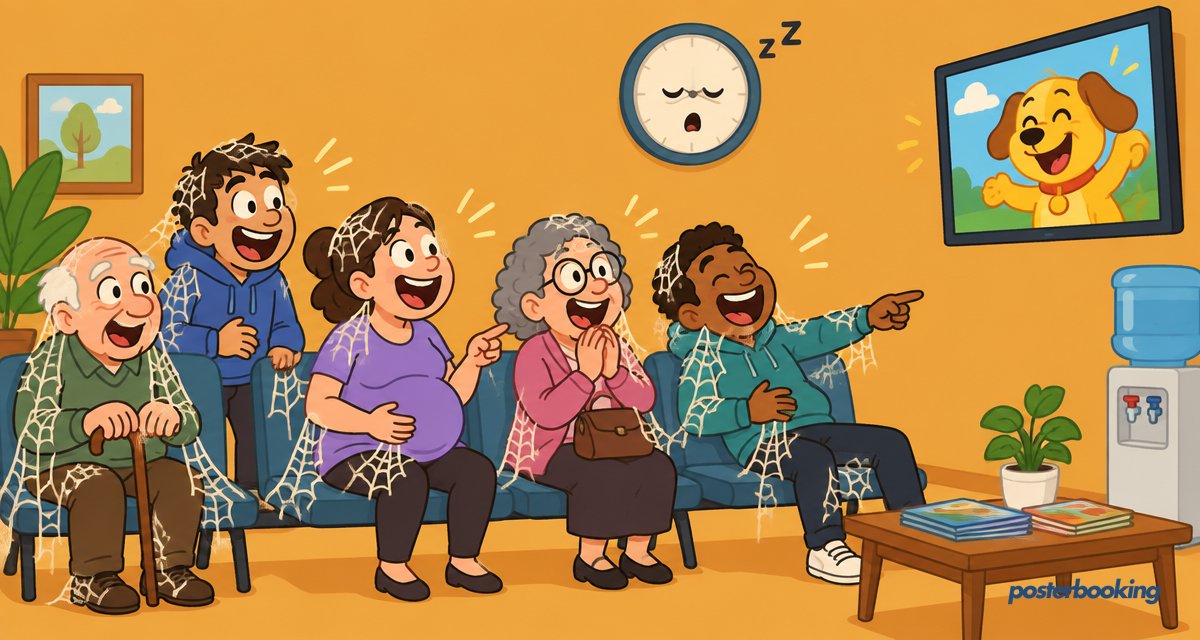
There are few places on Earth that evoke quite the same sense of quiet desperation as a traditional waiting room. We have all been there: sitting on a plastic chair that was designed by someone who clearly hates spines, staring at a beige wall, and listening to the distant, rhythmic ticking of a clock that seems to be moving backward. If you are lucky, there might be a stack of magazines on a low table, but they are invariably sticky and contain articles about "Exciting New Uses for Tupperware" written before the invention of the internet.
For decades, the standard solution to this boredom was a television mounted in the corner, usually tuned to a rolling news channel with the volume muted and the subtitles turned off. Watching a silent debate about interest rates while you have a toothache is not exactly "entertainment." It is a form of mild psychological torture.
In 2026, customers expect more. They expect information that is relevant to them, updates on how much longer they will be waiting, and perhaps a bit of visual distraction that does not involve a 24-hour news cycle. This is where "waiting room digital signage" comes in. It is not just about putting a TV on the wall; it is about taking control of the atmosphere and ensuring your visitors leave feeling informed rather than ignored.
Why Your Waiting Room Needs Better Than Muted News
The primary problem with traditional television in a waiting environment is the lack of control. If you leave a TV on a broadcast channel, you are at the mercy of the programming. A local veterinary clinic might accidentally show a documentary about the dangers of rabies, or a dentist might find themselves broadcasting a cooking show dedicated entirely to caramel toffee.
Waiting room digital signage allows you to curate the experience. You become the program director. Instead of showing commercials for your competitors (which happens on broadcast TV), you can show:
- Welcome messages that humanise your staff.
- Real-time weather and news headlines that you have selected.
- Important notices regarding clinic hours or emergency procedures.
- Engaging trivia or "did you know" facts that shorten the perceived wait.
By moving away from standard TV, you remove the negative stimuli and replace them with purposeful communication. It turns a passive, often anxious wait into an active, informative experience.
The Psychology of Waiting: Perceived vs. Actual Time
Time is a funny thing. When you are having fun, an hour disappears in seconds. When you are waiting for a doctor to tell you why your toe has turned a suspicious shade of purple, a minute feels like a geological epoch. This is the difference between "actual time" (what the clock says) and "perceived time" (what the human brain feels).
Studies in environmental psychology have consistently shown that unoccupied time feels longer than occupied time. If a patient is staring at a wall, their brain focuses entirely on the passage of time and their own anxiety. If that same patient is watching a screen that explains how the clinic's new laser treatment works, or showing them that they are "Number 4" in the queue, their brain is occupied.
Digital signage acts as a "chronological buffer." By providing engaging content, you are effectively "shortening" the wait without actually changing the schedule. A 20-minute wait that feels like 10 minutes is a win for both the customer and the business.
Key Use Cases for Waiting Room Digital Signage
If you are going to invest the time in setting up a "waiting room tv", you need to make sure the content is doing more than just looking pretty. Here are the five pillars of effective waiting room content:
Queue Status and Management
Nothing causes more anxiety in a waiting room than the "Am I Next?" syndrome. We have all seen it: every time a door opens, six heads whip around in unison like meerkats on high alert. By integrating a simple queue management display into your digital signage, you can eliminate this stress. Even a basic slide that says "Now Serving: Ticket 45" or "Dr. Smith is currently seeing their 10:15 appointment" provides a sense of progress. It gives the visitor a "finish line" to look forward to.
Health Tips and Educational Content
In a medical or dental setting, your audience is literally a captive one. This is a prime opportunity to educate them. Instead of lecturing a patient about the importance of flossing while you have your hands in their mouth (a notoriously difficult time for them to respond), you can show a 30-second animation on the screen in the waiting area. Health tips regarding seasonal flu jabs, the importance of hydration, or how to spot a suspicious mole are genuinely useful and position your practice as a proactive health partner.
Wayfinding and Venue Navigation
In larger buildings, such as hospitals or council offices, the waiting room is often just the first stop. Use your screens to provide clear directions. "Blood tests are located on the second floor, take a left at the big blue fern." A map or a series of simple directional arrows can save your reception staff from answering the same "Where is the toilet?" question four hundred times a day.
Promotions and Internal Marketing
Let’s be honest: a waiting room is also a sales floor. If you are a hair salon, you should be showing videos of your latest balayage techniques or promoting a "Product of the Month." If you are a garage, show a slide about the importance of air conditioning regassing before the summer hits. You aren't being "pushy"; you are informing your customers about services they might actually need but didn't know you offered.
Entertainment and Distraction
Sometimes, the best content is just something nice to look at. High-definition nature footage, "oddly satisfying" videos (like power-washing a driveway), or local trivia can be incredibly effective. The goal is to lower the heart rate and keep the eyes busy. Just avoid anything too loud, too fast, or too controversial. You want a peaceful waiting room, not a debating chamber.
Venues That Benefit Most from Waiting Room TV
Every industry has its own unique waiting room challenges. Here is how different venues can tailor their "waiting room digital signage" to their specific needs.
GP Surgeries and Medical Centres
The GP waiting room is the front line of healthcare. It is often filled with people who are either feeling unwell or are worried about someone who is. The atmosphere should be calm and professional.
- Content Tip: Use the screen to announce when a doctor is running late. It is much better for a patient to see a message saying "Dr. Jones is running 15 minutes behind" than to sit there fuming in silence.
Dental Practices
Dentists have a bit of a PR problem; most people are terrified of them. Digital signage here should focus on relaxation and "de-mystifying" procedures.
- Content Tip: Show "Before and After" photos of cosmetic work. It reminds patients of the positive outcome rather than the sound of the drill.
Veterinary Clinics
Vets are unique because their "clients" have four legs and a tendency to bark at the postman. The human owners are often very stressed.
- Content Tip: Cute animal videos are an obvious win, but also include practical advice like "How to tell if your dog is too hot" or "Why your cat is secretly judging you" (the latter might just be for entertainment).
Hospitals and Urgent Care
These are high-traffic, high-stress environments. Clear communication is non-negotiable.
- Content Tip: Use "Data Feeds" to show live wait times for A&E or Minor Injuries Units. If people know they are in for a 4-hour wait, they can manage their expectations accordingly.
Hair Salons and Spas
In the beauty industry, the waiting room is part of the luxury experience. The screens should look like a high-end fashion magazine.
- Content Tip: High-quality video of stylists at work, showcasing the "vibe" of the salon. Use the 10-screen free plan from PosterBooking to place a screen in the window as well as the waiting area to attract passers-by.
Garages and MOT Centres
The "waiting area" in a garage is often a small corner with a kettle and a bowl of sugar. A screen here can transform a greasy corner into a professional service centre.
- Content Tip: Explain the MOT process or show a "Behind the Scenes" look at a car being serviced. It builds trust and shows the technical expertise of the mechanics.
Council Offices and Government Buildings
Bureaucracy is synonymous with waiting. Anything you can do to make the process feel more transparent is a massive win for public relations.
- Content Tip: Display a list of the documents people need to have ready before they reach the desk. "Do you have your proof of address? Is your ID in your hand?" This speeds up the entire queue.
Designing the Perfect Waiting Room Playlist
A common mistake is to create a 5-minute playlist and loop it for eight hours. By the time the receptionist has heard the same upbeat royalty-free ukulele track for the fiftieth time, they will be ready to throw the remote through the window.
To avoid "playlist fatigue," follow these rules:
- Keep it Varied: Mix static images, short videos, and text-based announcements.
- Respect the Loop: Ensure the total loop time is longer than the average wait. If the average wait is 15 minutes, your playlist should be at least 20 minutes long.
- Update Frequently: Use PosterBooking to swap out seasonal content. Don't be the business that still has "Merry Christmas" on the screen in mid-February.
- Use High Quality Visuals: In the age of 4K, a blurry JPEG looks amateur. Use tools like Canva to create professional-looking posters.
Screen Placement and Viewing Distance
Where you put the screen is just as important as what you put on it. You want the screen to be visible from as many seats as possible without forcing people to crane their necks at a 45-degree angle.
- Height: Ideally, the centre of the screen should be at eye level when standing, or slightly higher. In a waiting room where everyone is seated, don't mount it too high (unless you want to give your patients neck ache).
- Distance: The rule of thumb for "viewing distance" is 1.5 to 2.5 times the diagonal screen size. For a 50-inch TV, that is roughly 6 to 10 feet. If your waiting room is tiny, a 32-inch screen is more than enough.
- Glare: Check for windows. There is nothing worse than a screen that is just reflecting the car park outside. If you have a lot of natural light, look for a screen with a high "nits" (brightness) rating or use a matte screen protector.
The Great Sound Debate: On or Off?
Should your "waiting room tv" have sound? The short answer is: almost certainly not.
Imagine you are in a quiet waiting room. Someone is coughing, someone else is rustling a crisp packet, and suddenly, a loud advert for car insurance blares out from the TV. It is jarring, annoying, and invasive.
However, if you are a busy salon with background music already playing, a muted screen is perfect. If you are a medical centre, you might use a subtle "ding" sound to alert people when a new name appears on the queue list, but the content itself should be designed to be understood without sound. Use large fonts, clear icons, and subtitles.
If you absolutely must have sound, keep it at a low, ambient level. But generally, silence is golden. Let the visuals do the talking.
Hardware on a Budget: Making It Work
You do not need to spend thousands of pounds on "professional grade" hardware to get started with "waiting room digital signage." In fact, for most small businesses, a standard consumer TV is perfectly fine.
The easiest way to get PosterBooking onto your screen is by using an Amazon Fire TV Stick or a similar Android-based media player.
- The TV: Buy a standard 4K TV from any local retailer.
- The Player: Plug a Fire Stick into the HDMI port.
- The App: Download the PosterBooking app from the Amazon App Store.
- The Connection: Pair the screen to your PosterBooking dashboard using the code shown on the screen.
It really is that simple. You don't need to run long VGA cables from a back office or hire a specialist IT contractor. If you can plug in a toaster, you can set up a digital signage network.
PosterBooking: Why 10 Free Screens Are Perfect for You
We know that small businesses and local practices are often squeezed for every penny. That is why PosterBooking offers its first 10 screens for free. No credit card required, no "limited time" trials that expire just as you've got everything working, and no hidden watermarks.
With 87,426+ users globally, we have built a platform that is robust enough for large corporations but simple enough for a local barber shop. Our dashboard allows you to manage all your screens from one place. You can be at home in your dressing gown and update the screen in your office with a few clicks.
If your business grows and you need more than 10 screens, our pricing is transparent and affordable:
- Free: 1-10 Screens ($0/month)
- Business: Up to 20 Screens ($52/month)
- Enterprise: Up to 100 Screens ($520/month)
- Global: Up to 250 Screens ($830/month)
We believe that digital signage should be accessible to everyone. Whether you are trying to reduce the perceived wait time in a GP surgery or promote a "Buy One Get One Free" offer on oil changes at your garage, PosterBooking is the tool that makes it happen without the "enterprise" price tag.
Frequently Asked Questions
Can I use any television for waiting room digital signage?
Yes, almost any modern television with an HDMI port will work. You do not necessarily need a "Smart TV" because the smarts will come from the media player (like a Fire Stick or Android box) that you plug into it. However, if you are planning to run the screen 24 hours a day, 7 days a week, you might want to consider a "commercial grade" display, which is designed for constant use without overheating or screen burn-in. For most businesses that close at night, a standard consumer TV is perfectly adequate.
How often should I update the content on my waiting room TV?
At a minimum, you should review your content once a month. This ensures you aren't advertising summer promotions in the middle of a snowstorm. However, with PosterBooking, updating content is so fast that you can do it weekly or even daily. Fresh content keeps the waiting room feeling "alive" and professional. If a patient visits you once a month and sees the exact same three slides every time, they will stop looking at the screen entirely.
Do I need a fast internet connection to run digital signage?
Not necessarily. The way PosterBooking works is by downloading your content to the media player (the Fire Stick or Android box). Once the content is downloaded, it will continue to play even if the internet connection drops out. You only need a connection to update the playlist or to display "live" feeds like weather or news. A standard office Wi-Fi connection is more than enough for a smooth experience.
Is digital signage better than just putting the news on?
Absolutely. Putting the news on means you have zero control over the messaging. You might be a pediatrician's office, and the news could suddenly start showing graphic reports from a war zone. By using digital signage, you control the narrative. You can mix helpful information, practice updates, and light entertainment that is guaranteed to be appropriate for your specific audience. It also allows you to remove the "fear factor" associated with many waiting rooms.
Can I show my social media feeds on the screen?
Yes, showing live social media feeds is a great way to encourage engagement. You can display your latest Instagram posts or Twitter (X) updates. It shows that your business is active and modern. Just be careful with "live" feeds from customers; you don't want a disgruntled person's tweet about a late appointment appearing on the big screen for everyone else to see. It is usually safer to stick to your own curated brand feeds.
What happens if the power goes out?
Most modern media players and TVs are set to "Power On" automatically when electricity is restored. Once the device boots up, the PosterBooking app will automatically launch and start playing your scheduled content. You won't need to go around with a remote to every screen in the building after a power cut. It is a "set it and forget it" system designed for busy business owners who have better things to do than babysit a television.
How do I get started with PosterBooking for free?
Starting is as easy as making a cup of tea (and probably takes less time). Simply head to https://posterbooking.com and sign up for a free account. Once you're in, you can upload your images or videos, create a playlist, and add your first screen. If you have a Fire Stick or an Android tablet lying around, you can have your first "waiting room tv" up and running in less than two minutes. With the first 10 screens free, there is absolutely no risk in giving it a go.
Ready to banish the boring magazines and take control of your waiting room? Join the 87,426+ users who trust PosterBooking to deliver their message. Sign up for your free account today at https://posterbooking.com and transform your waiting area into a dynamic, engaging space that your customers (and their spines) will thank you for.