
The Ultimate Guide to Hospital Wayfinding in 2026: Navigating the Labyrinth Without a Map and a Compass
Table Of Contents
- The Psychology of the Hospital Labyrinth
- The Financial Toll of Getting Lost: Why Confusion is Expensive
- Design Principles for Stressed Minds: The Cognitive Load
- Plain Language and the Death of Medical Jargon
- The Role of Colour Zoning and Universal Iconography
- Hardware Breakdown: From Lobby Directories to Clinic Doors
- Emergency Alerts and Integrated Messaging Systems
- Calculating the Costs of Digital Wayfinding in 2026
- The Future of Navigation: AR and Mobile Integration
- Implementing Digital Wayfinding with PosterBooking
- Frequently Asked Questions
DIGITAL SIGNAGE RESOURCES
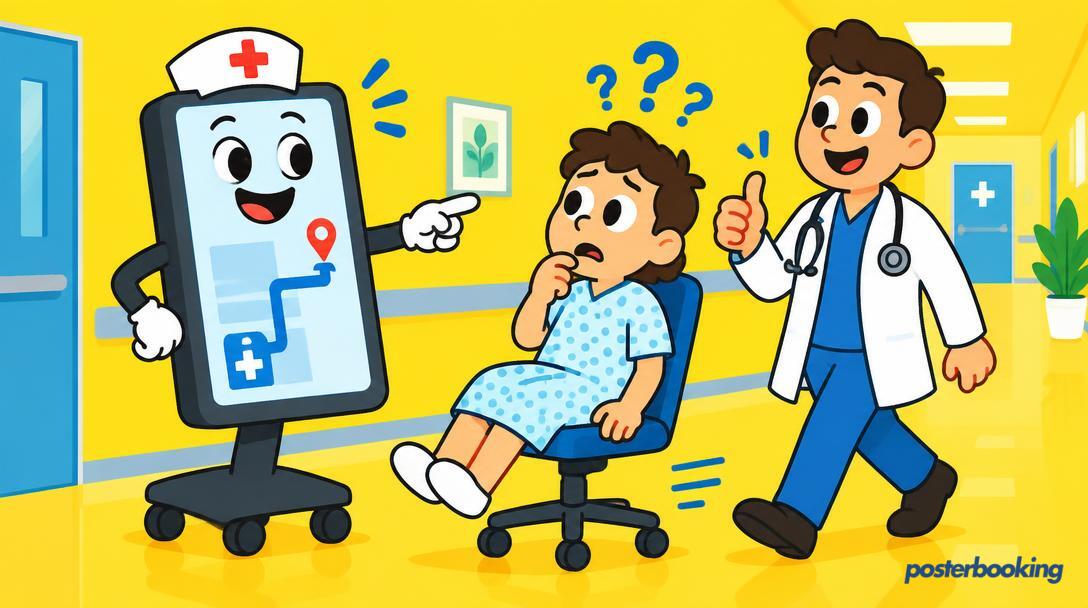
If you have ever stepped foot inside a large NHS trust or a sprawling private medical campus, you will know that hospitals are not merely buildings. They are organic, ever-expanding entities that seem to grow new wings, corridors, and annexes overnight, usually in places that defy the laws of physics and Euclidean geometry. Finding your way from the main entrance to "Radiology Sub-Basement B, Corridor 4" is an endurance sport that most patients and visitors did not sign up for. In fact, it is often joked that some hospitals are designed by people who enjoy puzzles but harbour a secret grudge against their fellow humans.
In 2026, the standard for patient care has evolved significantly. It is no longer enough to provide world-class clinical outcomes if the patient has a nervous breakdown trying to find the consultant’s office. This is where modern hospital wayfinding comes into play. Digital signage has moved beyond being a luxury for the wealthy private clinics, it is now a fundamental component of the healthcare infrastructure globally. In this comprehensive guide, we will explore why people get lost, how it bleeds your budget dry, and how you can fix it without needing a PhD in urban planning or a ball of string to find your way back out.
Table of Contents
The Psychology of the Hospital Labyrinth
Hospitals are high-stress environments by their very nature. Whether you are a patient awaiting a diagnosis, a visitor rushing to see a loved one, or a staff member trying to reach a crash call, your cognitive load is already pushed to its absolute limit. When the human brain is under stress, its ability to process complex instructions or navigate unfamiliar spaces drops significantly. This is a physiological fact. The prefrontal cortex, responsible for complex decision-making and spatial navigation, does not perform at its best when the body is flooded with cortisol.
This is why "Turn left at the oncology ward, walk past the vending machine that only sells ginger ale, and take the third lift on the right" is a recipe for disaster. By the time the visitor reaches the vending machine, they have usually forgotten which lift to take, and they certainly cannot remember if it was the oncology ward or the hematology ward they were supposed to turn at.
The number one complaint in hospitals, often ranking higher than the quality of the hospital food or the length of the wait, is the difficulty of navigation. People feel vulnerable when they are lost. In a healthcare setting, that vulnerability turns into anxiety, which can elevate blood pressure and heart rates. Not ideal when you are heading to a cardiology appointment. Digital hospital wayfinding seeks to reduce this cognitive friction. By providing clear, dynamic, and easily digestible information, we can lower the environmental stress of the building itself. A well-placed digital directory acts as a silent concierge, providing constant reassurance that the visitor is in the right place and moving in the right direction.
The Financial Toll of Getting Lost: Why Confusion is Expensive
While it might seem like a minor annoyance, poor hospital wayfinding is a massive financial leak for healthcare providers. Let us look at the numbers, as they are often quite staggering when aggregated over a fiscal year. Every time a patient arrives late for an appointment because they could not find the clinic, it ripples through the entire day’s schedule. Consultants, whose time is incredibly valuable, sit idle, waiting rooms become overcrowded, and staff stress levels rise as they try to "make up time."
The Cost of Missed Appointments (DNAs)
Then there are the missed appointments, officially known as "Did Not Attend" or DNAs. While there are many reasons a patient might miss an appointment, from transport issues to simple forgetfulness, a non-negligible percentage is simply due to people giving up. After circling the car park for twenty minutes and then wandering the corridors for another twenty, a frustrated patient might simply walk out. In a system where every minute of a specialist’s time is worth hundreds of pounds, this is an avoidable waste of resources.
The Interruption Cost for Staff
Perhaps the most overlooked cost is the "interruption cost." Research shows that hospital staff, from nurses to surgeons to janitors, spend a significant portion of their week giving directions to lost visitors. Every time a nurse stops to explain how to get to the maternity ward, they are distracted from clinical tasks. If you multiply those two-minute interruptions by thousands of staff members across a large facility, you are looking at thousands of lost hours of productivity every year. Digital signage pays for itself simply by letting the staff do the jobs they were actually hired to do, rather than acting as unpaid tour guides.
Design Principles for Stressed Minds: The Cognitive Load
When designing hospital wayfinding for 2026, simplicity is the only rule that matters. We are not designing a trendy art gallery or a high-tech Silicon Valley office, we are designing a navigation aid for someone who might be having the worst day of their life.
The Three-Step Rule of Wayfinding
Information should be presented in three distinct steps: Arrival, Journey, and Destination.
- Arrival: The lobby screen should give the "Big Picture." It tells the visitor which wing or zone they need to go to.
- Journey: Corridor screens should confirm "Current Progress." These are the reassurance signs that tell the visitor they are still on the right path.
- Destination: Door screens should confirm the "Final Stop." This is the definitive marker that says, "You have arrived at Room 402."
If a visitor has to remember more than two turns at a time, you have lost them. Digital signs are excellent for this because they can show directional arrows that point exactly where the person needs to go, rather than relying on abstract text.
Accessibility and DDA Compliance
Digital signage must be inclusive. In 2026, accessibility is not a "nice to have" feature, it is a legal and moral requirement under the Disability Discrimination Act (DDA) and similar global standards. This means:
- Mounting Height: Screens must be visible to both standing visitors and those in wheelchairs.
- Font Legibility: Using clean, sans-serif fonts like Arial, Helvetica, or specialized accessible fonts.
- High Contrast: Ensuring that text stands out against the background (e.g., white text on a dark blue background).
- Visual Cues: Using icons and colours for those who may have difficulty reading text or for whom English is not a first language.
Plain Language and the Death of Medical Jargon
Medical professionals love Latin. It sounds impressive and precise. Patients, generally speaking, do not. If your wayfinding signs say "Ophthalmology," half your visitors will spend five minutes wondering if that is the eye place, the foot place, or something to do with the weather. In a digital wayfinding system, you have the space to use plain English.
Instead of "Phlebotomy," use "Blood Tests." Instead of "Otolaryngology," use "Ear, Nose, and Throat." The goal is to make the information instantly recognisable. If you must use the formal clinical name, use it as a subtitle. Digital screens allow you to rotate these terms or display them in multiple languages, which is essential in diverse urban areas. If a large portion of your community speaks Bengali, Polish, or Arabic, your signs should reflect that at the touch of a button.
Consider the following jargon-to-plain-language conversions that should be used on your screens:
- Renal Unit -> Kidney Clinic
- Gastroenterology -> Digestive Health
- Dermatology -> Skin Clinic
- Orthopaedics -> Bone and Joint Clinic
By removing these linguistic barriers, you reduce the mental effort required to navigate the space.
The Role of Colour Zoning and Universal Iconography
Humans are visual creatures. We process shapes and colours much faster than we process text. This is why the most successful hospital wayfinding systems use a "Zone" approach.
The Zone System
In this system, the hospital is divided into distinct, colour-coded areas. The "Red Zone" might be for Cardiac and Emergency, the "Blue Zone" for Paediatrics, and the "Green Zone" for Outpatient services. When a patient receives their appointment letter, it tells them to head to the "Blue Zone." Once they arrive at the hospital, they simply follow the blue icons and blue headers on the digital screens.
The Power of the Icon
A picture of a lung is universal. A picture of a bone is universal. Icons transcend language barriers and educational backgrounds. When you combine colour-coded paths on a digital screen with matching floor lines or wall panels, you create a trail that even a child or a non-native speaker could follow with ease. In 2026, we see more hospitals using "Landmark" navigation. "Turn left at the giant digital screen showing the blue whale" is much easier to follow than "Turn left at North Wing B, Level 2."
Dynamic Updates for Changing Environments
The greatest advantage of digital signage over static plastic signs is the ability to change things instantly. Hospitals are constantly under renovation. If a ward is moved due to a burst pipe, or if a specific entrance is closed for maintenance, you do not need to hire a signwriter or tape a piece of paper over the old sign with yellowing Sellotape. You simply update the central CMS (Content Management System), and every screen in the building reflects the change immediately. This prevents the "ghost sign" problem, where visitors follow signs to departments that no longer exist in that location.
Hardware Breakdown: From Lobby Directories to Clinic Doors
Choosing the right hardware for hospital wayfinding is about durability, visibility, and reliability. You do not need the most expensive 8K screens on the market, but you do need commercial-grade displays that are rated for 24/7 or 16/7 operation.
Lobby Directories (The Big Picture)
These should be large, high-brightness screens, typically 55 inches or larger. They serve as the primary orientation point. While touchscreens were popular for a while, the post-pandemic world has seen a shift back to non-touch or "QR-to-mobile" interaction to maintain hygiene standards. A large screen displaying a rotating list of departments and a simplified, high-contrast map is usually the best approach.
Corridor and "Gallows" Signs
These are the screens mounted perpendicular to the wall, hanging from the ceiling. They are vital for long corridors where you need to see the next direction from a distance. Because these are often viewed from an angle, using screens with high viewing angles (such as IPS panels) is crucial. If the colours wash out when viewed from the side, the sign loses its effectiveness.
Clinic Door Displays (The Final Destination)
Small 10-inch or 15-inch screens outside individual consultation rooms can display the name of the doctor currently in session and the expected waiting time. This reduces the number of people knocking on doors to ask, "Am I next?" which is a constant source of frustration for clinical staff and a breach of privacy for the patient inside.
The Media Player: The Brains of the Operation
You do not need a bulky PC tucked behind every screen, which is a nightmare for maintenance and cable management. In 2026, small form-factor players like the Amazon Fire TV Stick, Chromecast, or Raspberry Pi are more than capable of handling 4K wayfinding content. Using PosterBooking, you can turn any of these inexpensive devices into a powerful signage player. Find out more about how this works on our * page.
Emergency Alerts and Integrated Messaging Systems
A digital wayfinding system should not just be a static map. In 2026, it should be a comprehensive communication hub. When the screens are not showing directions, they can be used to display health promotion messages, staff recognition stories, or hospital news. This keeps the content fresh and ensures that people actually look at the screens rather than ignoring them as background noise.
The Emergency Override: A Life-Saving Feature
This is perhaps the most critical feature of a digital system. In the event of a fire, a "Code Blue," a security lockdown, or a natural disaster, every screen in the hospital can be programmed to switch instantly to an emergency alert.
- Evacuation Routes: The wayfinding signs can change to show the nearest emergency exit based on the location of the fire.
- Instructional Messaging: Clear, bold instructions can be displayed, such as "STAY IN ROOM" or "PROCEED TO LEVEL 1."
- Real-Time Updates: As the situation evolves, the messages can be updated to provide the most current safety information.
This level of real-time safety coordination is physically impossible with static signage and much more effective than audio-only announcements which can be hard to hear in a noisy hospital environment.
Waiting Room Integration and Anxiety Reduction
Wayfinding does not end when the patient finds the waiting room. By integrating wait-time data onto the screens, you can manage expectations and reduce the perceived wait time. Adding a news feed, weather updates, or calming nature videos alongside the directional information keeps patients occupied and less focused on their medical anxiety. For more ideas on how to optimize these spaces, check out our guide on *.
Calculating the Costs of Digital Wayfinding in 2026
One of the biggest hurdles to implementing a digital wayfinding system is the perceived cost. However, when you break it down and compare it to the "lost time" costs mentioned earlier, it is often one of the most cost-effective upgrades a hospital can make.
Hardware Costs (Broad Ranges)
- Commercial Displays: Generally range from £400 for a 32-inch screen to £2,500 for a high-brightness 75-inch directory screen.
- Media Players: Basic but reliable players can be as little as £30 to £100 per screen.
- Mounting Equipment: Depending on whether you are wall-mounting or ceiling-mounting, expect to pay between £50 and £200 per screen for professional brackets.
Software Costs: The PosterBooking Advantage
This is where many companies will try to lock you into expensive annual contracts with per-user fees and maintenance surcharges. Some enterprise signage solutions can cost hundreds of pounds per screen per year. At PosterBooking, we believe that basic digital signage should be accessible to everyone, regardless of their budget. That is why we offer our first 10 screens completely free, with no hidden catches. If you need to scale up to a massive hospital campus with hundreds of screens, our * remains straightforward and transparent.
Content Creation and Management
The cost of designing your maps and icons can vary. You can hire a professional wayfinding consultant for a bespoke project, or you can use internal design teams to create simple, high-contrast layouts using tools like Canva or Photoshop. The key is to keep it clean. A simple, well-designed image file is often more effective than a complex, cluttered 3D animation.
The Future of Navigation: AR and Mobile Integration
As we look further into 2026 and beyond, hospital wayfinding is becoming increasingly "phygital", a blend of physical screens and digital mobile experiences.
QR Codes: The Bridge to Mobile
By placing QR codes on your digital wayfinding screens, you allow visitors to "take the map with them." A visitor can scan a code at the lobby directory, and a blue line will appear on their smartphone, guiding them via their camera (Augmented Reality) or a 2D map directly to their destination. This ensures they don't get lost in the "dead zones" between screens.
Blue-Dot Navigation
Some advanced hospitals are implementing internal GPS systems (often using Bluetooth beacons). This allows for "Blue-Dot" navigation, similar to Google Maps but inside the building. While this is more expensive to implement, it provides the ultimate level of reassurance for patients. Digital screens act as the anchors for this system, providing the initial QR code and serving as physical check-points.
Implementing Digital Wayfinding with PosterBooking
Setting up a hospital-wide wayfinding system does not have to be a multi-year IT project that drains your soul and your budget. With PosterBooking, the process is designed to be as simple as possible.
Step 1: Connect Your Hardware
Plug your chosen media player (such as a Fire TV Stick or a Raspberry Pi) into the HDMI port of your screen. Connect the player to the hospital’s Wi-Fi or use an Ethernet adapter for a more stable wired connection.
Step 2: Install the PosterBooking App
Navigate to the app store on your device and download the PosterBooking app. Once launched, it will display a unique pairing code on the screen.
Step 3: Pair the Screen to Your Account
Log into your PosterBooking account from any web browser. Click on "Add Screen," enter the pairing code, and give the screen a name (e.g., "Main Lobby East" or "Cardiology Waiting Room").
Step 4: Upload and Schedule Content
Upload your wayfinding images, maps, or videos. You can then create playlists and assign them to specific screens or groups of screens. For example, you can have a "North Wing Group" that only shows directions relevant to that area. You can also schedule content to change; perhaps the screens show wayfinding during the day and staff wellness messages during the night shift.
By starting with our free tier, you can test the system in a single department or wing before rolling it out across the entire facility. This "proof of concept" approach is often the best way to secure budget approval from hospital boards who might be sceptical of new technology. You can see more examples of healthcare implementations on our * page.
Frequently Asked Questions
How does digital signage specifically improve patient satisfaction scores?
Digital signage reduces the "environmental stress" of a hospital. When patients feel lost, they feel out of control, which leads to anxiety and dissatisfaction. By providing clear, easy-to-follow directions and real-time waiting updates, you demonstrate that the hospital values the patient's time and mental well-being. This directly correlates to higher scores in patient experience surveys.
Can we integrate our existing appointment system with the screens?
Yes, many hospitals use our system to display real-time data. While the basic wayfinding uses images and videos, you can also display web pages or use our API integrations to show live clinic schedules or wait times. This ensures that the information on the wall matches the information in the patient’s file.
Is the software secure enough for a hospital environment?
Security is a top priority. PosterBooking uses industry-standard encryption, and because the media players only "pull" content from our secure servers, they do not provide an entry point into your hospital’s sensitive patient databases. We recommend placing signage players on a dedicated "Guest" or "IoT" Wi-Fi network for an extra layer of isolation.
How do we handle multi-floor navigation on a single screen?
The most effective way to handle multiple floors is through a rotating playlist or a partitioned screen layout. You can display a directory list for all floors on the left side of the screen, while the right side rotates through maps of Floor 1, Floor 2, and so on. Keeping the text static while the maps rotate allows visitors to find their floor number quickly and then wait for the visual map to appear.
What happens if the internet connection is lost?
PosterBooking is designed with reliability in mind. The media player downloads the content locally to its storage. If the internet goes down, the screen will continue to display the last downloaded playlist without interruption. You only need a connection when you want to change the content or check if the screen is online.
Is digital signage more expensive than traditional static signs?
Initially, the hardware cost is higher than a plastic sign. However, when you consider the lifespan and the cost of changes, digital is cheaper. Static signs are often ignored, become outdated the moment a department moves, and require a handyman to install. Digital signs can be updated by a receptionist in thirty seconds and can serve multiple purposes (wayfinding, news, emergency alerts), providing much higher ROI.
Can we show different languages on the same screen?
Absolutely. This is one of the greatest strengths of digital signage. You can create a playlist that cycles through English, Spanish, French, and any other language relevant to your local community. You can also use universal icons that work across all languages, further reducing the need for text-heavy displays.
Conclusion: A Better Way Forward
The days of hospitals being confusing, grey labyrinths are coming to an end. As we move through 2026, the expectation for clear, digital communication will only grow. A robust hospital wayfinding system is not just about pretty screens, it is an investment in patient dignity, staff productivity, and operational efficiency.
By moving away from confusing jargon, embracing clear icons and colour zones, and utilizing flexible digital platforms, healthcare providers can transform the patient journey from a stressful ordeal into a managed, professional experience. Whether you are running a small local clinic or a massive metropolitan teaching hospital, the goal is the same: to get people where they need to be, with as little stress as possible.
And the best part? You can start this transformation today without spending a penny on software. Join the 87,426 users who trust us to power their screens and improve their visitor experience.
Start your digital wayfinding journey with your first 10 screens free at https://posterbooking.com.