
Table Of Contents
- 1 Digital Menu Boards
- 2 Promotional and Advertising Displays
- 3 Information and Announcement Screens
- 4 Wayfinding Signs
- 5 Interactive Kiosks
- 6 Video Walls
- 7 Digital Billboards
- 8 Dashboards and Data Displays
- 9 Queue and Waiting Room Screens
- 10 Emergency and Alert Displays
- Indoor vs Outdoor Digital Signage
- Landscape vs Portrait Orientation
- Choosing Hardware for Each Type
- Typical Costs by Signage Type
- Content Ideas for Each Signage Type
- Mistakes to Avoid When Mixing Signage Types
- A Quick Word on Content Rotation Speed
- Which Type of Digital Signage Do You Need?
- Frequently Asked Questions
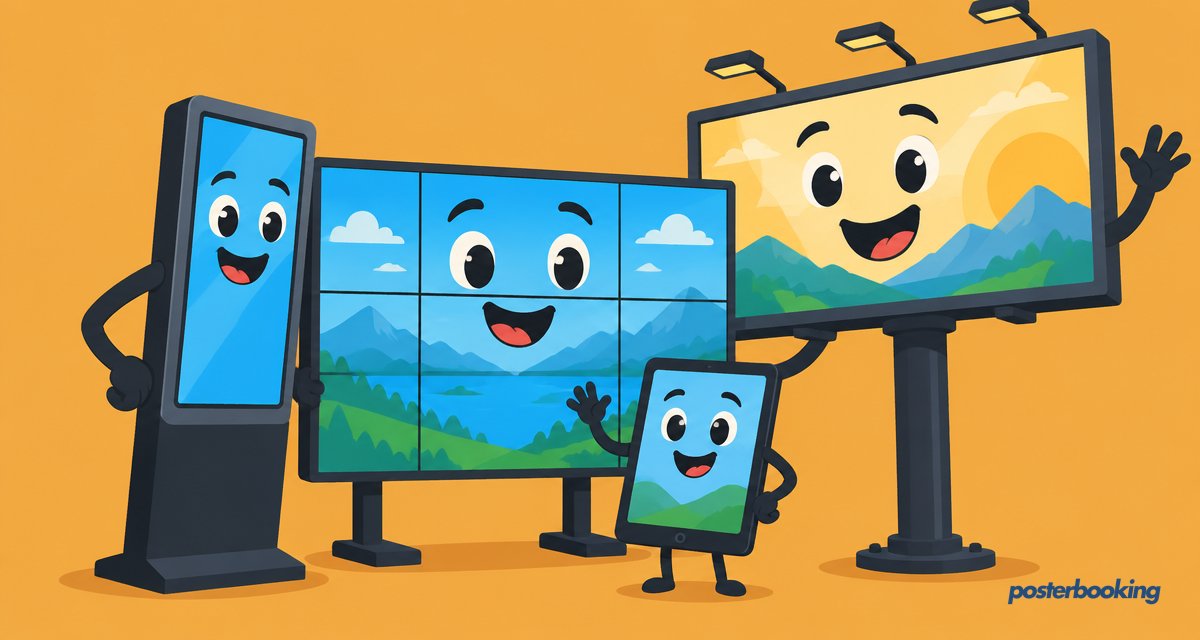
The main types of digital signage are digital menu boards, promotional displays, information and announcement screens, wayfinding signs, interactive kiosks, video walls, digital billboards, dashboards, queue and waiting room screens, and emergency alert displays. Digital signage, sometimes searched as "e signage" or "e-signages", simply means electronic screens whose content is managed remotely.
1. Digital menu boards
Screens in restaurants and cafes showing menus, prices and food videos, often changing by time of day. A breakfast menu can switch to lunch automatically at 11am without anyone touching a remote. See digital menu board software.
2. Promotional and advertising displays
Screens in shops and windows that loop offers, new products and brand videos. Unlike a printed poster, these can be updated the moment a sale starts or a product sells out. See digital signage for retail.
3. Information and announcement screens
Noticeboards in schools, offices, churches and community centres showing events and news. They replace the pinboard that nobody ever quite manages to tidy. Compare the best digital signage for schools.
4. Wayfinding signs
Maps and directories in hospitals, malls, airports and campuses that help visitors find their way. A good wayfinding screen saves more frustrated phone calls to reception than most people realise.
5. Interactive kiosks
Touchscreens for self-ordering, check-in or browsing a catalogue. These sit at the more technical end of digital signage, since they need touch hardware and software built for user input rather than passive playback.
6. Video walls
Several screens tiled together for high-impact displays in lobbies, arenas and control rooms. They demand careful alignment and usually a dedicated content design process, since a single image is stretched across multiple panels.
7. Digital billboards
Large outdoor LED screens beside roads and in city centres selling ad space. See digital billboard software.
8. Dashboards and data displays
Live KPIs, sales leaderboards or Google Sheets on a TV in offices and warehouses. These are popular with sales teams who enjoy a bit of friendly competition on the big screen.
9. Queue and waiting room screens
Health tips, wait times and practice news in clinics and banks. See healthcare digital signage.
10. Emergency and alert displays
Screens that switch instantly to safety messages, closures or weather alerts. This is arguably the most important type on the list, even though it is used the least often.
Indoor vs outdoor digital signage
Indoor screens can use ordinary TVs. Outdoor screens need high brightness (usually 2,500 nits or more) and weatherproof enclosures to stay readable in sunlight. Mixing the two up, putting an indoor TV outside, tends to end in a screen that is either unreadable at noon or dead after the first rainstorm.
| Indoor signage | Outdoor signage | |
|---|---|---|
| Brightness needed | Standard TV brightness | 2,500 nits or more |
| Enclosure | None needed | Weatherproof, often with a heater or fan |
| Typical cost | Lower | Higher, due to specialist hardware |
| Common uses | Menus, lobbies, offices | Billboards, forecourts, drive-thrus |
Landscape vs portrait orientation
Most digital signage runs in landscape, matching how a standard TV is built, but portrait orientation suits certain content better: menu boards with long lists, wayfinding directories and retail window displays all tend to work better taller than wide. The choice usually comes down to the shape of the space and the type of content, rather than any technical limitation.
Choosing Hardware for Each Type
| Signage type | Typical hardware |
|---|---|
| Menu boards | TV plus Fire Stick or Android box |
| Promotional displays | TV or commercial display plus media player |
| Wayfinding | TV or touchscreen kiosk |
| Interactive kiosks | Touchscreen monitor with kiosk stand |
| Video walls | Multiple commercial panels plus a video wall controller |
| Digital billboards | High-brightness outdoor LED panel |
| Dashboards | TV plus small PC or streaming device |
| Queue screens | TV plus Fire Stick, Android box or Raspberry Pi |
For most of the list, software like PosterBooking runs happily on a Fire TV Stick, Android device, Windows PC, Chrome device or Raspberry Pi, which keeps hardware costs modest for nine out of these ten signage types. Video walls and outdoor billboards are the exceptions that need more specialised equipment.
Typical Costs by Signage Type
- Menu boards and announcement screens: a TV plus a low-cost player, often under a few hundred dollars per screen.
- Interactive kiosks: touchscreen hardware adds a meaningful premium over a passive display.
- Video walls: cost scales quickly with panel count and the controller needed to drive them.
- Digital billboards: the most expensive category, due to brightness, weatherproofing and outdoor-rated construction.
Software cost is usually the smallest line item regardless of type, especially with PosterBooking's first 10 screens free.
Content Ideas for Each Signage Type
A quick list to get the creative juices flowing, since a blank playlist is the most common reason a new screen sits unused:
- Menu boards: combo deals, seasonal items, allergen icons, short food prep videos.
- Promotional displays: new arrivals, limited time offers, loyalty programme sign-ups.
- Announcement screens: events calendar, staff news, birthdays, weather.
- Wayfinding: floor directories, "you are here" maps, nearby amenities.
- Dashboards: sales leaderboards, support ticket counts, delivery tracking.
- Queue screens: estimated wait time, health tips, service price lists.
Mistakes to Avoid When Mixing Signage Types
- Using a promotional template for emergency alerts. Safety messages need their own unmistakable style, not a slide that looks like a sale banner.
- Cramming a dashboard and a menu board onto one screen. Pick one job per screen and let it do that job well.
- Choosing outdoor hardware for an indoor space, or vice versa. The brightness and cost mismatch goes both ways.
- Forgetting touch calibration on kiosks. An interactive screen that mis-registers taps frustrates users fast.
A Quick Word on Content Rotation Speed
Different signage types suit different rotation speeds. Menu boards and wayfinding should sit still long enough to be read calmly, while promotional displays can afford a quicker pace since fans or shoppers are already walking past. Getting this wrong is a common reason a perfectly good screen still feels ignored, slides racing past faster than anyone can actually read them.
Which type of digital signage do you need?
Most small businesses start with one TV and a low-cost player showing a looping playlist of images and videos. You can see real setups in our digital signage examples and start with 10 free screens using free digital signage software.
Frequently Asked Questions
What is e signage?
"E signage" (electronic signage) is another name for digital signage, meaning screens that show content you update remotely such as menus, ads and announcements. It is simply a shorthand search term for the same technology covered throughout this guide.
What are the 3 main categories of digital signage?
The 3 main categories of digital signage are promotional, informational and interactive. Promotional signage covers ads and offers, informational signage covers announcements, menus and wayfinding, and interactive signage covers kiosks and touchscreens.
What is the cheapest type of digital signage?
The cheapest type of digital signage is a standard TV paired with a streaming stick such as a Fire TV Stick running a digital signage app. PosterBooking's first 10 screens are free, making a single-screen setup achievable for close to the cost of the TV alone.
Which type of digital signage is best for a restaurant?
Digital menu boards are the best type of digital signage for a restaurant, since they let staff update prices, remove sold-out items and switch between breakfast, lunch and dinner menus instantly. Many restaurants also add a promotional screen near the entrance for offers.
Do all types of digital signage need internet access?
Most types of digital signage need internet access to receive new content from a cloud dashboard, but players typically keep showing the last downloaded playlist during a brief outage. Only live data types like dashboards and some wayfinding feeds are noticeably affected by a lost connection.
What is the difference between a video wall and a digital billboard?
A video wall is an indoor display made of multiple screens tiled together for high-impact lobby or arena displays, while a digital billboard is a single large outdoor LED panel built for roadside visibility in daylight. They use different hardware, brightness levels and typically different budgets.
Can one piece of software run several different types of digital signage?
Yes, one piece of software can run several different types of digital signage, since most platforms separate the content management system from the specific screen hardware. PosterBooking, for example, can run menu boards, announcement screens and queue displays all from the same dashboard.
Ready to try it yourself? Start free with PosterBooking and turn any spare TV into whichever type of digital signage your business actually needs.