
The Ultimate Guide to Smart Digital Signage in 2026
Table Of Contents
DIGITAL SIGNAGE RESOURCES
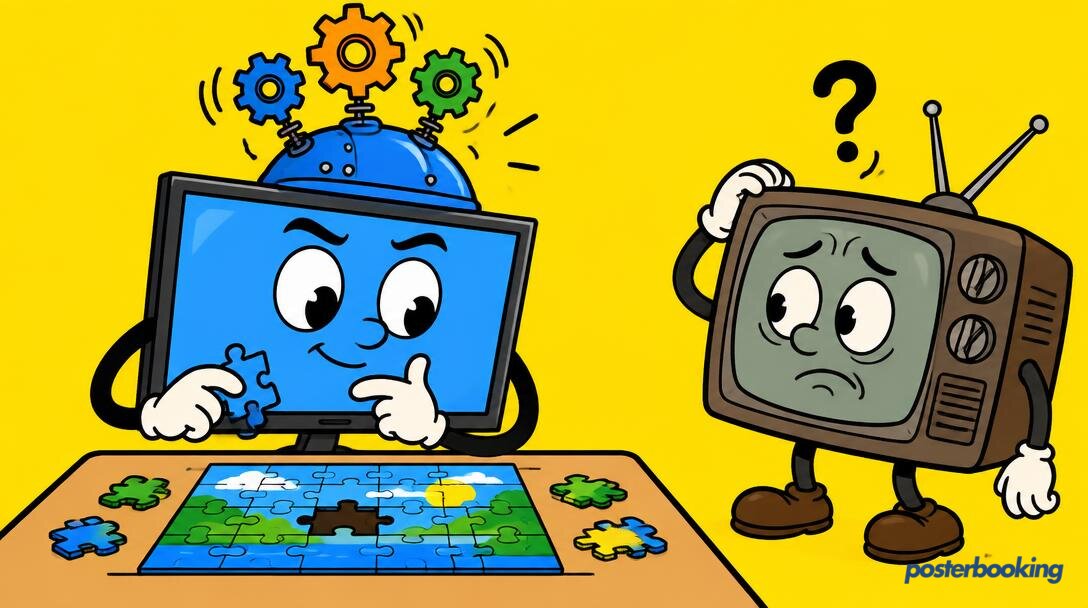
If you have ever stood in a queue at a local chippy and watched a screen flicker through a blurry PDF of a menu that includes "Christmas Specials" in the middle of a July heatwave, you have witnessed the death of traditional signage. It is static, it is ignored, and it is, quite frankly, a bit sad. Smart digital signage, on the other hand, is the antidote to this visual apathy. It is not just a screen, it is a dynamic, data-aware, and occasionally cheeky piece of technology that knows exactly what to show, to whom, and when.
In 2026, the term "smart" has moved beyond being a marketing buzzword. It now refers to a system that uses real-time data, artificial intelligence, and environmental sensors to deliver content that actually matters. Whether you are a small cafe owner or the manager of a multi-national retail chain, understanding how to harness this intelligence is no longer optional. It is the difference between being a part of the background noise and actually capturing a customer's attention before they wander off to look at their phone.
This guide will walk you through everything you need to know about the world of smart digital signage, from the technical components that make it tick to the clever features that will make your competitors look like they are still living in the era of the overhead projector. We will explore how to transition from basic displays to a fully automated network that practically runs itself.
Contents
What is Smart Digital Signage?
Smart digital signage is an ecosystem of hardware and software that uses external data inputs to automate content delivery. While a standard digital poster might simply loop a video file, a smart system reacts to its surroundings. If it starts raining outside, the screen suggests umbrellas. If the person standing in front of the screen is a teenager, it might show trainers; if it is a retiree, it might pivot to gardening tools.
At its core, smart signage is about context. It removes the human element of having to manually update playlists every time the weather changes or a new promotion starts. It is the "set it and forget it" dream, provided you have set it up correctly in the first place. By 2026, these systems have become incredibly accessible, allowing even small businesses to use tools that were previously reserved for brands with "Global Head of Innovation" departments and far too many meetings about "synergy."
The Brain, Not Just the Face
Think of traditional signage as a poster that happens to be glowing. Smart signage is more like a digital concierge. It has a "brain" (the Cloud CMS) that processes information from various sources, such as inventory levels, local weather APIs, and even social media feeds. It then decides, in milliseconds, what the "face" (the screen) should display. This intelligence is what separates a modern multimedia display system from a glorified photo frame that you might find in a dusty corner of a charity shop.
The Rise of Edge Computing
In 2026, a lot of the "smart" processing happens right at the screen. This is known as edge computing. Instead of sending every piece of data back to a central server and waiting for a response, the local digital signage player can make decisions on the fly. This ensures that even if your internet connection is as temperamental as a toddler in a supermarket, your screen stays smart and responsive.
Smart vs Traditional Signage: The Great Divide
The difference between traditional and smart signage is the difference between a one-way lecture and a two-way conversation. Traditional signage is "dumb" because it is blind to the world around it. It plays its content regardless of whether there is an audience, whether the shop is actually open, or whether the product it is advertising is even in stock.
The USB Stick of Doom
In the traditional world, updates often involve a member of staff climbing a ladder with a USB stick, which is both a health and safety nightmare and a guaranteed way to ensure your content is six months out of date. If you are still doing this, we recommend looking at our guide on how to transform TV to digital signage using much simpler, smarter methods. The USB stick is the cassette tape of the digital signage world; it belongs in a museum, not in the back of your expensive 4K display.
Automated Intelligence and Real-time Agility
Smart signage, conversely, is managed entirely via the cloud. If you want to change a price across fifty locations, you click a button in your office (or your living room, we don't judge). Even better, you can set rules so that you do not even have to click the button. The system sees that the temperature has hit 25 degrees Celsius and automatically switches the coffee menu to iced lattes. That is the "smart" part, and it saves you from the embarrassment of trying to sell hot soup during a heatwave. It is about agility, efficiency, and making sure your staff are doing their actual jobs rather than wrestling with HDMI cables.
How Smart Digital Signage Works
To the uninitiated, it might look like magic, but the architecture of smart digital signage is actually quite logical. It consists of four main pillars: the player, the CMS, sensors, and data triggers.
Hardware Players: The Engine Room
The player is the physical device that sits behind your screen and translates code into pretty pictures. In 2026, these range from ultra-compact sticks like the Amazon Fire TV Stick 4k Max to dedicated industrial-grade digital signage players. The player needs a constant internet connection to receive updates and report back its status. Without a player, your screen is just a very expensive, very black rectangle that collects dust and looks slightly imposing.
Cloud CMS: The Mastermind
The Content Management System (CMS) is where the magic happens. This is the web-based interface where you upload your images, videos, and apps. A "smart" CMS, like PosterBooking, allows you to group screens, schedule content by time of day, and integrate third-party data. It is the control centre for your entire digital signage network. It allows you to see what is playing on every screen in your empire without having to get off your chair, which is the peak of modern human achievement.
Sensors and AI: The Eyes and Ears
This is where things get truly futuristic. Modern smart signage can be equipped with sensors that detect motion, proximity, or even facial features (anonymously, of course, to keep the GDPR inspectors happy). AI algorithms can then analyse this data to determine the age, gender, and even the mood of the person looking at the screen. If the AI detects a bored-looking customer, it might switch to a high-energy video to grab their attention. It is like having a sales assistant who never needs a lunch break and doesn't get grumpy on Monday mornings.
Data Triggers: The If-This-Then-That Logic
Data triggers are the rules you set for your content. They connect your CMS to the real world. Common triggers include:
- Weather: Show raincoats when the forecast says rain.
- Inventory: Hide the "Limited Edition Donut" ad when the POS system says you have sold out, avoiding customer disappointment and potential donut-related riots.
- Time: Switch from a breakfast menu to a lunch menu at precisely 11:01 AM.
- Emergency: Instantly override all content with safety instructions if a fire alarm is triggered, transforming your ads into a digital notice board.
- Social Media: Display a live RSS feed or social media mentions to show how much people love your brand (or to keep an eye on the critics).
Key Smart Features for 2026
The smart signage landscape is evolving rapidly. Here are the features that are defining the industry this year.
Audience Analytics
We no longer have to guess how many people saw an advert. Smart signage provides hard data. By using camera-based sensors, businesses can track "dwell time" (how long someone looked) and "impressions" (how many people walked past). This is invaluable for DOOH advertising, as it allows brands to pay based on actual engagement rather than optimistic estimates from a marketing executive who hasn't left their office in three weeks.
Dayparting
Digital signage for dayparting is the bread and butter of the smart signage world. It allows you to partition your day into segments and serve content that matches the vibe. A gym might show high-intensity workout videos at 6:00 AM and relaxing yoga poses at 8:00 PM. It ensures your message is always relevant to the current audience, rather than showing protein shakes to the "gentle stretching" crowd.
Weather-Based Automation
As mentioned, weather triggers are a game-changer. But it goes beyond just rain and sun. High-end systems can react to UV indices, pollen counts, or even wind speed. A pharmacy could use smart signage to promote allergy medication on high-pollen days, while a car wash might offer a "storm wash" discount when a heavy downpour is looming. It is about being useful to the customer in the exact moment they need you.
QR and Mobile Interactivity
The screen is no longer the end of the journey; it is the beginning. Interactive digital signage in 2026 heavily relies on QR codes. By scanning a code on the screen, a customer can take the menu with them, join a loyalty programme, or even control what is playing on the screen. It bridges the gap between the physical store and the customer's smartphone, creating a seamless omnichannel experience. If a customer can buy a product directly from their phone after seeing it on your screen, you have won the game.
AI-Generated Content
In 2026, smart signage systems can even help you create content. If you are running low on ideas, integrated AI tools can suggest layouts, write copy, and even generate images based on your brand guidelines. While it won't replace a talented designer, it is a fantastic tool for those moments when you need a new promotion live in ten minutes and everyone else is at lunch.
Smart Signage Use Cases by Industry
Smart signage is not a one-size-fits-all solution. Different industries use these "brains" in very different ways.
Retail: The Personalised Shopper
In retail stores, smart signage acts as an extension of the sales team. Imagine a digital shelf edge signage system that updates prices in real-time to match online competitors. Or a "magic mirror" in a fitting room that suggests accessories to match the outfit you are trying on. It is all about visual merchandising on steroids, making the shopping experience more interactive and less like a chore.
Hospitality: The Efficient Host
For restaurants, smart signage is about efficiency and upselling. POS digital menu boards can be programmed to push items that are high-margin or nearing their expiry date. In hotels, digital lobby signage can display flight information, local tourist tips, and room service specials, all based on the current time and local events. It makes the guest feel looked after without needing a human to stand there and repeat the same information all day.
Corporate: The Connected Workplace
In the office, smart signage helps with employee communications. It can pull live data from Trello or Jira to show project progress, or display a call center wallboard to keep support teams updated on ticket volumes. It can even be used for meeting room digital signage to show which rooms are occupied and for how long, putting an end to the awkward "peek through the glass door" dance.
Healthcare: The Patient Navigator
Hospitals use waiting room digital signage to reduce perceived wait times. Smart features allow these screens to show live wait times, health tips relevant to the current season (like flu jabs in winter), and wayfinding signage to help patients find their way through the labyrinthine corridors of a modern medical facility. It turns a stressful experience into something slightly more manageable.
Education: The Dynamic Campus
Schools and universities use digital signage for schools to keep students informed and engaged. From displaying exam schedules to celebrating student achievements, smart signage can be updated instantly across the entire campus. It can even be used to display campus maps, helping lost freshmen find their way to their first lecture without having to ask a senior student who will almost certainly give them the wrong directions for a laugh.
Hardware Options: SoC vs External Players
One of the biggest decisions you will face is how to actually power your smart signage. There are two main schools of thought, and both have their vocal supporters.
Smart TVs with Built-in SoC (System on Chip)
Modern "Smart" or "Professional" displays often come with a built-in computer, known as a System on Chip (SoC). These run operating systems like WebOS or Tizen.
- Pros: Clean look (no wires), easy setup, one remote for everything. Perfect for those who suffer from cable-induced anxiety.
- Cons: If the chip dies or becomes obsolete (which happens faster than we would like), you have to replace the whole TV. They can also be less powerful than dedicated players, leading to laggy transitions.
External Media Players
This involves plugging a small box or stick into the HDMI port of a "dumb" TV. Popular choices include Android boxes, Fire Sticks, and the new Amazon Signage Stick.
- Pros: Easy to upgrade, usually cheaper, and you can use any TV you already own. If the player breaks, you just buy a new £40 stick rather than a £500 screen. You can also get more powerful android digital signage players that handle 4K video with ease.
- Cons: Requires an extra power socket and a bit of cable management to hide the stick behind the screen. It is a bit like having a hidden secret behind your TV, which is quite exciting if you lead a very quiet life.
For most small to medium businesses, we usually recommend starting with an external player. It is the most cost-effective way to get free digital signage software up and running without committing to expensive professional hardware that you might not actually need.
The Real Cost of Smart Signage
Budgeting for smart signage requires looking beyond the initial purchase price of the TV. You need to consider the total cost of ownership over several years.
Hardware Costs
A decent 50-inch professional display will set you back anywhere from £400 to £1,200. These are built to run 24/7 and have better cooling than your average consumer TV. If you go the consumer TV route, you might spend half that, but you might also find the screen burns out after a year of constant use. External players range from £30 for a basic stick to £300 for a rugged, industrial-grade PC. Don't forget the cost of mounting brackets and the occasional long HDMI cable.
Software Costs
Many providers charge a monthly fee per screen, which can quickly add up if you have a large network. Some charge for "premium" features like weather or social media widgets. However, PosterBooking offers a very attractive pricing model where your first 10 screens are completely free. This allows you to experiment with smart features without the financial risk of a long-term contract or a stern email from your accountant.
Installation and Maintenance
Do not forget the cost of mounts, cabling, and potentially hiring an electrician to put a socket exactly where you need it. Digital signage installation can be a DIY job if you are handy with a drill, but for large-scale deployments, professional help is often a wise investment. Smart signage also requires a stable internet connection, so you may need to upgrade your Wi-Fi or run Ethernet cables through the ceiling.
Getting Started with PosterBooking
We believe that smart digital signage should be accessible to everyone, not just the tech giants with their unlimited budgets and fancy offices. That is why PosterBooking is designed to be the simplest, most powerful way to manage your screens.
With PosterBooking, you can:
- Use any screen: Turn an old TV into a smart display with a simple Fire Stick or Android box.
- Manage from anywhere: Update your content from your phone, laptop, or tablet while sitting on a beach (internet permitting).
- Scale for free: Connect up to 10 screens without paying a penny in software fees.
- Go smart: Use apps and widgets to show live weather, social media feeds, and news.
Whether you are looking to set up a digital bulletin board for your local community centre or a sophisticated menu system for a chain of cafes, we have the tools to help you succeed. The era of the "dumb" screen is over. It is time to make your signage work as hard as you do, and perhaps even a little bit harder.
Frequently Asked Questions
What makes digital signage "smart" compared to regular digital signage?
Smart digital signage uses real-time data and sensors to automate content, whereas regular digital signage typically relies on static playlists and manual updates. Smart systems can react to things like weather, time of day, and audience demographics without human intervention. It is the difference between a poster and a computer that happens to look like a poster.
Do I need a special type of TV for smart digital signage?
Not necessarily. While professional displays are designed for 24/7 use and often have built-in "smart" chips, you can turn any TV with an HDMI port into a smart screen by using an external media player like an Amazon Fire Stick or an Android box. If the TV can show a picture, it can be made smart.
Can smart digital signage work without an internet connection?
Smart signage requires an internet connection to receive data updates, such as weather feeds or new content from the cloud. However, most players will continue to play the last downloaded content if the internet drops out, though the "smart" data-driven features will stop updating until the connection is restored. Your customers might see yesterday's weather, but they won't see a black screen.
Is audience analytics for digital signage a privacy concern?
Most modern audience analytics tools are designed with privacy in mind. They use anonymous detection to count heads or determine age ranges without storing any personally identifiable information (PII) or recording actual video footage of individuals. It knows a "person" is there, but it doesn't know it's Dave from accounting.
How much does smart digital signage software cost?
Costs vary wildly, but many enterprise solutions charge between £15 and £50 per screen, per month. PosterBooking, however, provides a free tier for your first 10 screens, making it one of the most cost-effective ways to start a smart signage network without breaking the bank.
Can I show live social media feeds on my smart signage?
Yes, this is one of the most popular smart features. By using widgets or apps within your CMS, you can pull in live posts from platforms like Instagram or X (formerly Twitter), allowing your customers to see real-time engagement and reviews. Just make sure to use a moderation tool unless you are feeling particularly brave.
How difficult is it to set up a smart signage system?
If you can plug in a streaming stick and navigate a website, you can set up smart signage. Systems like PosterBooking are designed to be user-friendly, allowing you to have your first screen live in under five minutes without needing a degree in computer science or a call to your nephew who is "good with computers."
Ready to bring your screens to life and join the smart revolution?
FREE! *